
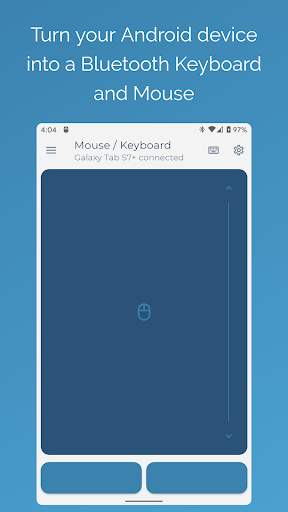
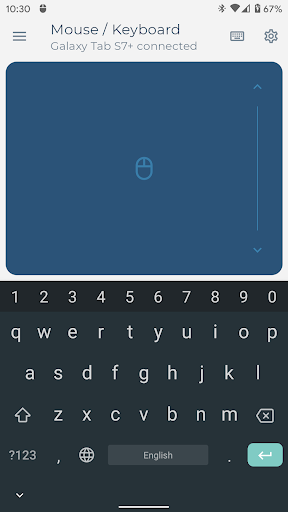
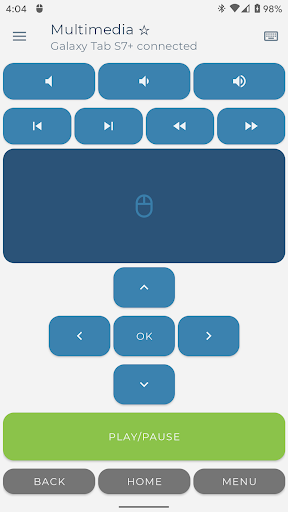
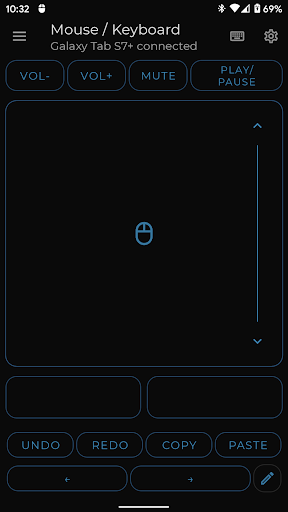
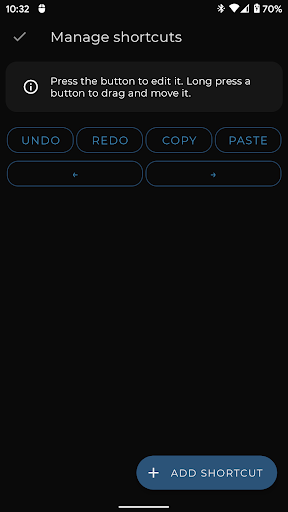
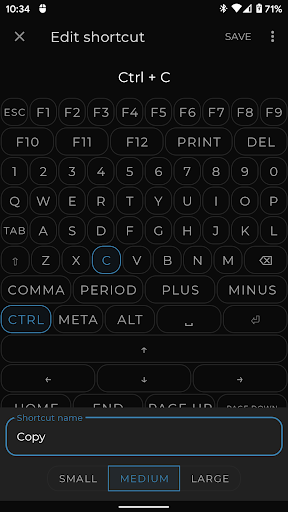
Bluetooth Keyboard & Mouse Pro revolutionizes the way you interact with your devices by turning your Android phone into a versatile remote control tool. This powerful application allows you to seamlessly operate your computer, tablet, or media center without the need for additional software or server connections. With its direct Bluetooth connectivity, you can enjoy instant response times while maintaining a private and secure connection.
The app offers an impressive array of features including precision control with a responsive keyboard, mouse, and multi-touch trackpad. It also includes specialized modes like Keep-Alive / Jiggler Mode to prevent your computer from sleeping, Full PC Keyboard support with over 100 international language layouts, Presenter Mode for confident slide navigation, and Multimedia Control for managing playback and volume. These tools collectively enhance productivity and streamline tasks across various platforms.
Ideal for professionals who require reliable remote access, this app is perfect for presentations, remote work, or media management. By consolidating essential controls into one intuitive interface, Bluetooth Keyboard & Mouse Pro delivers significant value to users seeking efficient device management solutions.
Bluetooth Keyboard & Mouse Pro stands out with its comprehensive feature set designed to maximize efficiency and convenience. The app's Precision Control functionality provides a highly responsive keyboard, mouse, and multi-touch trackpad, ensuring smooth navigation and typing experiences. Its Keep-Alive / Jiggler Mode is particularly beneficial for preventing computers from entering sleep mode during critical tasks, thus maintaining active status on communication platforms.
Another remarkable feature is the Full PC Keyboard that supports over 100 international language layouts, allowing users to switch between languages effortlessly. The Presenter Mode empowers users to navigate slides confidently, control pointers, and engage audiences effectively. Additionally, the Multimedia Control option enables effortless management of playback, volume adjustments, and navigation for various media players and streaming services.
These innovative features not only enhance user interaction but also offer customization options tailored to specific needs. Whether it's scanning QR codes directly to connected devices or syncing voice-to-text inputs, Bluetooth Keyboard & Mouse Pro ensures that every task is executed with precision and ease.
User-friendly interface
Wide compatibility range
Secure Bluetooth connection
Efficient workflow enhancement
Versatile feature set
Premium features locked behind paywall
Occasional connectivity issues
Limited free version functionality
Requires Bluetooth capability
Steep learning curve for beginners

 4.50
4.50
A recovery soft,it features photo recovery, video recovery, file recovery.
3.40
Unlock your Essential Key. Create custom shortcuts to your favorite apps!
4.3
Enjoy smooth gameplay with Game Booster
4.90
Smart and comfortable browsing experience.
3.80
Excellent scientific calculator with symbolic algebra, integrals, derivatives
4.80
Mirror your screen to Chromecast and Android TV - Super fast and simple
4.60
Making emulation easy for everyone!
4.30
Screen recorder with audio to record high-quality videos and take screenshots.
4.40
Navigate with Ease and Style
4.90
Best leveling tool for your Android device. Hang paintings like a pro.
4.90
ADB support Android 4.X-Android 13(Support wireless pair mode).No root required!
4.70
Keep track of your Palia friendships, tasks, and inventory with Palia Notebook
4.60
Planner and Tracker for Stardew Valley
4.60
Quickly & easily calculate the spacing of handrail balusters
4.20
Detect hidden spy camera with advanced scanning {{ Premium version }}
4.00
This app unlocks the Pro features of the Central for DayZ app
3.60
Clean the junk files on your device
3.40
A non-root local ADB shell client. READ BELOW!
3.40


User Reveiws