Payment for FUTO Keyboard

4.60

Information

Category:

Tools

Price:

$ 11.99

Rank:

31

Rating:

4.60

Overview

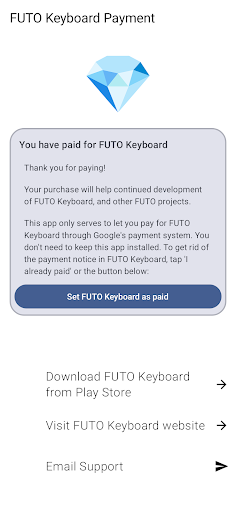
Payment for FUTO Keyboard is a specialized tool application designed to facilitate payment for the main FUTO Keyboard app. This app itself does not include any keyboard functionality but serves as a payment gateway for users who wish to support the development of FUTO Keyboard through Google Play.

The core purpose of this app is to allow users to make in-app purchases that will remove payment notifications from the main FUTO Keyboard interface. It's important to note that before purchasing, users must have the FUTO Keyboard installed on their devices. If you've already paid for FUTO Voice Input or purchased the keyboard elsewhere, there's no need for an additional purchase.

This app provides a streamlined way for users to contribute financially to the development and maintenance of the FUTO Keyboard, enhancing their typing experience while ensuring continued support and updates for the platform.

Features

Payment for FUTO Keyboard offers a unique set of features tailored specifically for processing payments within the FUTO ecosystem. The primary feature is its ability to integrate seamlessly with the main FUTO Keyboard app, allowing users to remove payment reminders after contributing financially.

Another notable characteristic is the app's straightforward approach to in-app purchases. Users can easily navigate the payment process without any technical expertise required. Once the transaction is complete, the payment notice within the FUTO Keyboard is automatically removed, providing a cleaner and uninterrupted user interface.

While it doesn't offer traditional productivity features, Payment for FUTO Keyboard simplifies the financial contribution process, making it accessible and user-friendly. This ensures that users can focus on their typing tasks without distractions, knowing they've supported the ongoing development of their preferred keyboard solution.

Core function accuracy & effectiveness

The core function of Payment for FUTO Keyboard centers on providing a seamless payment solution that unlocks the full functionality of the FUTO Keyboard application. This app serves as an intermediary to facilitate payment through Google Play, ensuring users can conveniently remove the payment notice in the base app. The effectiveness of this process is crucial because it directly impacts user experience and satisfaction. By purchasing this app, users effectively pay for the FUTO Keyboard, which removes any payment reminders or restrictions within the main keyboard app. The implementation of this payment mechanism is straightforward yet highly effective. Once the transaction is completed, the app communicates with the FUTO Keyboard to verify the purchase and subsequently disables any payment-related notifications. This ensures that users who have already paid for the service are not inconvenienced by repetitive payment prompts. The value proposition here lies in its simplicity and reliability. Users benefit from a hassle-free payment process that integrates smoothly with the existing ecosystem of FUTO apps. Moreover, the assurance that they do not need to pay again if they have previously purchased the service elsewhere adds to the trust and credibility of the payment system. Overall, the accuracy and effectiveness of this payment solution enhance the overall utility of the FUTO Keyboard, making it a reliable tool for those seeking an ad-free typing experience.

Interface simplicity & intuitiveness

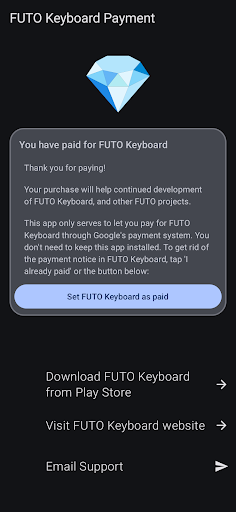
Payment for FUTO Keyboard demonstrates a strong commitment to interface simplicity and intuitiveness, ensuring that users can navigate and complete their transactions without unnecessary complexity. The app's design focuses on delivering a streamlined experience where users can quickly understand the purpose of the app and proceed with their purchase efficiently. Upon opening the app, users are greeted with clear instructions and links directing them to the FUTO Keyboard on Google Play if they haven't installed it yet. This immediate guidance eliminates confusion and helps users make informed decisions about their purchase. The payment process itself is embedded within the familiar Google Play environment, leveraging its well-established and user-friendly interface. This strategic choice reduces the learning curve and minimizes potential errors during the transaction. Additionally, the app provides explicit information about the implications of the purchase, such as removing payment notices in the base app, which enhances transparency and builds user confidence. The intuitive nature of the interface extends beyond mere aesthetics; it encompasses the logical flow of actions required to achieve the desired outcome. Each step, from understanding the necessity of having FUTO Keyboard installed to completing the payment, is designed to be self-explanatory and easy to follow. This approach significantly lowers the barrier to entry for new users while maintaining the satisfaction of existing ones. Ultimately, the emphasis on simplicity and intuitiveness ensures that users can focus on enjoying the enhanced features of the FUTO Keyboard without being bogged down by complicated payment procedures.

Props

User-friendly payment process

Seamless integration with FUTO Keyboard

Supports ongoing app development

Clear value proposition

One-time purchase option

Cons

No standalone functionality

Limited to Google Play

Requires separate app installation

Potential confusion for new users

Additional cost for existing features

Features and Functions

What is this app and what can I use it for?

This app allows payment to remove ads in FUTO Keyboard.

How do I download and install this app on my device?

Download via Google Play Store link provided.

How do I get started after opening the app for the first time?

Install FUTO Keyboard first then proceed to pay.

What are the main features and capabilities of this app?

Main feature is removing payment notices in FUTO Keyboard.

How can I customize my experience and adjust preferences?

No customization available as it's a payment app.

How do I save or bookmark my favorite content for later access?

Payments are one-time and non-reversible in nature.

How can I share content with friends or on social media?

Share app link directly from Google Play Store.

How do I access detailed information and explore more content?

Detailed info available on Google Play listing page.

What permissions does this app need and how do I manage them?

App needs basic permissions like network access only.

How do I check for updates and keep the app running smoothly?

Check Google Play Store for app updates regularly.
Show more

User Reveiws

{{ comment.reviewer_name }}
{{ comment.review_date_formatted}}
{{ comment.review_content }}
{{ tab.name }}
{{ comment.reviewer_name }}
{{ comment.review_date_formatted}}
{{ comment.review_content }}
No reviews with this rating