
WiFi Pro FTP Server

4.20

Information

Category:

Tools

Price:

$ 0.99

Rank:

44

Rating:

4.20

Overview

WiFi Pro FTP Server transforms your Android device into a fully functional FTP server, enabling seamless file transfers between your phone or tablet and other devices. With support for FTP over TLS/SSL (FTPS), this app ensures secure data exchanges while offering advanced configuration options such as anonymous access, home folder settings, and user authentication.

The app is particularly useful for users who want to avoid cumbersome USB cables and prefer wireless file management. Whether you need to transfer photos, movies, songs, or documents, WiFi Pro FTP Server works efficiently over both standard Wi-Fi networks and Wi-Fi tethering (hotspot) mode. Its intuitive interface and robust functionality make it an essential tool for anyone seeking efficient file management solutions.

Features

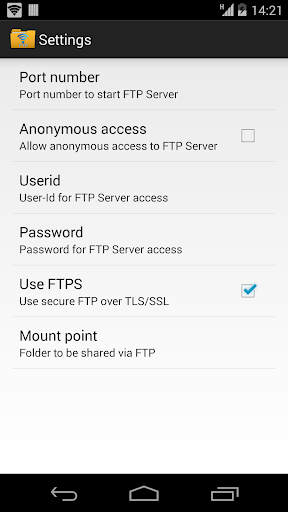
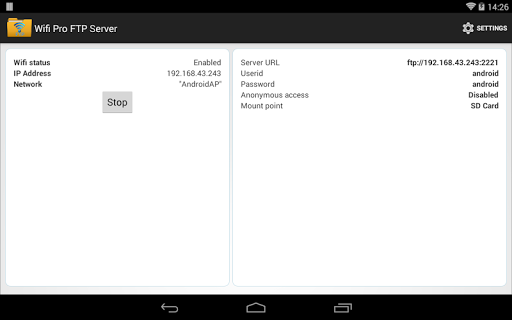
WiFi Pro FTP Server stands out with its comprehensive feature set tailored for power users. The app allows complete control over the FTP server environment, including customizable port numbers (default 2221), configurable home folders, and user-defined login credentials. Advanced security measures are also in place, with FTPS ensuring encrypted file transfers and default-disabled anonymous access providing an additional layer of protection.

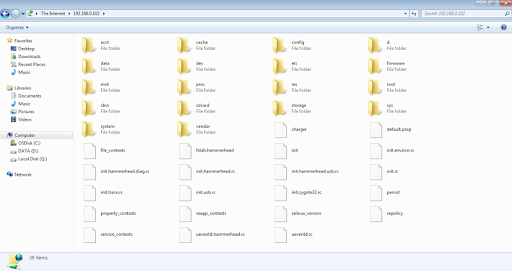
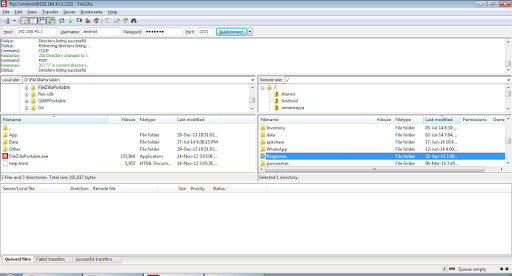
Another notable feature is its compatibility with various FTP clients like FileZilla, as well as accessibility via Windows File Explorer. The app supports both rooted and non-rooted devices, although certain restrictions apply to non-rooted phones regarding lower port bindings. Overall, these features combine to deliver a reliable, flexible, and secure file-sharing experience that caters to diverse user needs.

Core function accuracy & effectiveness

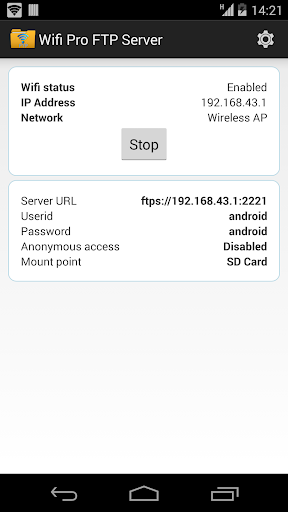
The core function of WiFi Pro FTP Server centers around its ability to transform an Android device into a fully operational FTP server, enabling seamless file transfers between the device and other systems. This functionality is crucial for users who need to manage files without physical connections like USB cables. The app achieves this by providing a complete FTP server solution with advanced features such as configurable port numbers, support for FTP over TLS/SSL (FTPS), and options for both anonymous and authenticated access. Users can customize their home folder or mount point, ensuring that only specific directories are accessible via the FTP server. Additionally, the app supports secure username and password configurations, enhancing security during file transfers. By operating over Wi-Fi and even in Wi-Fi tethering mode, the app ensures flexibility in various network environments. The practical value for users lies in the convenience and efficiency of managing files remotely. Whether transferring large media files like movies and songs or backing up important documents, the app provides a reliable platform for these tasks. Its compatibility with popular FTP clients like FileZilla further extends its usability, making it accessible to both novice and experienced users. Overall, the app's robust implementation of its core FTP functionalities offers significant utility for anyone needing flexible and secure file management on their Android device.

Interface simplicity & intuitiveness

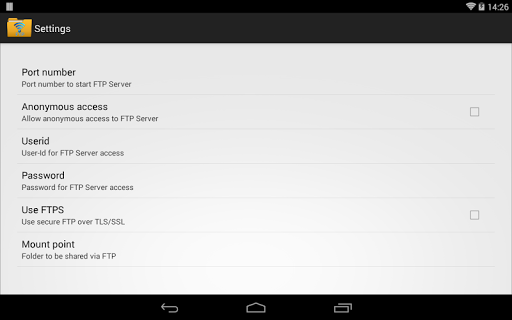
WiFi Pro FTP Server excels in delivering an interface that balances simplicity with intuitive controls, ensuring users can easily navigate and configure the app's features without extensive technical knowledge. The importance of an intuitive interface cannot be overstated, especially for tools that handle complex operations like running an FTP server. The app achieves this by organizing settings and options in a clear, logical manner. Key configurations such as setting the port number, enabling FTPS, and managing user access are readily accessible from the main settings screen. Notably, the default port is set to 2221, which avoids conflicts with standard ports often requiring administrative privileges. The app also includes helpful notes and instructions within the interface, guiding users through more advanced features like FTPS setup. For those unfamiliar with FTP clients, the app provides recommendations and links to download trusted clients like FileZilla. This attention to user experience extends to its operation over Wi-Fi and hotspot modes, ensuring users can activate the server in diverse scenarios effortlessly. The overall design philosophy emphasizes reducing complexity while maintaining powerful functionality, allowing users to focus on their file management tasks rather than struggling with the app's controls. This approach not only enhances productivity but also broadens the app's appeal to a wider audience, including those who may be less technically inclined but still require efficient file transfer solutions.

Props

User-friendly interface

Secure FTPS protocol

Customizable settings

Wireless convenience

Wide compatibility

Cons

No SFTP support yet

Limited low-port access

Default security may restrict

Requires manual setup

Paid version only

Features and Functions

What is this app and what can I use it for?

A versatile FTP server app for secure wireless file transfers.

How do I download and install this app on my device?

Search 'WiFi Pro FTP Server' on Google Play Store and install it.

How do I get started after opening the app for the first time?

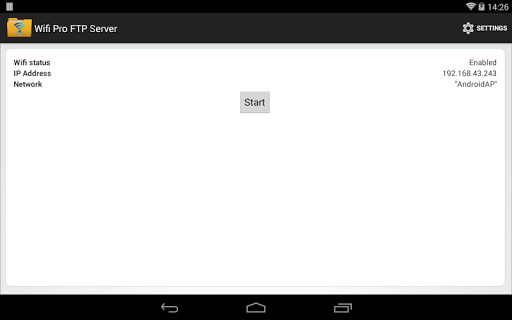
Launch the app, configure basic settings like port number and start the server.

What are the main features and capabilities of this app?

Key features include FTPS support, custom home folders, and user authentication.

How can I customize my experience and adjust preferences?

Adjust settings like port number, home folder, and access permissions in the app menu.

How do I save or bookmark my favorite content for later access?

Use the app's interface to save frequently accessed files or folders locally.

How can I share content with friends or on social media?

Share files by connecting to the FTP server from another device or client.

How do I access detailed information and explore more content?

Access detailed logs and explore more content through the appu2019s dashboard.

What permissions does this app need and how do I manage them?

The app requires Wi-Fi permissions; manage them in your device settings.

How do I check for updates and keep the app running smoothly?

Check for updates regularly in the Google Play Store to ensure smooth operation.
Show more

User Reveiws

{{ comment.reviewer_name }}
{{ comment.review_date_formatted}}
{{ comment.review_content }}
{{ tab.name }}
{{ comment.reviewer_name }}
{{ comment.review_date_formatted}}
{{ comment.review_content }}
No reviews with this rating















