FV File Pro

4.60

Information

Category:

Tools

Price:

$ 2.99

Rank:

57

Rating:

4.60

Overview

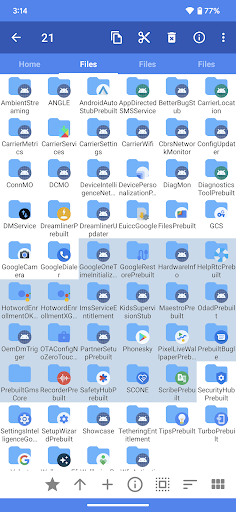
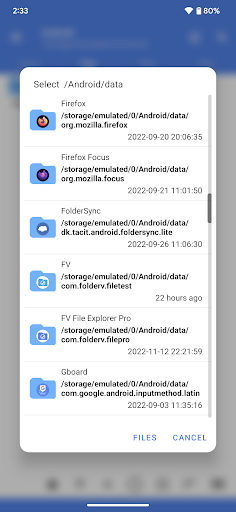
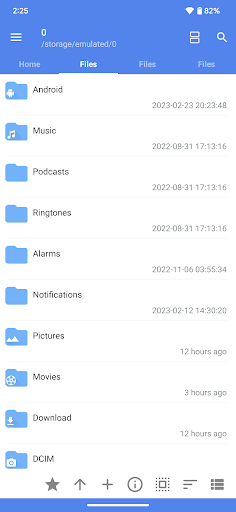
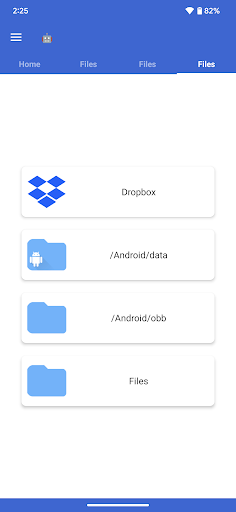
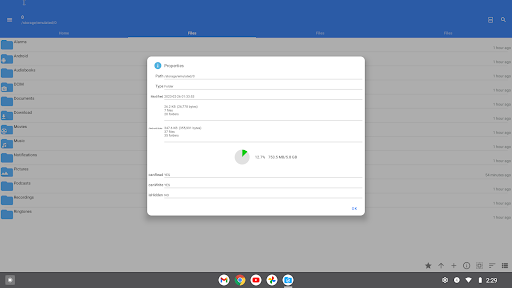
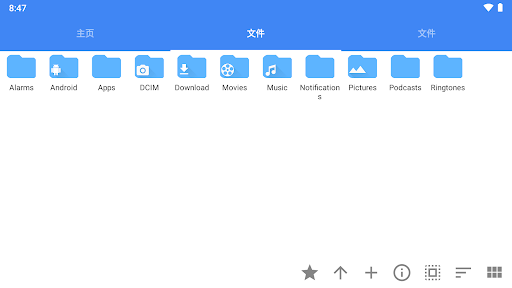
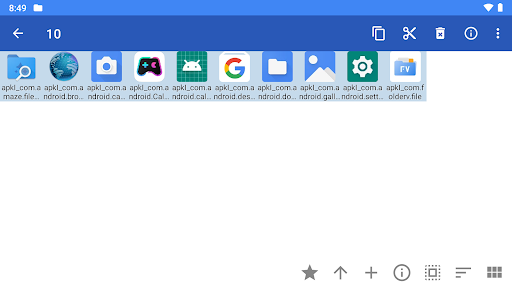
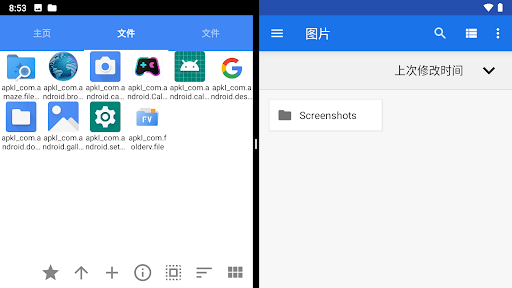
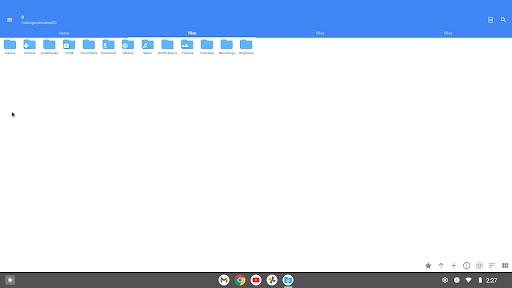
FV File Pro is a robust file management tool designed for Android users who need advanced access and control over their device's storage. This app allows seamless navigation through directories, including restricted areas like /Android/data and /Android/obb on Android 13 without requiring root permissions.

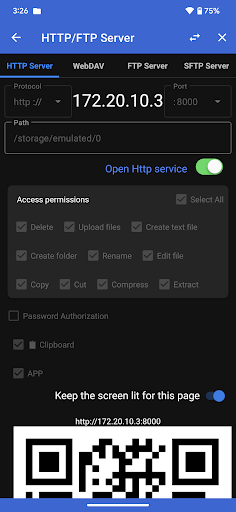
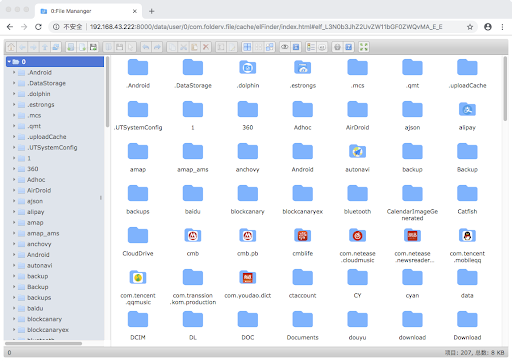
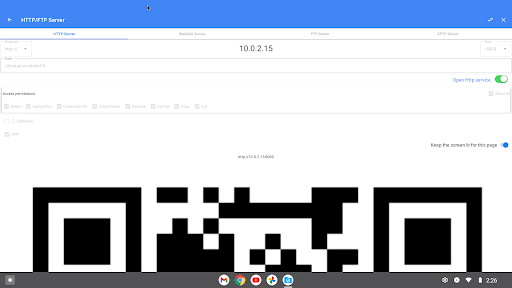
With its Material Design UI, the app offers an intuitive user experience while supporting multiple image formats such as JPG, PNG, BMP, TIFF, WebP, HEIF, AVIF, ICO, and APNG. Additionally, it provides powerful features like managing files over wireless networks via HTTP, FTP, or SFTP protocols, making it easy to transfer documents between devices without data cables.

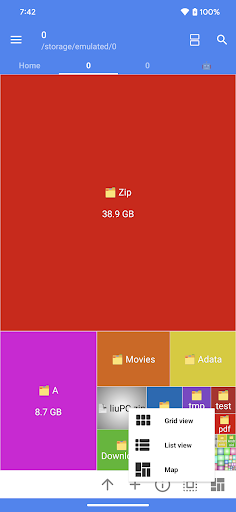
The inclusion of a WebDAV server and treemap visualizations for storage analysis further enhances its utility, allowing users to connect from Mac systems and visually understand their storage usage. These capabilities make FV File Pro an essential tool for efficient file management and organization.

Features

FV File Pro stands out with its comprehensive feature set tailored for power users. The app supports viewing numerous image formats including JPG, PNG, BMP, TIFF, WebP, HEIF, AVIF, ICO, and APNG, catering to diverse multimedia needs.

One of its key strengths is the ability to extract various compressed file types such as ZIP, RAR, 7Z, ISO, and DMG, simplifying data handling. Moreover, the app facilitates managing files over a wireless network using HTTP, FTP, or SFTP within a local area network, eliminating the need for physical connections and saving mobile data usage.

Additional innovative features include a WebDAV server for seamless integration with macOS Finder and treemap visualizations that offer a graphical representation of storage usage. With support for QR code scanning, markdown file previews, and HTTP file downloads, FV File Pro ensures a versatile and efficient file management experience.

Core function accuracy & effectiveness

The core functions of FV File Pro are designed to provide users with a fast and powerful file management experience on Android devices The application supports accessing restricted directories such as Androiddata and Androidobb on Android 13 without requiring root access This functionality is crucial for users who need to manage app data and game files effectively The Material Design UI ensures an intuitive and visually appealing interface which enhances the overall user experience One of the standout features is the support for viewing multiple image formats including jpg png bmp tiff webp heif avif ico and APNG This extensive format support allows users to view almost any image file they encounter without needing additional software Additionally the app can handle various compressed file formats like zip rar 7z iso and dmg enabling users to extract and manage archives directly within the app Another significant feature is the ability to manage files over a wireless network via HTTP FTP or SFTP This functionality facilitates seamless file transfers between a computer and mobile device without the need for data cables making it convenient to share documents pictures and text files with colleagues or family members without consuming mobile data The WebDAV server support further extends this capability allowing users to connect to the server from their Mac using Finder Overall these core functions collectively ensure that FV File Pro delivers a comprehensive and efficient file management solution for Android users enhancing both productivity and convenience

Interface simplicity & intuitiveness

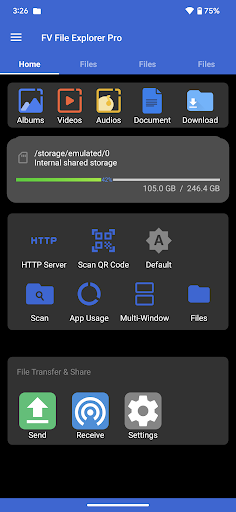
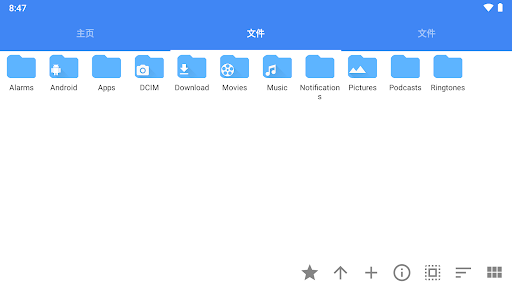
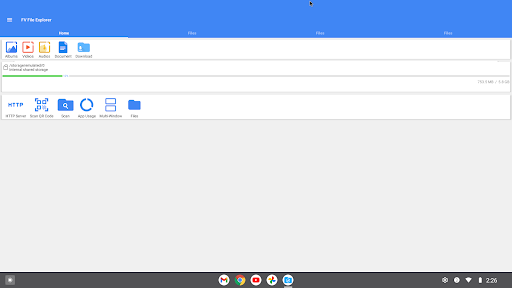
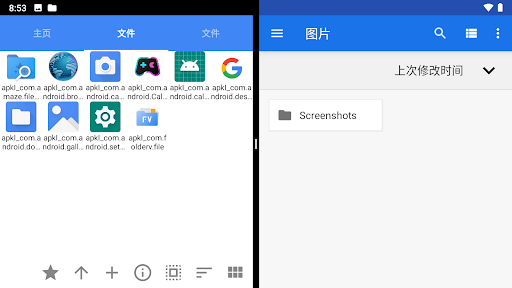
FV File Pro excels in providing an interface that balances simplicity with intuitiveness ensuring that users of all technical backgrounds can navigate and utilize its features effectively The Material Design UI adopted by the application not only offers a modern aesthetic but also enhances usability through clear visual hierarchies and consistent design elements This design choice helps reduce the learning curve for new users while maintaining efficiency for experienced ones A key aspect of the interface is the treemap visualization for storage management This feature represents files as colored rectangles with sizes proportional to their actual file sizes Directories form larger rectangles encompassing their contents providing a visually intuitive way to understand storage distribution and identify large files or folders quickly Such visual tools significantly aid in managing device storage efficiently Furthermore the app includes practical features like QR code and barcode scanning which are seamlessly integrated into the interface Users can easily access these tools to scan various codes without navigating through complex menus Similarly the markdown file preview and http file download functions are straightforward to use with clear options and feedback mechanisms These features demonstrate how FV File Pro maintains an uncluttered yet powerful interface where advanced functionalities are accessible without overwhelming the user In summary the combination of a clean design intuitive navigation and well integrated features makes FV File Pro an excellent choice for users seeking a file manager that is both powerful and easy to use

Props

User-friendly interface

Extensive format support

Wireless file management

Advanced visualization tools

Comprehensive utility functions

Cons

No iOS version available

Some features require technical knowledge

Limited customer support options

Premium features come at a cost

Occasional performance lags

Features and Functions

What is this app and what can I use it for?

A versatile Android file manager for advanced storage access and multimedia handling.

How do I download and install this app on my device?

Visit Google Play Store, search for FV File Pro, and tap Install to download and set up the app.

How do I get started after opening the app for the first time?

Launch the app, grant necessary permissions, and start exploring your device's files effortlessly.

What are the main features and capabilities of this app?

Key features include wireless file management, broad format support, and storage visualization tools.

How can I customize my experience and adjust preferences?

Adjust settings in the Preferences menu to personalize your file management experience.

How do I save or bookmark my favorite content for later access?

Use the Bookmark feature to save favorite folders or files for quick future access.

How can I share content with friends or on social media?

Select the file, tap Share, and choose the desired platform to send content to friends or social media.

How do I access detailed information and explore more content?

Navigate through directories or use the search function to find and explore detailed file information.

What permissions does this app need and how do I manage them?

The app requires storage and network permissions; manage these in your device's settings under App Permissions.

How do I check for updates and keep the app running smoothly?

Enable automatic updates in the Google Play Store settings to keep FV File Pro running smoothly.
Show more

User Reveiws

{{ comment.reviewer_name }}
{{ comment.review_date_formatted}}
{{ comment.review_content }}
{{ tab.name }}
{{ comment.reviewer_name }}
{{ comment.review_date_formatted}}
{{ comment.review_content }}
No reviews with this rating