
Screen Recorder Video Recorder

4.40

Information

Category:

Tools

Price:

Free

Rank:

52

Rating:

4.40

Overview

Screen Recorder Video Recorder is a versatile screen recording and video editing tool designed for users who want to create high-quality content directly from their mobile devices. The app offers professional-grade features such as HD recording at up to 1080P resolution, 16Mbps bitrate, and 120FPS frame rate, ensuring every detail is captured with stunning clarity.

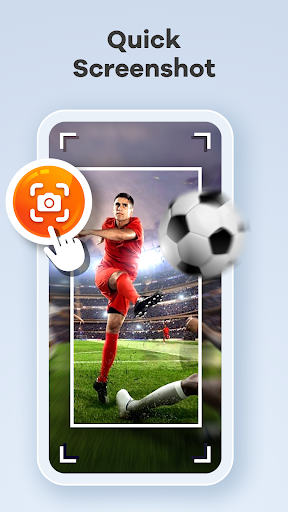
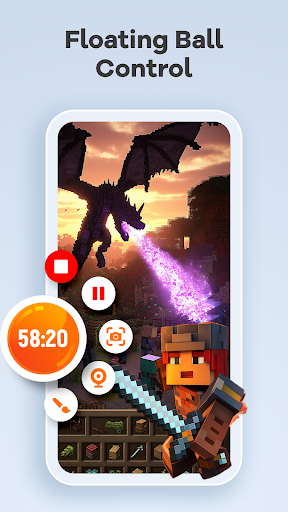
Beyond basic recording, the app includes advanced functionalities like built-in video editing tools, live drawing, facecam integration, and instant video-to-GIF conversion. These features make it ideal for creating engaging tutorials, capturing gameplay, or preserving important video calls. With intuitive controls like gesture customization and one-tap floating ball functionality, users can manage recordings seamlessly without interruptions.

Whether you're producing tutorials, sharing gameplay highlights, or saving memorable moments, Screen Recorder Video Recorder provides an all-in-one solution that empowers creators to share their stories effortlessly across platforms.

Features

Screen Recorder Video Recorder stands out with its comprehensive suite of features tailored for both casual users and content creators. One of its core strengths is the ability to record in crystal-clear HD quality, supporting resolutions up to 1080P, bitrates of 16Mbps, and frame rates of 120FPS. This ensures your videos maintain professional-grade clarity regardless of the content type.

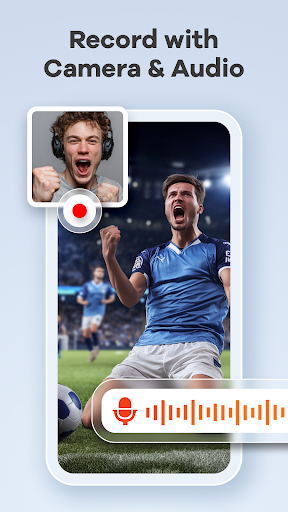
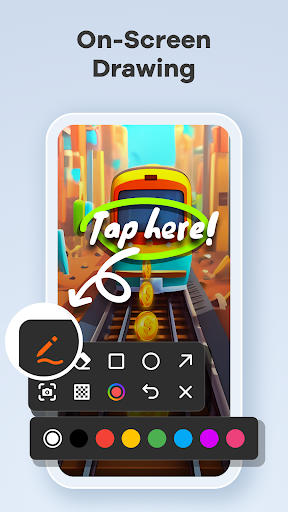
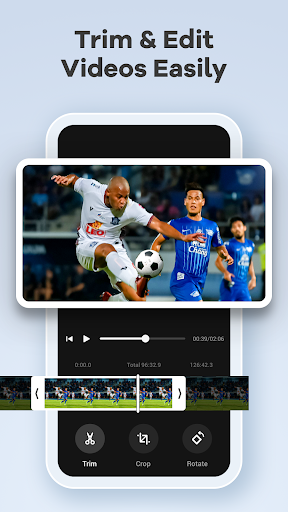
The app also excels in versatility by offering dual audio recording options, allowing users to capture sound from both internal system audio and external microphones. Its built-in video editor simplifies post-production tasks like trimming, cropping, and rotating footage, while additional tools like live drawing and annotation enable real-time explanations during recordings. The inclusion of facecam functionality adds a personal touch, making it perfect for tutorials or reaction videos.

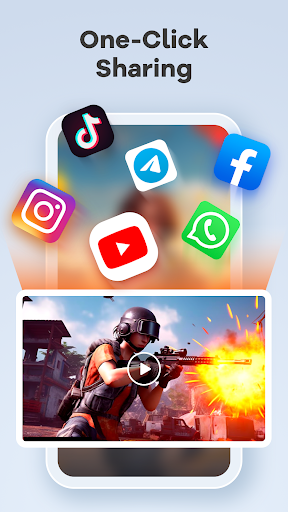
Other notable features include gesture-based controls, customizable settings, and direct sharing options to platforms like YouTube and social media. With no time limits or watermarks on recordings, this app provides complete creative freedom, making it a powerful pocket studio for mobile video production.

Core function accuracy & effectiveness

The Screen Recorder Video Recorder app is designed to provide users with a comprehensive and powerful toolset for capturing high-quality screen recordings and creating professional-looking videos directly from their mobile devices. At the core of this application lies its ability to deliver precise and effective functionality that caters to a wide range of recording needs. The app offers HD recording capabilities, allowing users to capture every detail in stunning 1080P resolution at bitrates up to 16Mbps and frame rates as high as 120FPS. This ensures that the final output is crisp, clear, and visually appealing. In addition to video quality, the app also excels in audio recording by providing options for both internal device sounds and external microphone input, ensuring that all auditory elements are captured accurately. A built-in video editor further enhances the effectiveness of the app by enabling users to trim unnecessary parts, crop frames for better composition, rotate videos if needed, and even draw or annotate on the screen during live recordings. These features collectively contribute towards making each recording not only accurate but also engaging and polished. Users benefit greatly from these functionalities because they can effortlessly create content such as tutorials, gameplay sessions, and video calls which require high levels of clarity and detail. Moreover, advanced features like converting videos into GIFs add another layer of versatility, allowing creators to share highlights quickly across various platforms. With intuitive controls including one-tap floating ball access and customizable gesture commands, managing recordings becomes seamless and interruption-free. Overall, Screen Recorder Video Recorder stands out due to its commitment to delivering top-notch accuracy and efficiency in every aspect of its operation, empowering users to produce exceptional content while maintaining complete creative control over their projects.

Interface simplicity & intuitiveness

A key factor contributing to the success of any digital tool is how simple and intuitive its interface is, and Screen Recorder Video Recorder excels in this area by offering an exceptionally user-friendly experience. The design philosophy behind the app emphasizes ease of use without compromising on advanced features, ensuring that both novice users and seasoned professionals can navigate through its functionalities effortlessly. Upon launching the app, users are greeted with a clean layout dominated by a prominent floating ball icon which serves as the central control hub for starting, pausing, resuming, and capturing screenshots during recording sessions. This single-touch solution eliminates the need for navigating complex menus, thereby streamlining the entire process significantly. Furthermore, customizable gesture controls allow individuals to tailor interactions according to personal preferences, enhancing overall usability. For instance, assigning specific actions to swipe gestures enables quick execution of common tasks without having to interact directly with buttons or sliders. Beyond basic operations, more sophisticated tools such as the built-in video editor remain accessible yet unobtrusive within the main interface. Here, users find straightforward options for trimming clips, adjusting dimensions via cropping, rotating orientations when necessary, and applying real-time annotations using brush toolsu2014all presented in a manner that encourages experimentation rather than intimidation. Such thoughtful organization helps maintain focus on creativity instead of getting bogged down by technicalities. Another standout feature promoting simplicity is the absence of time limits and watermarks on exported files, giving creators freedom to record extended sessions without worrying about interruptions or branding overlays detracting from their work's presentation value. Additionally, sharing completed projects becomes almost instantaneous thanks to integrated support for popular platforms like YouTube and social media networks; just a tap suffices to distribute creations widely among audiences worldwide. Collectively, these aspects underscore why Screen Recorder Video Recorder has earned praise for its streamlined approach towards facilitating efficient content creation workflows while preserving accessibility regardless of skill level.

Props

User-friendly interface

High-quality recording

Built-in editing tools

No watermark

Direct sharing options

Cons

Requires permissions

Limited in some apps

Privacy concerns

Ads may appear

Premium features cost

Features and Functions

What is this app and what can I use it for?

A versatile screen recorder and editor for creating HD videos and tutorials.

How do I download and install this app on my device?

Visit Google Play Store, search for the app, and tap Install to download it.

How do I get started after opening the app for the first time?

Grant necessary permissions, explore the floating ball controls, and start recording.

What are the main features and capabilities of this app?

HD recording, facecam, live drawing, video editing, and direct sharing options.

How can I customize my experience and adjust preferences?

Adjust resolution, FPS, bitrate, and customize gestures via the settings menu.

How do I save or bookmark my favorite content for later access?

Use the built-in editor to trim and save edited clips within the app library.

How can I share content with friends or on social media?

Export videos to social media or share them directly via messaging apps.

How do I access detailed information and explore more content?

Access detailed guides through the app's help section or online support page.

What permissions does this app need and how do I manage them?

The app needs mic and storage access; manage these in device settings.

How do I check for updates and keep the app running smoothly?

Enable auto-updates in Google Play Store or manually check for updates there.
Show more

User Reveiws

{{ comment.reviewer_name }}
{{ comment.review_date_formatted}}
{{ comment.review_content }}
{{ tab.name }}
{{ comment.reviewer_name }}
{{ comment.review_date_formatted}}
{{ comment.review_content }}
No reviews with this rating