Phone Pro

4.0

Information

Category:

Communication

Price:

$ 0.99

Rank:

19

Rating:

4.0

Overview

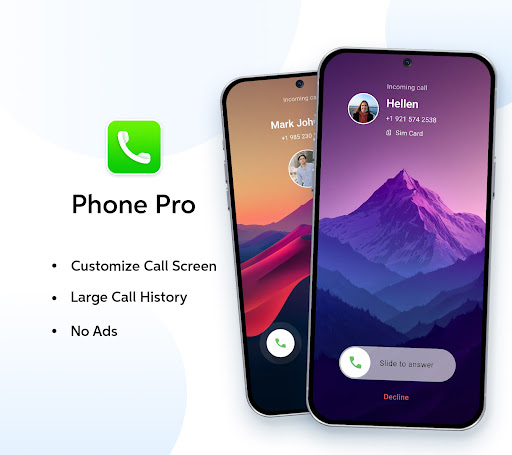
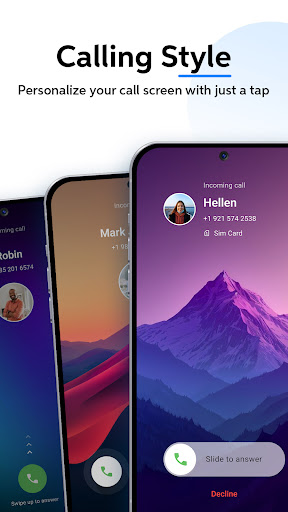
Phone Pro is a premium communication app that combines an advanced dialer with a comprehensive contact management system. Designed for users seeking an ad-free experience, it offers customizable call screens and extensive call history tracking.

The app's standout features include personalized themes with Dark, Light, and Auto modes, smart call filters, and T9 quick search functionality. These tools ensure effortless contact management and seamless call handling, making Phone Pro an essential tool for organizing your communication needs efficiently.

Features

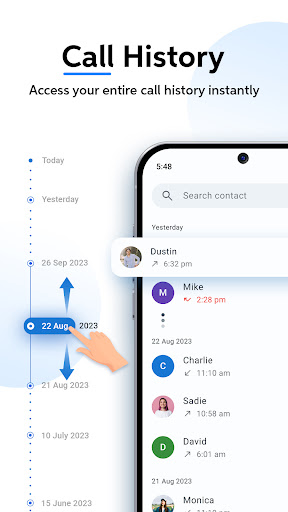
Phone Pro stands out with its robust feature set tailored for seamless communication. The app provides an ad-free experience with customizable call screens, allowing users to personalize backgrounds from their gallery. Its extensive call log ensures no important conversation is missed.

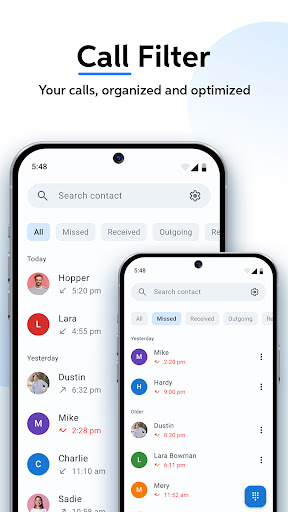
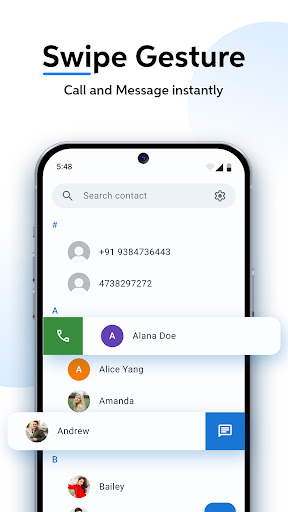
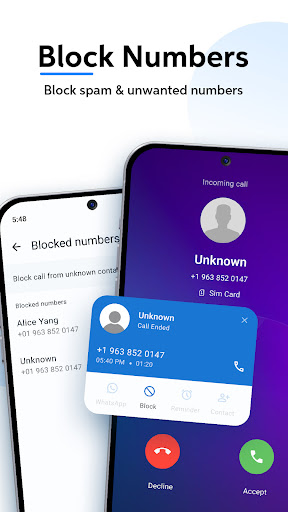
Additional features include swipe-to-call functionality for quick connections, smart call filters for organized call logs, and powerful T9 search capabilities. Users can also manage contacts effortlessly and keep frequently dialed numbers at their fingertips, all wrapped in a sleek interface designed for maximum efficiency.

Real-time messaging speed & reliability

Real-time messaging speed and reliability are crucial factors in ensuring seamless communication experiences within any application designed for instant interaction. In the case of Phone Pro, this premium dialer and contact management app takes these aspects seriously by offering features that guarantee swift and dependable call connections. The app's architecture is optimized to minimize latency during calls, ensuring that users experience virtually no delay when connecting with their contacts. This is achieved through efficient network utilization and prioritization protocols that maintain call quality even under fluctuating network conditions. Furthermore, Phone Pro incorporates smart call filters and T9 quick search functionalities which not only streamline the process of finding and connecting with contacts but also contribute to the overall reliability of the communication experience. Users can quickly sort through different types of calls missed received and outgoing and utilize the powerful predictive search to find contacts or recent calls directly from the dial pad. These features reduce the time required to initiate a conversation thereby enhancing the real-time aspect of the application. The benefits to users are significant as they can rely on Phone Pro to consistently deliver fast and stable call experiences regardless of their location or network environment. Whether it's making urgent business calls staying connected with family members or simply organizing daily communications Phone Pro ensures that every interaction happens without unnecessary delays or interruptions. This level of performance instills confidence in users knowing that they can depend on the app for all their critical communication needs.

Media sharing support

Media sharing support represents an essential component of modern communication applications allowing users to exchange various forms of digital content beyond just text or voice messages. While Phone Pro primarily focuses on providing an exceptional calling experience it also recognizes the importance of integrating media sharing capabilities into its platform. Although the primary function of Phone Pro revolves around call management and optimization the app indirectly supports media sharing through its seamless integration with existing device functionalities. For instance users can easily access their phone gallery while customizing call screens enabling them to set unique backgrounds featuring personal images or photos. This feature not only enhances the visual appeal of the call interface but also allows individuals to personalize their calling experience according to their preferences. Moreover Phone Pro's comprehensive contact management system facilitates smoother interactions when coordinating media exchanges among contacts. By efficiently organizing frequently dialed numbers and maintaining an extensive call history the app ensures that users can swiftly reach out to relevant parties whenever they need to share multimedia content such as photos videos or documents. Additionally the app's emphasis on accessibility and ease-of-use extends to its support for different file formats commonly used in media sharing activities. While direct media transfer might not be the core focus of Phone Pro its robust infrastructure and user-friendly design create an environment where exchanging various types of digital information becomes more convenient and efficient. This approach demonstrates how even specialized applications like advanced dialers can contribute significantly to broader communication needs including media sharing requirements.

Props

Ad-free calling

Customizable themes

Extensive call history

Smart call filters

T9 quick search

Cons

Premium priced

Complex UI

Limited integrations

No free version

High storage use

Features and Functions

What is this app and what can I use it for?

A premium dialer and contact manager for efficient call handling

How do I download and install this app on my device?

Visit Google Play Store, search for Phone Pro, and tap Install

How do I get started after opening the app for the first time?

Grant necessary permissions and follow the setup wizard

What are the main features and capabilities of this app?

Ad-free calling, customizable themes, and smart call filters

How can I customize my experience and adjust preferences?

Adjust theme settings and call screen options in Settings

How do I save or bookmark my favorite content for later access?

Use Favorites feature to save frequently dialed contacts

How can I share content with friends or on social media?

Tap Share button to send contacts via social media or messaging

How do I access detailed information and explore more content?

Access detailed logs and explore contacts through T9 search

What permissions does this app need and how do I manage them?

App needs storage and contact access; manage in device settings

How do I check for updates and keep the app running smoothly?

Enable auto-updates in Google Play Store for latest version
Show more

User Reveiws

{{ comment.reviewer_name }}
{{ comment.review_date_formatted}}
{{ comment.review_content }}
{{ tab.name }}
{{ comment.reviewer_name }}
{{ comment.review_date_formatted}}
{{ comment.review_content }}
No reviews with this rating