


Snapchat

4.10

Information

Category:

Communication

Price:

Free

Rank:

5

Rating:

4.10

Overview

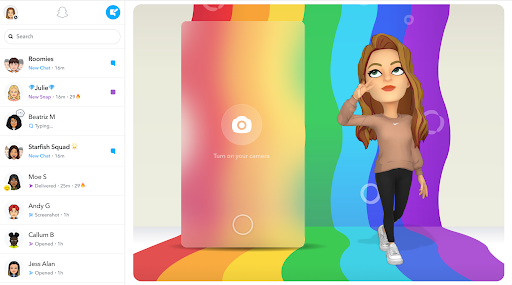
Snapchat is a dynamic communication app that allows users to share moments instantly with friends and family through photos, videos, and live chats. The app opens directly to the camera interface, making it easy to capture and send content quickly. With features like Lenses, Filters, and Bitmoji, users can express themselves in creative ways. Snapchat also offers Stories and Spotlight for sharing and discovering content, as well as a Map feature to see what friends are up to or explore community stories from around the world.

One of Snapchat's key strengths is its focus on ephemeral content, encouraging more natural and spontaneous interactions. Users can engage in video chats with up to 16 people at once, complete with fun effects. Additionally, Memories lets users save and revisit their favorite moments. Whether you're looking to chat with friends, watch engaging Stories, or explore shared experiences on the Map, Snapchat provides a fast, fun, and immersive way to stay connected.

Features

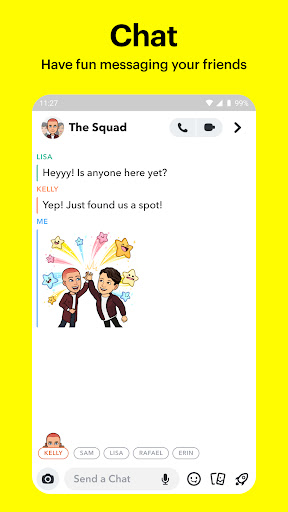
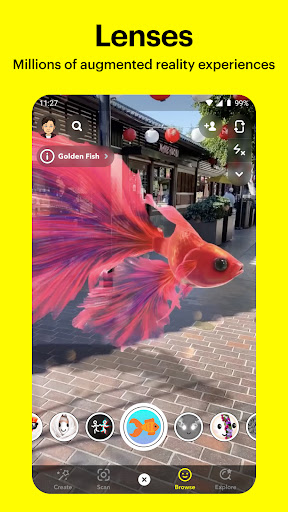
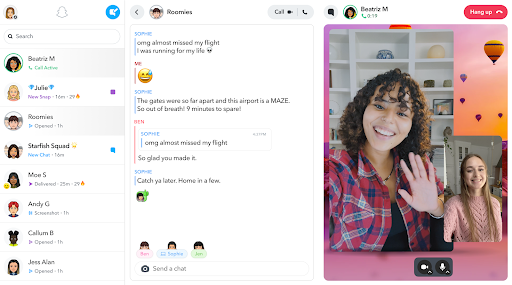
Snapchat stands out with its diverse range of interactive features designed to enhance user engagement. The Camera function is central to the app, allowing users to take photos and videos while applying various Lenses and Filters created daily by both Snapchat and its community. This ensures fresh and personalized content every time. The Chat feature supports live messaging and group video calls for up to 16 participants, integrating playful elements such as Lenses during conversations.

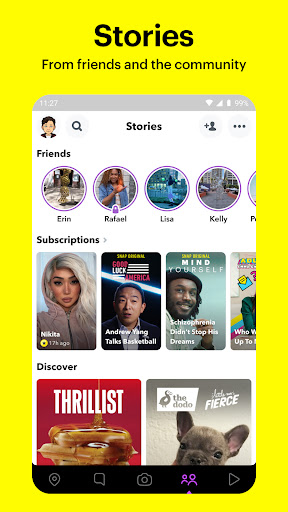
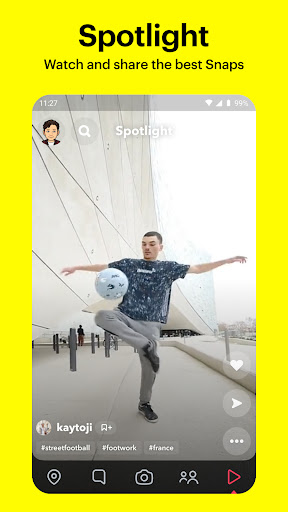
Stories enable users to post updates visible for 24 hours, showcasing their day-to-day activities. Spotlight highlights top user-generated Snaps, offering an entertaining feed of curated content. Meanwhile, the Map feature lets users share their location with close friends or browse public Snaps from different locations worldwide. Lastly, Memories serves as a personal archive where users can store unlimited media and create custom Stories to share later.

Real-time messaging speed & reliability

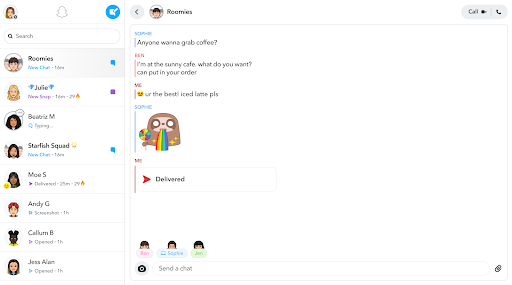
Real-time messaging speed and reliability are crucial elements in any communication application as they ensure that messages are delivered instantly and without fail. Snapchat excels in this area by providing users with a seamless chatting experience where messages appear almost instantaneously, allowing for fluid conversations. The app's infrastructure is designed to handle millions of messages per second, ensuring that even during peak usage times, the delivery of messages remains swift and reliable. This speed is vital for maintaining the natural flow of conversation, making interactions feel more personal and engaging. Moreover, Snapchat employs advanced algorithms and server technologies to minimize latency and prevent message loss, which enhances the overall user experience. Users can trust that their messages, whether they are texts, photos, or videos, will reach their intended recipients without delay. This reliability fosters a sense of security and confidence among users, encouraging them to use the platform more frequently for both casual and important communications. In addition to text-based messages, Snapchat also supports live video chats with up to 16 participants simultaneously, further emphasizing its commitment to real-time interaction. The ability to apply Lenses and Filters during these video chats adds an element of fun and creativity, setting Snapchat apart from other communication apps. Overall, Snapchat's focus on real-time messaging speed and reliability not only meets but exceeds user expectations, making it a preferred choice for those seeking efficient and enjoyable communication tools.

Media sharing support

Media sharing support is another fundamental aspect of modern communication applications, enabling users to exchange various forms of media effortlessly. Snapchat offers robust media sharing capabilities that allow users to send photos, videos, and even create Stories that compile these media elements into a narrative format. When a user captures a moment using Snapchat's intuitive camera interface, they have the option to enhance their content with Lenses, Filters, Bitmoji, and other creative tools before sending it to friends or adding it to their Story. This process is streamlined and user-friendly, encouraging frequent media sharing. Furthermore, Snapchat's Memories feature lets users save unlimited photos and videos, which can be edited and shared at any time. This functionality not only preserves precious moments but also allows users to revisit and share them later, adding depth to their interactions. The platform's emphasis on visual storytelling through Stories and Spotlight highlights its dedication to providing diverse media sharing options. Users can watch Stories from friends and the broader Snapchat community, gaining insights into different perspectives and experiences. Additionally, the Discover section offers professionally produced content, including news and Original Shows, expanding the scope of media consumption within the app. Snapchat's approach to media sharing is not limited to individual exchanges; it extends to group interactions through Group Stories and live updates on the Map feature. These collective experiences enable users to engage with larger communities and stay informed about events happening around them. By integrating comprehensive media sharing support with innovative features like Lenses and Filters, Snapchat creates a dynamic environment where users can express themselves creatively while staying connected with others. This combination of functionality and creativity solidifies Snapchat's position as a leading communication app in today's digital landscape.

Props

User-friendly interface

Creative expression tools

Real-time interaction

Engaging community content

Privacy-focused options

Cons

Ephemeral nature limits archiving

High learning curve for new users

Limited third-party integrations

Potential privacy concerns

Dependent on network connectivity

Features and Functions

What is this app and what can I use it for?

Snapchat is a communication app for sharing photos, videos, and stories with friends.

How do I download and install this app on my device?

Download Snapchat from Google Play Store and follow installation prompts on your device.

How do I get started after opening the app for the first time?

Sign up or log in, then follow the on-screen instructions to set up your profile.

What are the main features and capabilities of this app?

Key features include photo filters, stories, maps, and group video chats.

How can I customize my experience and adjust preferences?

Adjust notification, privacy, and display settings via the app's settings menu.

How do I save or bookmark my favorite content for later access?

Save snaps to Memories or download them locally for future access.

How can I share content with friends or on social media?

Use the share button to send content directly to friends or social platforms.

How do I access detailed information and explore more content?

Browse Spotlight or search specific topics to find detailed information.

What permissions does this app need and how do I manage them?

Snapchat requires camera and mic permissions; manage these in your phone settings.

How do I check for updates and keep the app running smoothly?

Enable automatic updates in your device settings to keep Snapchat running smoothly.
Show more

User Reveiws

{{ comment.reviewer_name }}
{{ comment.review_date_formatted}}
{{ comment.review_content }}
{{ tab.name }}
{{ comment.reviewer_name }}
{{ comment.review_date_formatted}}
{{ comment.review_content }}
No reviews with this rating