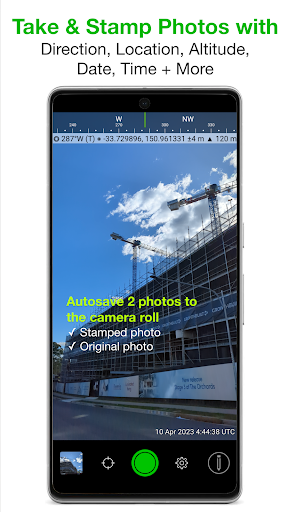
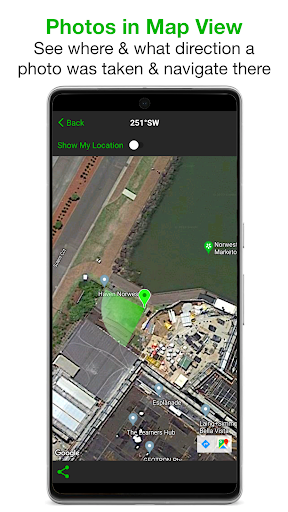
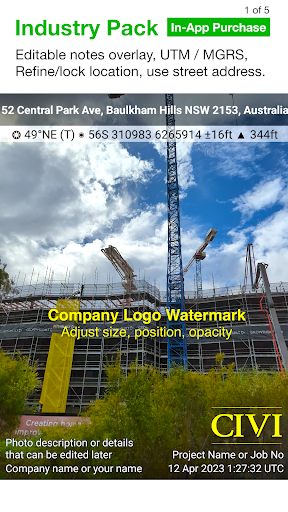
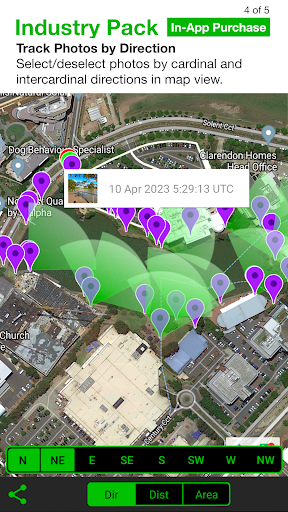
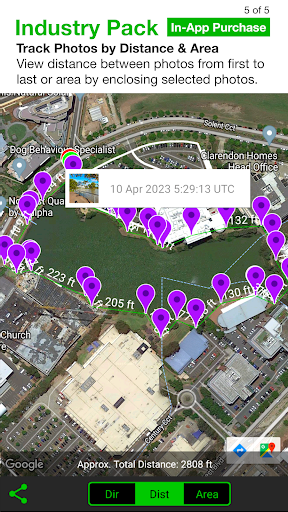
Solocator is a professional GPS camera app designed for fieldwork and photo documentation across various industries. It allows users to overlay and stamp photos with critical metadata including location, direction, altitude, date, and time. With the optional Industry Pack, users can capture additional field notes such as project names and descriptions.
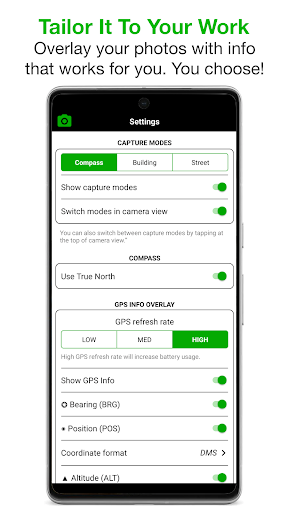
The app offers extensive customization options for overlay information, supporting multiple coordinate formats, compass directions, tilt and roll angles, and more. Solocator is suitable for professionals who need accurate geotagged photos for documentation purposes, making it an essential tool for field surveys, asset management, and project documentation.
Solocator stands out with its comprehensive set of features tailored for professional use. The app supports both front and back cameras with standard controls like pinch zoom, self-timer, and flash. Its autosave function creates two versions of each photo - one with overlays and one original - ensuring data integrity.
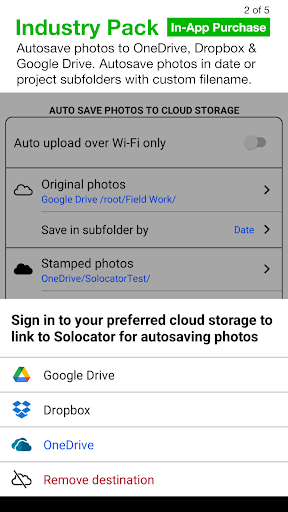
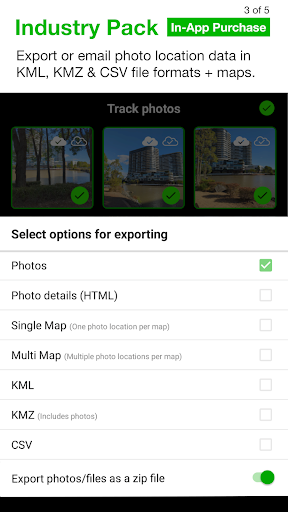
One of the key innovations is the Industry Pack, which enables customizable export filenames, batch editing of notes, and integration with cloud storage services like Google Drive and Dropbox. Users can also export photo data in professional formats including KML, KMZ, and CSV, making it highly valuable for GIS professionals and field researchers.
The app's ability to refine and lock GPS locations is particularly useful in challenging environments. Additionally, the compact view option provides flexibility in how much information is displayed on photos, while maintaining all essential GPS data.
Comprehensive metadata overlay
Customizable export options
Cloud storage integration
Professional data export formats
Batch editing capabilities
Industry Pack costs extra
Complex for casual users
Some features require compass
Occasional GPS accuracy issues
Interface may feel cluttered

An interval timer to automate photo taking process for timelapse
 2.90
2.90
Create & Edit with AI: AI Remove, Enhance, Retouch, Filter
4.10
The #1 app for B&W film developing featuring an advanced darkroom timer.
4.10
HD Camera Pro with HD Video shooting, Panorama, Photo editor , Beauty Camera.
4.50
Raw Image Viewer. Gallery with support of raw images (.cr3, .cr2, .nef, .raf).
2.00
Future baby face generator: AI kids generator, kid face! What my baby look like?
4.40
Smart, light, and fast photo and video gallery
4.30
Easily create custom gifts, cards, photo books & more on the Shutterfly app!
4.60
AI-powered video creator by MiniMax - Where ideas meet cinema
4.20
Find time and duration of different sunlight phases at any location
4.90
Viewfinder, Light meter, Reciprocity failure time, DOF & Bellows Extension
4.60
Light-weight Media Gallery app for Android made with Jetpack Compose
4.60
Create Business Headshots, Polaroid Filter, Retake Photos,Profile Pics,AI Photos
4.50
RAW video capture with advanced controls
4.40
Professional camera app that brings DSLR manual photography controls to Android.
4.20
Catch sunlight, sunrise sunset times and sun phases with the AR sun tracker.
4.10
Pet Camera
3.70
Superimpose one photo on top of another using the original Superimpose app!
3.20
Professional video recording application with manual controls for filmmakers!
2.80


User Reveiws