
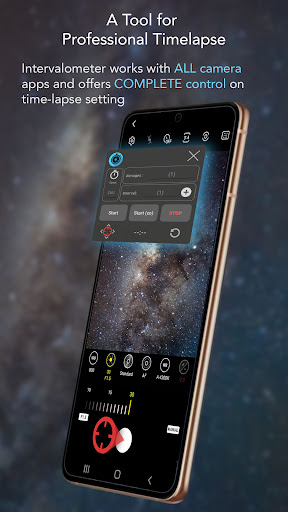
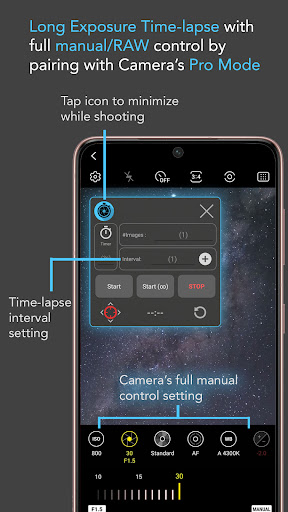

Intervalometer for TimeLapse is a powerful photography tool designed to automate the process of capturing time-lapse sequences. This app allows photographers to configure specific time intervals between shots, enabling precise control over exposure settings and camera modes that are typically unavailable in standard smartphone time-lapse functions.
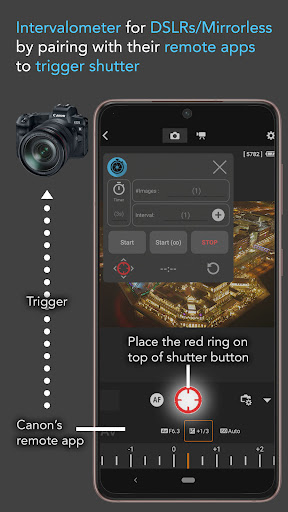
The application works seamlessly with any camera app on Android 7 and above, utilizing AccessibilityService API to trigger the shutter automatically. It supports various advanced shooting techniques such as low light, long exposure, HDR, and even ultra-wide angle time-lapses. Additionally, Intervalometer can be paired with dedicated camera remote apps from brands like Canon, Sony, and Nikon, making it versatile for both smartphone and professional-grade cameras.
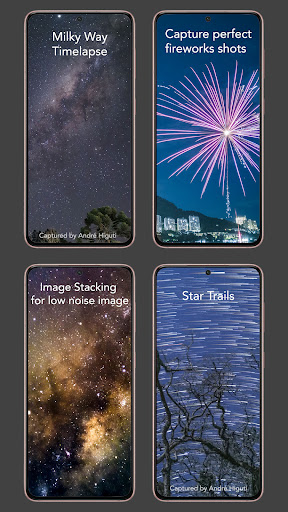
Whether you're capturing star trails, lightning strikes, or creating image stacks for higher quality photos, this app provides the flexibility needed for creative projects. Its ability to work across different camera modes and support complex configurations makes it an essential tool for enthusiasts and professionals alike.
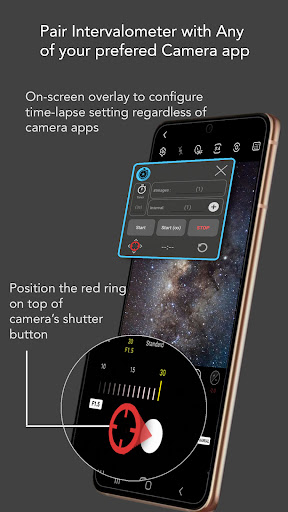
Intervalometer stands out with its comprehensive feature set tailored for time-lapse photography. The app offers full control over time-lapse configurations, including delay timers, interval times, and the number of shots. This level of customization ensures that users can fine-tune their sequences to match their creative vision.
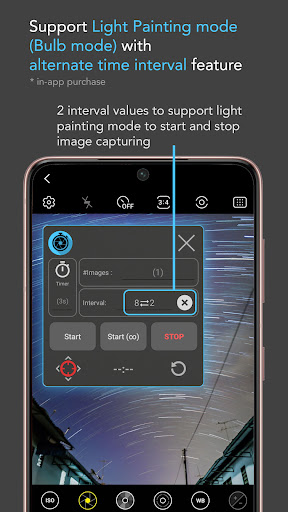
In addition to standard time-lapse capabilities, the app includes infinite mode and bulb mode options, which are crucial for extended exposures and specialized shooting scenarios. These features allow photographers to experiment with techniques such as light painting and Holy Grail transitions (day-to-night time-lapses).
One of the key advantages of Intervalometer is its compatibility with any camera app, allowing users to reconfigure the shutter button position as needed. This flexibility ensures that the app can adapt to various devices and camera setups, providing consistent performance across different platforms and use cases.
User-friendly interface
Wide device compatibility
Customizable settings
Supports advanced techniques
Works with third-party apps
Requires Accessibility permissions
May not work on all devices
Limited to Android 7+
No built-in camera functionality
Potential battery drain

Perfect body tune & face app - photo retouch, makeup, slim body & beautify face.
 4.80
4.80
Create Business Headshots, Polaroid Filter, Retake Photos,Profile Pics,AI Photos
4.50
GCamera allows all GCam features on all phone models! Better photos with GCamera
3.30
See your baby AI baby face generator AI baby maker Face generator babymaker fun!
4.70
Luminar: Photo Editor - easy picture editing with AI
4.20
Snap photos remotely using your Garmin watch as the camera trigger
4.3
PhotoSync Bundle Add-On License. Enables all features and services in PhotoSync.
4.60
Try an anime version, cartoon yourself, and generate AI hug or aging videos!
3.70
Photo & Video Gallery app to manage albums and save WA Status easily.
4.70
A collection of tools and reference tables for DPs, ACs, DITs and Operators.
4.70
1M influencer's special filter
4.60
Create collages easily! Nice pic collage maker & background eraser for Instagram
4.50
Natural Beauty, Selfie Retouch
4.30
Smart, light, and fast photo and video gallery
4.30
Virtual makeup, hair filters & body tuner—edit from face to full body!
4.20
Create AI Photos, Improve and restore quality of blurry, old or damaged pics.
4.20
Create & Edit with AI: AI Remove, Enhance, Retouch, Filter
4.10
Remote control of the phone camera from your Wear OS smartwatch
3.70
Superimpose one photo on top of another using the original Superimpose app!
3.20


User Reveiws