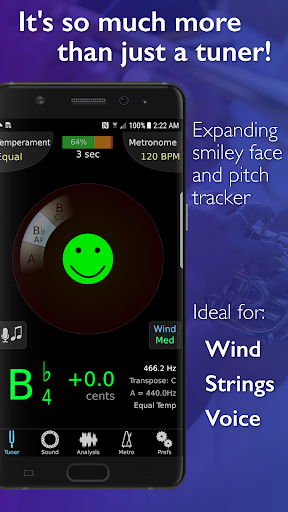
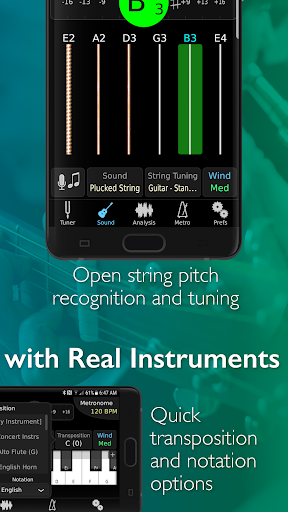

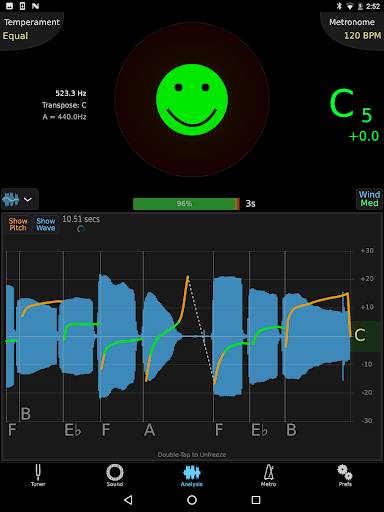
TonalEnergy Tuner & Metronome is a comprehensive music practice tool designed for musicians of all levels. This app goes beyond basic tuning by integrating a state-of-the-art tuner, advanced metronome, and various practice-enhancing features. Whether you're a professional or beginner playing brass, woodwind, strings, or guitar, TonalEnergy provides rewarding feedback to improve your performance.
One of the standout features is its cutting-edge metronome with unmatched flexibility in sound choices, tempo settings, and visual displays. Additionally, the app offers ear training possibilities through high-quality multi-sampled instrument sounds and an eight-octave keyboard. With options like Target Tuner and Pitch Tracker easily accessible, users can set attainable goals during rehearsals. The app also supports social learning by allowing data collection, review, editing, and sharing.
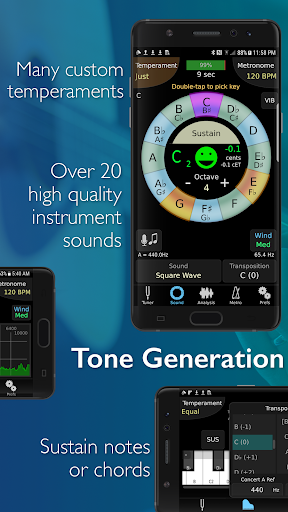
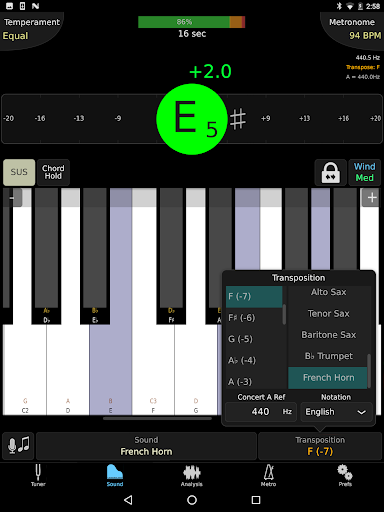
TonalEnergy Tuner & Metronome boasts a wide array of features that cater to diverse musical needs. It recognizes an extensive pitch range (C0 - C8), making it highly responsive to various instruments including wind and stringed ones. The adjustable A=440 Hz reference and automatic or manual transposing options provide versatility in tuning. Users can instantly switch between equal, just, and custom temperaments, including user-defined settings.
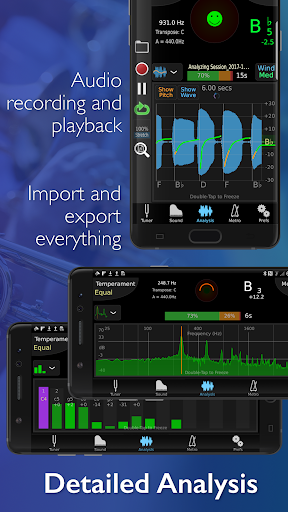
The app includes an expandable eight-octave piano keyboard and chromatic wheel tone generator with an optional auto-vibrato feature. It offers dedicated pages for orchestral strings and guitars, along with frequency and harmonic energy overtone graphs. The metronome page matches standalone metronome apps with notation options in English, Solfege, Northern European, and Indian variants. Audio recording capabilities allow editing, looping, and timestretching, all exportable for further use.
Comprehensive all-in-one tool
Highly responsive tuner
Advanced metronome features
Unique ear training possibilities
Extensive instrument compatibility
Complex interface for beginners
High resource consumption
Limited free version availability
Occasional bugs reported
Requires external mic for best results

Time Guru will strengthen your internal sense of musical time via random muting.
 4.30
4.30
Over 100 million tracks available for high quality streaming and download
4.60
Bass Booster Pro takes auto-equalizing to the next level!
4.30
Music Streaming suite for Ampache, Nextcloud Music and compatible backends.
4.3
A sleek, no-frills player designed for true music lovers.
4.20
Powerful 10-Band equalizer pro with sound booster improves Android audio quality
4.30
PowerAudio is a powerful offline music player.
4.20
Get alarms that fit your lifestyle and wake up to the sounds you love.
4.80
Melody Beat: Great for travel, workouts, offline vibes, play your tunes anytime.
4.10
Tune in to the greatest hits on UK Radio | The home of Capital, Smooth & Heart.
4.90
Most Advanced AI Song Generator and Music Creator. Rap, Pop, Rock, Gospel & more
4.70
Walkout Song DJ is the most intuitive app to manage your sports music.
4.70
Pay Once, no monthly payment
4.60
No wifi music app. Mp3 offline. Tuner radio, young radio music. Music downloader
4.20
Learn to play the piano using falling notes!
3.80
Powerful beat maker & DJ mixer to remix tracks, make music, & perform DJ mix
3.70
Turn Every Moment into Music
3.60
The Skullcandy App Experience
3.20
MilkDrop for Android TV
3.00


User Reveiws