



Skullcandy

3.20

Information

Category:

Music & Audio

Price:

Free

Rank:

62

Rating:

3.20

Overview

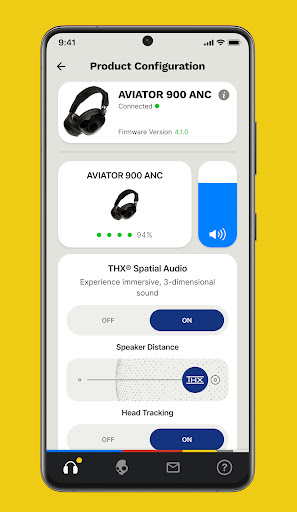
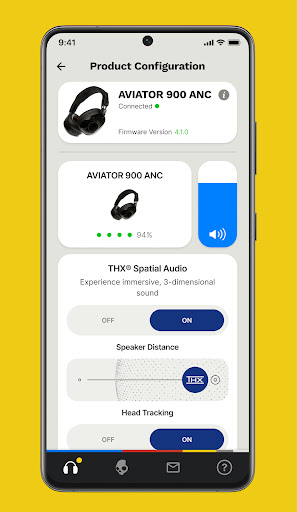
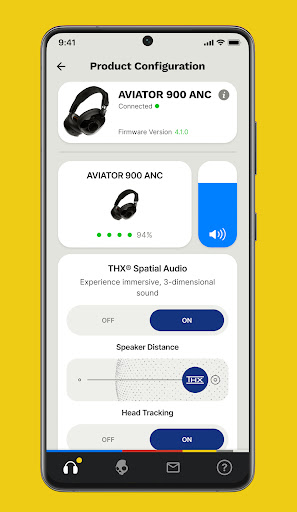
Skullcandy is a feature-rich audio customization app designed to elevate your listening experience. The application allows users to control and personalize various product settings, including equalizers, hearing modes, and firmware updates. With its user-centric design, Skullcandy ensures that you can optimize your audio devices according to your preferences and environment.

A standout feature of the Skullcandy app is Personal Sound, which creates a unique sound profile tailored to your hearing. This innovative functionality lets you rediscover music in a way that's perfectly suited to your auditory capabilities. Additionally, the app provides comprehensive user guides and support, ensuring you get the most out of your Skullcandy products while delivering an exceptional audio journey.

Features

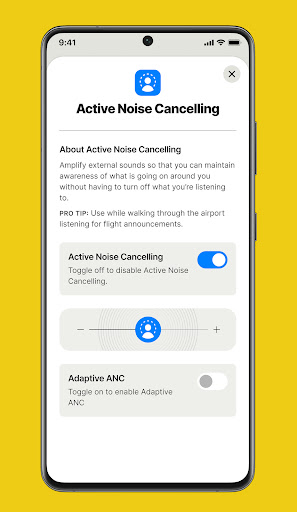
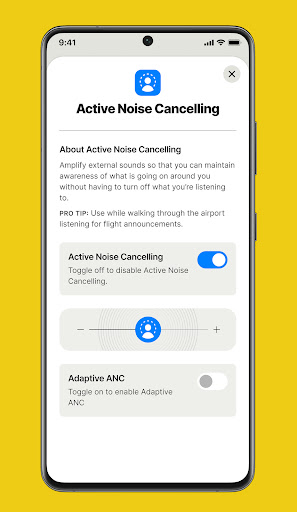
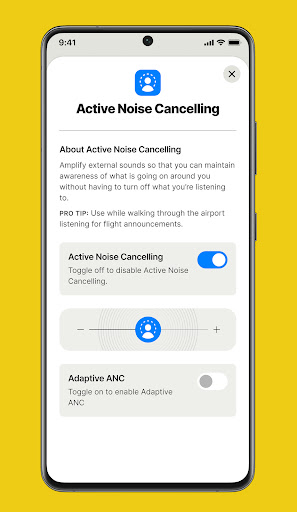
The Skullcandy app offers a diverse range of features aimed at enhancing your audio device's performance. One of the key highlights is the Equalizer & Hearing Modes, which allow users to adapt their listening experience based on different noise environments and personal preferences. Whether you're in a bustling city or a quiet room, these customizable settings ensure optimal sound quality.

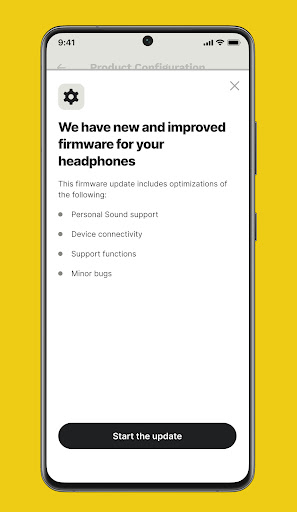
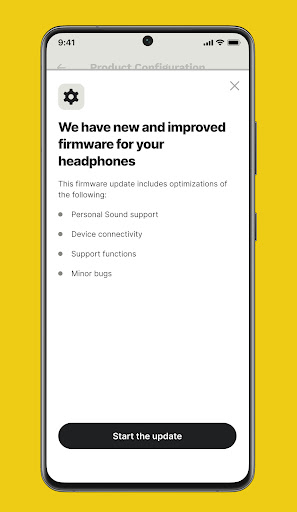
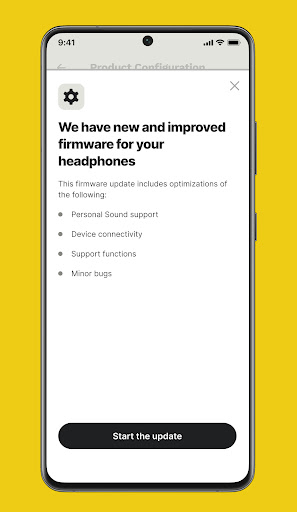
Another significant aspect is the ability to update product firmware directly through the app. As Skullcandy releases new updates, users can easily upgrade their earbuds or headphones to enjoy the latest advancements in audio technology. By enabling push notifications, you'll receive timely alerts about available upgrades, keeping your devices up-to-date with minimal effort.

Music library size & copyright authenticity

The Skullcandy app offers a unique approach to enhancing your music listening experience by focusing on personalized sound profiles rather than maintaining its own music library. While the app doesn't provide a traditional music library with thousands of tracks, it emphasizes optimizing the audio quality of your existing music collection. The Personal Sound feature allows users to create a customized hearing profile through a simple assessment test, effectively tuning their audio devices to match their unique hearing characteristics. This innovative approach ensures that every track in your personal music library sounds its best. Regarding copyright authenticity, the app focuses on delivering legitimate firmware updates and feature enhancements directly from Skullcandy. These updates are officially released by the company and ensure that users receive authentic improvements to their audio products without any unauthorized modifications. The emphasis on official firmware updates and verified product enhancements demonstrates Skullcandy's commitment to providing genuine and authorized content. Users benefit from this approach as they can be confident that all product features and improvements come directly from the manufacturer. The combination of personalized sound optimization and official firmware updates creates a unique value proposition where users can enjoy their existing music collection with improved clarity and accuracy while receiving regular performance enhancements for their Skullcandy audio devices.

Audio quality options

Skullcandy app provides extensive audio quality options through its sophisticated equalizer settings and hearing modes, allowing users to fine-tune their listening experience according to their preferences and environment. The app features multiple equalizer presets that cater to different music genres and listening scenarios, enabling users to customize their sound signature. These presets include options for bass enhancement, vocal clarity, and balanced audio profiles, ensuring optimal sound quality across various music types. Additionally, the app incorporates advanced hearing modes that adapt to users' changing noise environments. Whether you're in a quiet room or a noisy street, these modes automatically adjust audio parameters to maintain consistent sound quality. The app also supports firmware updates that can introduce new audio processing algorithms and quality improvements to compatible Skullcandy devices. These updates often include enhanced digital signal processing capabilities that refine audio reproduction and expand the range of available sound customization options. Furthermore, the Personal Sound feature contributes significantly to audio quality by creating a customized hearing profile for each user. This feature assesses individual hearing characteristics and adjusts audio output accordingly, resulting in a more natural and detailed listening experience. The combination of these features ensures that users have comprehensive control over their audio quality, from basic equalizer adjustments to advanced personalized sound profiles. This level of customization empowers users to optimize their Skullcandy devices for the best possible audio performance, making the most of their music collection while enjoying the benefits of professional-grade sound adjustment tools.

Props

User-friendly interface

Personalized sound profiles

Comprehensive user guides

Regular firmware updates

Customizable equalizer settings

Cons

Limited device compatibility

Occasional connectivity issues

Firmware update delays

Basic customer support

High power consumption

Features and Functions

What is this app and what can I use it for?

Skullcandy enhances and customizes your audio experience with personalized sound profiles and equalizer settings.

How do I download and install this app on my device?

Visit Google Play Store, search for Skullcandy, and tap Install to download and install the app on your device.

How do I get started after opening the app for the first time?

Open the app, follow the setup instructions, and complete a hearing assessment to create your personalized sound profile.

What are the main features and capabilities of this app?

Key features include Personal Sound, customizable equalizers, firmware updates, and detailed user guides.

How can I customize my experience and adjust preferences?

Adjust equalizer settings, toggle hearing modes, and customize preferences within the app's settings menu.

How do I save or bookmark my favorite content for later access?

Save favorite settings by creating custom presets accessible through the app's main interface.

How can I share content with friends or on social media?

Share audio experiences or settings via social media directly from the app's sharing options.

How do I access detailed information and explore more content?

Access detailed information through user guides and explore additional content in the support section.

What permissions does this app need and how do I manage them?

The app requires basic permissions like Bluetooth access; manage these in your device's app settings.

How do I check for updates and keep the app running smoothly?

Enable push notifications in the app to receive alerts about updates and maintain smooth operation.
Show more

User Reveiws

{{ comment.reviewer_name }}
{{ comment.review_date_formatted}}
{{ comment.review_content }}
{{ tab.name }}
{{ comment.reviewer_name }}
{{ comment.review_date_formatted}}
{{ comment.review_content }}
No reviews with this rating