Tools & Amazfit

2.40

Information

Category:

Health & Fitness

Price:

$ 3.59

Rank:

40

Rating:

2.40

Overview

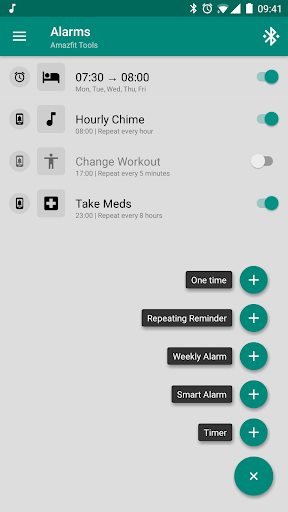
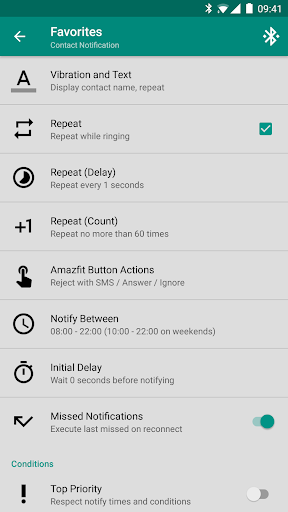
Tools & Amazfit is a comprehensive health and fitness application designed to maximize the functionality of your Amazfit smart bracelet. This app allows users to customize notifications for calls and apps, set up power naps, and configure detailed notification patterns. It works seamlessly with Zepp/Mi Fit applications, enhancing your experience with advanced features while maintaining compatibility with the latest firmware.

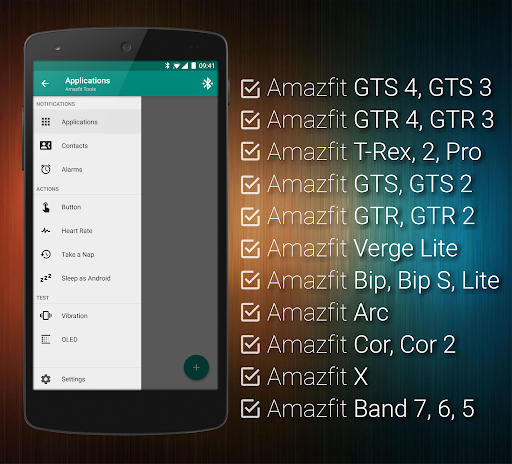
The application supports a wide range of Amazfit devices including GTS, GTR series, Bip, Band series, and more. With support for Android versions from 4.3 to 13+, Tools & Amazfit ensures that you can enjoy its features regardless of your device's operating system. Whether you need to monitor heart rate continuously or integrate with Sleep as Android, this app provides versatile tools to enhance your fitness journey.

Features

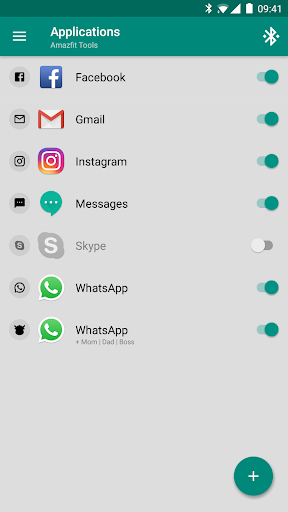
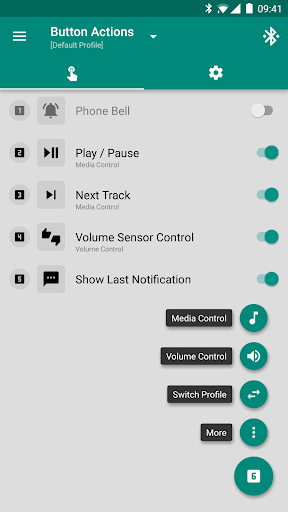
Tools & Amazfit offers an array of sophisticated features tailored for health and fitness enthusiasts. Key functionalities include Display Text Support, which shows caller names and full notification texts on your Amazfit device. Button Control & Sensor Control allow users to assign actions to button presses and hand movements, providing intuitive control over media and phone settings.

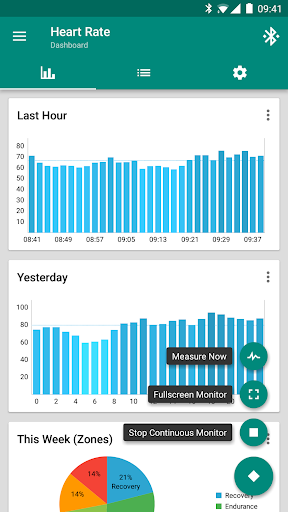
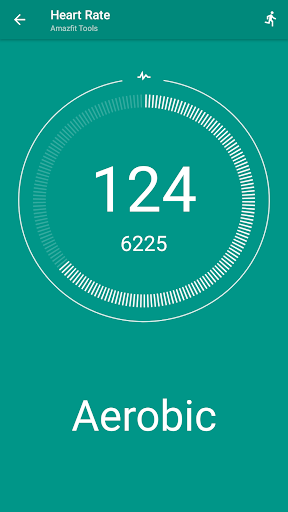
Additionally, the app includes Continuous heart rate monitoring, Sleep as Android Integration, and customizable notifications for calls and apps. Users can also benefit from the Power Nap feature, Idle Alerts, and fully customizable widgets. These features collectively ensure that users have a personalized and efficient health monitoring experience, making Tools & Amazfit an indispensable companion for managing daily fitness goals.

Personalized planning

Personalized planning in the context of a health and fitness application refers to the ability to create tailored workout and wellness plans that align with an individual's specific goals, capabilities, and progress. This feature is crucial as it ensures that users follow a regimen that is not only effective but also safe and engaging. Amazfit Tools offers personalized planning by leveraging comprehensive data collection from its smart bracelets, including heart rate monitoring, sleep tracking, and activity levels. The application processes this information to recommend optimal times for exercise, rest, and even power naps, enhancing both physical and mental performance. Users can customize their plans further by setting personal objectives within the app, such as weight loss, muscle gain, or endurance improvement. By integrating with platforms like Sleep as Android, it provides insights into sleep quality, allowing for adjustments in daily routines to improve overall well-being. The value of personalized planning lies in its adaptability; as users become more fit, the app recalibrates recommendations to continually challenge them at just the right intensity. This ongoing customization helps maintain motivation and prevents plateaus, ensuring sustained progress towards health goals.

Progress visualization

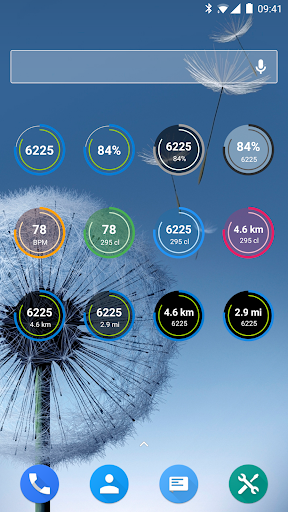
Progress visualization is a critical component of any health and fitness app, serving as a motivational tool that allows users to see their achievements and areas needing improvement. In Amazfit Tools, progress visualization takes the form of detailed charts and graphs that display various metrics over time, such as heart rate trends, steps taken, calories burned, and sleep patterns. These visual representations are not static; they dynamically update as new data comes in from the connected wearable device, providing real-time feedback on the useru2019s performance. One of the standout features of Amazfit Tools is its fully customizable widgets which enable users to prioritize the statistics most important to them, whether it be daily fitness goal progress, bracelet battery life, or current heart rate. Additionally, the app supports advanced settings where users can configure how and when these visualizations appear, tailoring the experience to their preferences. For instance, one might choose to view weekly summaries rather than daily breakdowns if that better suits their lifestyle. The benefit of such robust progress visualization is twofold: firstly, it empowers users with clear, actionable insights into their health journey, making abstract numbers meaningful. Secondly, seeing tangible evidence of improvement fosters a sense of accomplishment and encourages continued adherence to fitness routines. Overall, Amazfit Tools transforms raw data into an engaging narrative of personal growth, reinforcing positive behaviors through visually compelling storytelling.

Props

Highly customizable

Wide device compatibility

Advanced health monitoring

Seamless integration

User-friendly interface

Cons

Premium features locked

Occasional bugs

Complex setup

Limited iOS support

Resource-intensive

Features and Functions

What is this app and what can I use it for?

A tool to manage Amazfit smart bracelets with custom notifications and health tracking

How do I download and install this app on my device?

Download from Google Play Store and follow installation prompts

How do I get started after opening the app for the first time?

Follow the setup wizard to configure initial settings and preferences

What are the main features and capabilities of this app?

Custom notifications, health tracking, and device management features

How can I customize my experience and adjust preferences?

Adjust settings via the app's preference menu to tailor your experience

How do I save or bookmark my favorite content for later access?

Use the app's bookmark feature to save favorite content for later

How can I share content with friends or on social media?

Share content directly through the app's integrated sharing options

How do I access detailed information and explore more content?

Access details through the app's comprehensive info section

What permissions does this app need and how do I manage them?

Grant necessary permissions during setup and manage them in settings

How do I check for updates and keep the app running smoothly?

Check Google Play Store for updates and enable auto-update in settings
Show more

User Reveiws

{{ comment.reviewer_name }}
{{ comment.review_date_formatted}}
{{ comment.review_content }}
{{ tab.name }}
{{ comment.reviewer_name }}
{{ comment.review_date_formatted}}
{{ comment.review_content }}
No reviews with this rating