
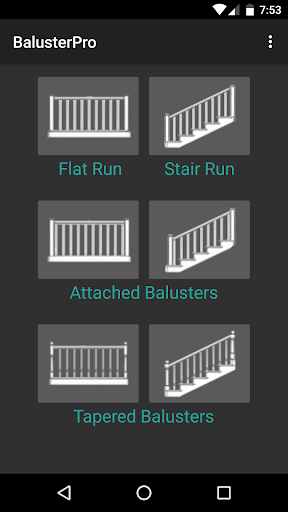
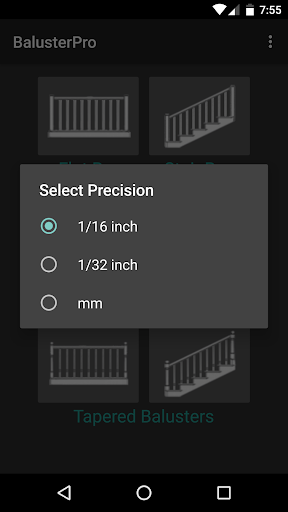
BalusterPro is a specialized tool designed for carpenters, woodworkers, and DIY enthusiasts. This app simplifies the task of calculating spacing between handrail balusters, making it an essential companion for both professionals and homeowners. With its ability to handle flat and stair runs, tapered balusters, and support both inch and metric measurements, BalusterPro offers versatile solutions for various woodworking projects.
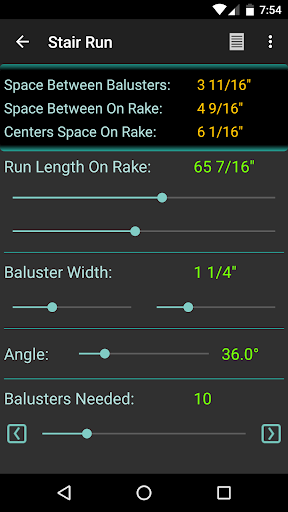
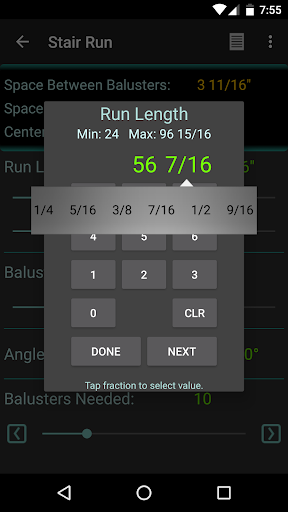
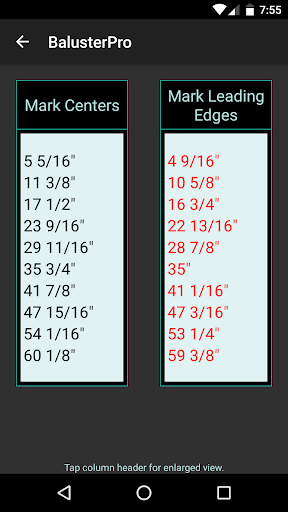
The app's intuitive interface allows users to input run length and baluster width, then adjust the 'Balusters Needed' slider to achieve the desired spacing. Whether you're working on picket fences, bench backs, or decking, BalusterPro ensures accurate calculations that meet code requirements. Its portability enables use in the office, on the job site, or even in your car, providing convenience and efficiency wherever you go.
BalusterPro stands out with its unique features tailored specifically for woodworking tasks. The app provides precise calculations for baluster spacing, accommodating both flat and stair runs as well as tapered balusters. Users can switch between inch and metric units, catering to different project requirements and regional preferences.
One of the key features is the adjustable 'Balusters Needed' slider, which dynamically updates the spacing between balusters. This interactive tool helps users quickly find the optimal configuration without manual calculations. Additionally, the app's customizable preferences allow users to set default minimum and maximum values, streamlining the workflow for frequent tasks.
Beyond baluster spacing, this versatile app can be used for various layout tasks such as column flutes and chair backs. Its portability and ease of use make it valuable for professionals and hobbyists alike, saving time and reducing errors in measurement and calculation.
Accurate calculations
User-friendly interface
Versatile measurement options
Customizable preferences
Portable and convenient
Limited to specific tasks
Requires manual input
No advanced design tools
Basic visual interface
Premium price point

Remote for Roku, Fire TV, Samsung TV, LG TV, Android TV, Chromecast and VIZIO TV
 4.20
4.20
Enjoy smooth gameplay with Game Booster
4.90
Forza Tuning Calculator App for Forza Horizon 5, Motorsport and Earlier Titles
4.40
Effortlessly run ADB commands directly on your device without a PC.
4.20
With videos, electrical calculators, and built-in ebook, Ugly’s has your answer.
4.50
Powerful collection of electronics tools and reference.A must for any enthusiast
4.90
Play your X-Box games remotely in 1080p with any controller and zero latency
4.60
NFC Tools can read and write NFC tags.
4.70
Your personal health butler
3.60
WiFi Signal Strength Meter help you detect WiFi Signal Strength in real time.
4.80
The Ultimate Flex Drivers Utility App - Convenient Tapping & Block Filters
4.70
eXtended Permission Manager - a small app to manage permissions and AppOps
4.50
Mirror your screen to Fire TV - Super fast and simple
4.40
Signal Strength, Mobile, Wifi, Speed Test, Bad Signals, Cellular, 5G, LTE, 4G
4.20
A convenient photo, video, and file recovery tool.
4.00
Detect hidden spy camera with advanced scanning {{ Premium version }}
4.00
A powerful, easy-to-use flight computer on your phone or tablet!
3.80
Undelete and recover your lost or deleted files with DiskDigger!
3.40
Save any video in HD - paste the link, download fast and watch offline.
4.5


User Reveiws