
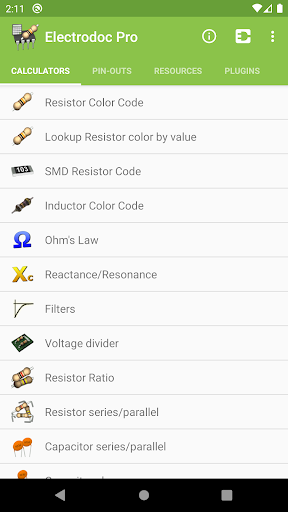
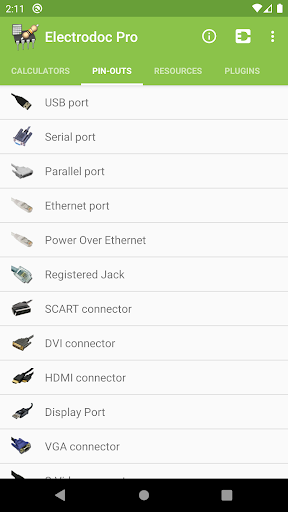
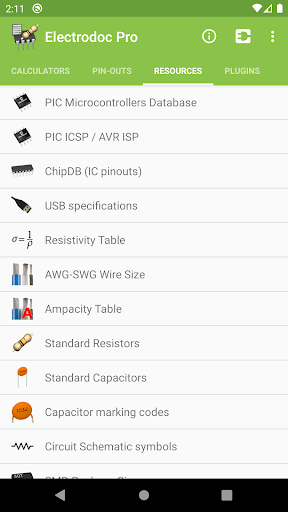
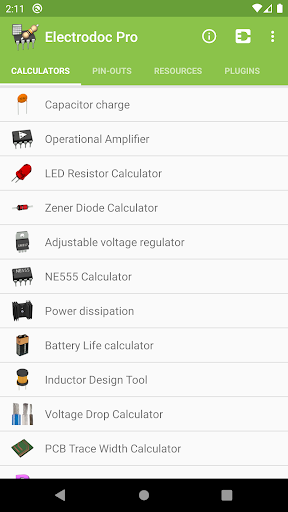
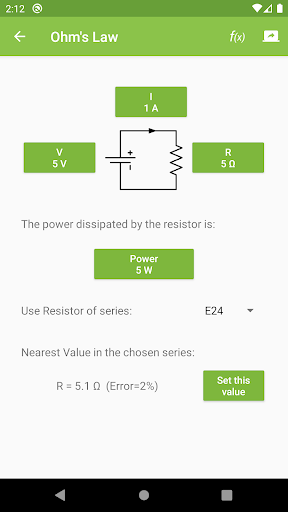
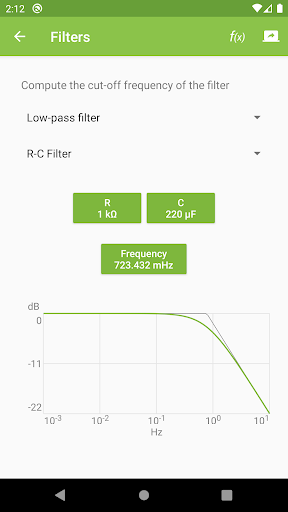
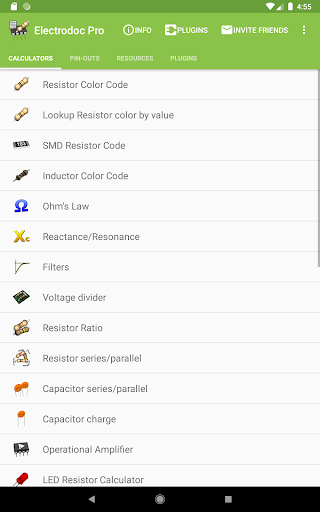
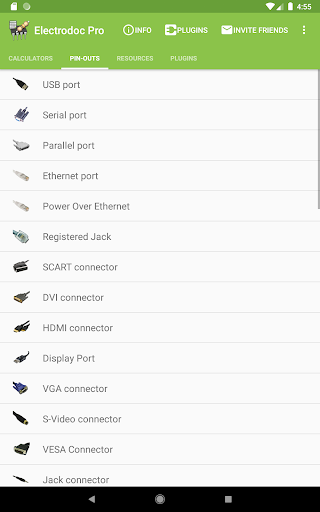
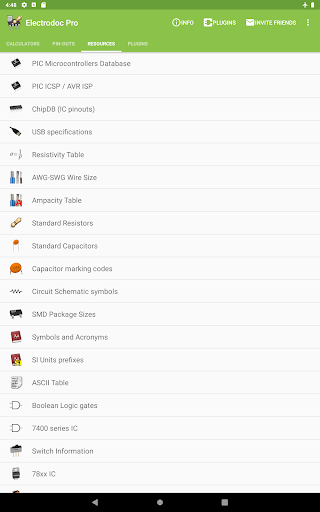
Electrodoc Pro is a comprehensive electronics toolkit designed for professionals, hobbyists, and students alike. This application offers an extensive collection of tools and references essential for electronic circuit design, troubleshooting, and learning. With its intuitive interface, users can access calculators, component code lookups, pin-outs, and technical resources that simplify complex electronics tasks.
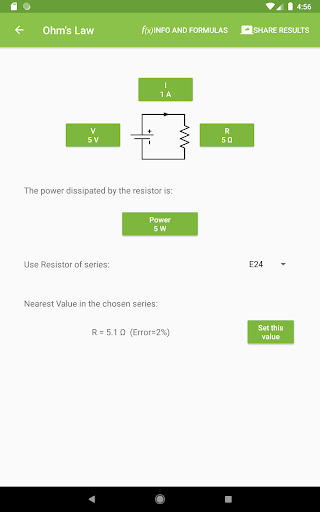
The app includes advanced features such as resistor color code decoding, Ohm's Law calculations, voltage divider configurations, and operational amplifier setups. It also provides specialized tools like PCB trace width calculators, inductor design utilities, and power dissipation estimators. Electrodoc Pro stands out with its support for EIA resistor series and plugin integration, enabling users to expand the app’s functionality according to their specific needs.
Whether you're designing circuits, studying electronics, or working on DIY projects, Electrodoc Pro serves as a reliable companion. Its offline accessibility ensures that engineers and technicians can utilize its capabilities anywhere, making it an indispensable tool for both fieldwork and lab environments.
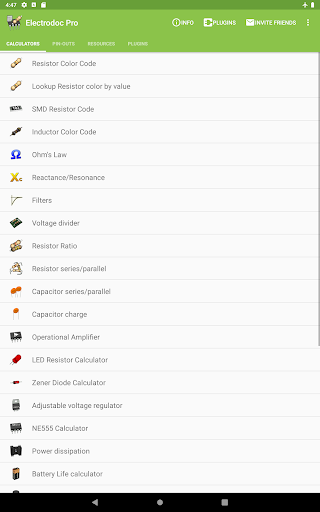
Electrodoc Pro distinguishes itself through its rich feature set tailored to meet the demands of modern electronics work. The app contains over 50 specialized tools, including resistor, capacitor, and inductor code decoders, reactance/resonance calculators, and filter design utilities. Each tool is meticulously crafted to deliver accurate results while maintaining ease of use.
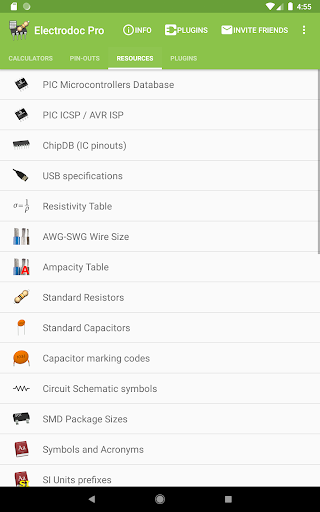
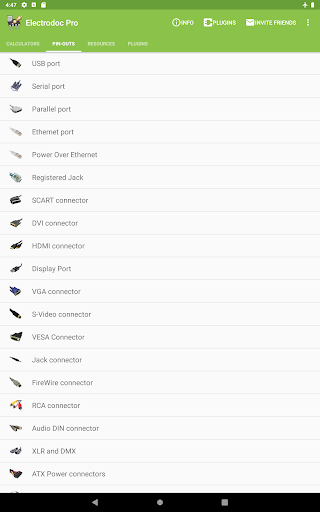
A standout feature is the app’s extensive port pin-out library, covering USB, HDMI, Ethernet, Raspberry Pi, Arduino, and many other connectors. Additionally, the resource section provides quick access to critical information such as AWG wire sizes, standard resistor values, ASCII tables, and Boolean logic gates. Electrodoc Pro further enhances productivity by supporting plugins, allowing users to integrate microcontroller databases and simulation tools.
The PRO version removes ads and unlocks additional functionalities, ensuring uninterrupted workflow. With regular updates and new features continually added, Electrodoc Pro remains a cutting-edge solution for anyone involved in electronics engineering or experimentation.
Comprehensive toolset
Offline functionality
Regular updates
User-friendly interface
Plugin support
Paid PRO version
Steep learning curve
Limited visual aids
No collaborative features
Heavy on technical jargon

Change your GPS location instantly. Simulate routes anywhere in the world.
 4.90
4.90
Transfer Files, APK from Phone to Watch & Install.
4.4
Just swipe the edge to do something!
4.40
Unit and currency converter with easy and simple UI.
4.80
Head tracking for PC sim games such as MSFS 2024 or Elite:Dangerous. No headset!
4.50
eXtended Permission Manager - a small app to manage permissions and AppOps
4.50
Create your own live wallpaper or check out thousands already made presets
3.90
A non-root local ADB shell client. READ BELOW!
3.40
View detailed information about your Nissan Leaf the dealer never shows you.
4.10
FV File Manager Pro, Fast and powerful file manager for Android
4.60
Canon PRINT is a companion app for your Canon printer.
4.60
Keep track of your Palia friendships, tasks, and inventory with Palia Notebook
4.60
Mirror your screen to Fire TV - Super fast and simple
4.40
Complete kernel toolbox with features to manage and tweak your rooted device
4.30
VESC Tool can monitor and configure VESC-compatible devices over BLE and Wifi
4.20
Create your own custom widget with endless possibilities
3.90
Safely recover deleted photos, videos, and files with a single easy tap.
3.70
PDF Reader - Document Viewer: Read, Manage & Organize Your Documents
3.10
Save any video in HD - paste the link, download fast and watch offline.
4.1


User Reveiws