
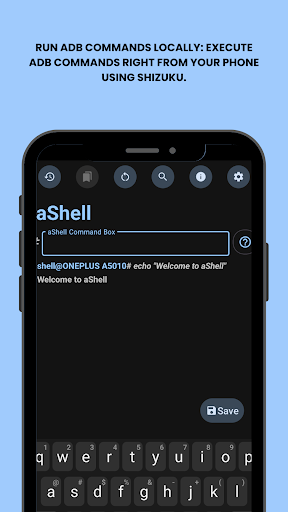

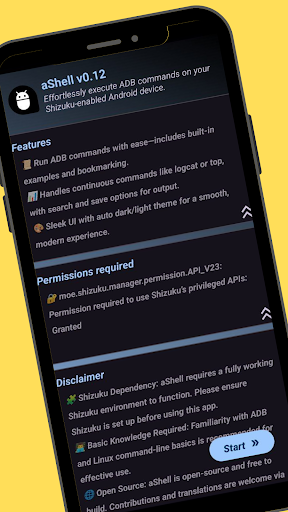
aShell is a specialized tool designed for Android users who require direct ADB command execution on their devices without the need for a PC. This app operates within a Shizuku-supported environment, making it particularly useful for developers and power users.
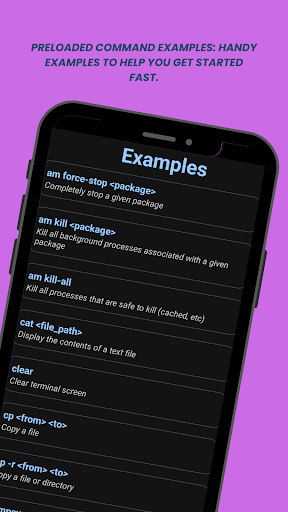
The core functionality of aShell revolves around its ability to run ADB commands locally on an Android device. It features preloaded command examples, live command output support, and the ability to search within command results. Additionally, users can save command outputs to text files and bookmark frequently used commands.
With its dark/light mode support and comprehensive resources including source code availability, issue tracking, and translation opportunities, aShell provides a complete package for those seeking to enhance their control over Android device internals.
aShell stands out with its unique set of features tailored for advanced Android users. The app allows for local execution of ADB commands, which is made possible through a fully functional Shizuku environment.
Among its notable features are preloaded command examples that help users get started quickly, live command output for continuous monitoring of processes like logcat or top, and the ability to search within the output for specific information. Users can also save command outputs to files for future reference or sharing purposes.
Additional functionalities include automatic adaptation to system themes with dark/light mode support, and the option to bookmark frequently used commands for easy access. These features collectively provide a powerful toolset for managing Android devices directly from the phone.
User-friendly interface
Live command output
Dark mode support
Bookmarking feature
Open-source project
Requires Shizuku
Not for beginners
Limited use cases
No standalone operation
Dependent on ADB knowledge

pdf merge, word to pdf, jpg to pdf, edit pdf, convert to pdf and much more!
 4.20
4.20
Connect instantly to a fast, encrypted VPN with one tap
4.60
Save any video in HD - paste the link, download fast and watch offline.
4.0
Quickly & easily calculate the spacing of handrail balusters
4.20
Detect hidden spy camera with advanced scanning {{ Premium version }}
4.00
Support Fossify apps with a warm thank you!
5.00
Create your own custom widget with endless possibilities
3.90
Button mapper, mouse toggle, sleep timer and a lot of another features
4.50
Enjoy a smooth mobile reading experience!
3.60
With videos, electrical calculators, and built-in ebook, Ugly’s has your answer.
4.50
The Ultimate Bluetooth Keyboard & Mouse. Securely control your PC, Mac, and more
4.50
Just swipe the edge to do something!
4.40
Universal TV remote control all TVs, Roku, LG, Samsung, Fire, Vizio, Sony, TCL.
4.40
Carry a FTP server in your pocket and avoid USB cables for file transfer
4.20 4.10
4.10
Smart and comfortable browsing experience.
3.80
This app unlocks the Pro features of the Central for DayZ app
3.60
A non-root local ADB shell client. READ BELOW!
3.40
Unlock your Essential Key. Create custom shortcuts to your favorite apps!
4.2


User Reveiws