BCS©-Maximo Maintenance course

4.5

Information

Category:

Business

Price:

$ 9.99

Rank:

6

Rating:

4.5

Overview

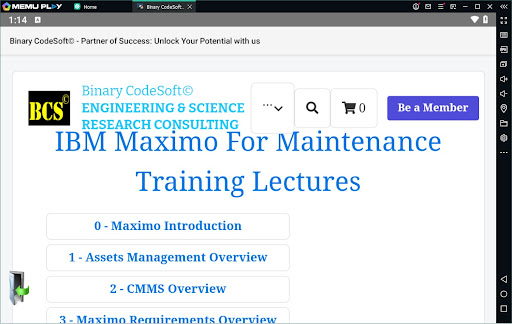
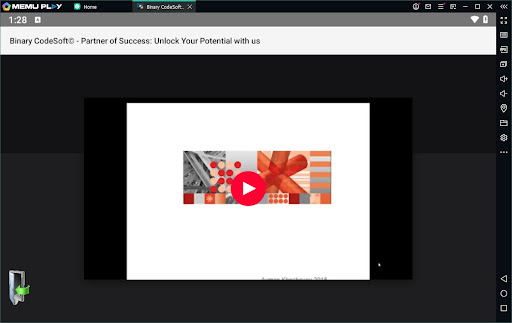
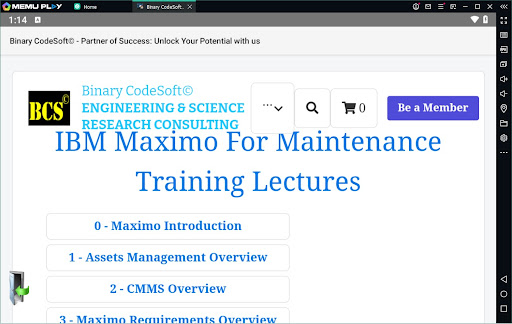
BCS©-Maximo Maintenance course is a comprehensive business application designed to educate users on maintenance operations and IBM Maximo. The app covers various aspects of maintenance strategies, planning, scheduling, and associated costs. It provides detailed insights into IBM Maximo's features, including asset management, CMMS, implementation, and advanced functionalities like dynamic job plans and predictive maintenance.

The app also includes practical guidance on using Maximo for shutdown planning, creating 7-day and monthly plans, managing work orders, and exporting data to MS Excel or MS Project files. With additional tips on purchasing, shortcuts, and planning techniques, this app equips users with the knowledge to optimize maintenance processes and improve overall operational efficiency.

Features

BCS©-Maximo Maintenance course offers an extensive range of features tailored for business professionals. One key feature is its detailed breakdown of maintenance strategies and costs, helping users understand the financial implications of poor maintenance management. The app also provides an in-depth introduction to IBM Maximo, covering assets management, CMMS, and new features that enhance maintenance operations.

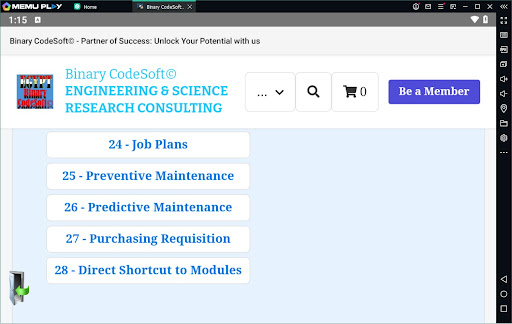
Users can explore various functionalities such as creating and modifying job plans, implementing preventive and predictive maintenance, and utilizing dynamic job plans. The app also supports practical applications like shutdown planning, generating child work orders, and exporting data to external files. These features collectively empower businesses to streamline their maintenance processes and leverage IBM Maximo's capabilities for better planning and execution.

Collaborative work features

Collaborative work features are essential components in any business application that aim to enhance team productivity and streamline project workflows. In the BCSu00a9-Maximo Maintenance course app, these features are designed to facilitate seamless communication and coordination among maintenance teams. The app provides tools for managing work orders, job plans, and preventive maintenance schedules which are integral for collaborative efforts in maintaining assets and locations efficiently. By integrating functionalities such as dynamic job plans and child work orders, it ensures that every team member is on the same page regarding their tasks and responsibilities. Additionally, the ability to export data to MS Excel or MS Project files promotes better collaboration with external stakeholders who might not have direct access to the app. This feature set not only improves internal collaboration but also extends its benefits to cross-functional teams involved in maintenance operations. Users of this app will experience enhanced teamwork through real-time updates and shared access to critical maintenance information which ultimately leads to more effective asset management and reduced downtime.

Task management

Task management within the BCSu00a9-Maximo Maintenance course app encompasses a comprehensive suite of tools designed to optimize the planning and execution of maintenance activities. At its core the app offers robust mechanisms for creating and tracking work orders which serve as the foundation for all maintenance tasks. These work orders can be intricately detailed with job plans that outline specific steps required for completion ensuring clarity and precision in task execution. Furthermore the inclusion of preventive and predictive maintenance schedules allows users to proactively address potential issues before they escalate into costly repairs. The app's ability to generate shutdown plans using Maximo adds another layer of sophistication by enabling strategic planning for major maintenance events. With features like 7-day and monthly plans users can allocate resources effectively while monitoring progress against predefined timelines. Another standout aspect is the capability to modify job plans dynamically adapting to changing circumstances without disrupting ongoing operations. Overall these task management capabilities empower users to maintain high levels of operational efficiency by providing them with precise control over their maintenance activities resulting in improved asset performance and longevity.

Props

Comprehensive content

Practical examples

User-friendly interface

Up-to-date information

Valuable tips

Cons

Advanced terminology

Requires basic knowledge

No interactive elements

Limited visual aids

Text-heavy

Features and Functions

What is this app and what can I use it for?

A business app educating on maintenance operations and IBM Maximo tools.

How do I download and install this app on my device?

Search BCSu00a9-Maximo in Google Play, click Install, and open after download.

How do I get started after opening the app for the first time?

Review the main menu, select a topic, and follow guided instructions.

What are the main features and capabilities of this app?

Covers maintenance strategies, IBM Maximo tools, planning, and execution.

How can I customize my experience and adjust preferences?

Adjust preferences via settings to customize learning experience.

How do I save or bookmark my favorite content for later access?

Save content by bookmarking key sections within the app.

How can I share content with friends or on social media?

Share insights via email or social media directly from the app.

How do I access detailed information and explore more content?

Access detailed info by selecting topics and exploring subtopics.

What permissions does this app need and how do I manage them?

Needs storage permission; manage in device settings under Apps.

How do I check for updates and keep the app running smoothly?

Check updates in Google Play Store and enable auto-update.
Show more

User Reveiws

{{ comment.reviewer_name }}
{{ comment.review_date_formatted}}
{{ comment.review_content }}
{{ tab.name }}
{{ comment.reviewer_name }}
{{ comment.review_date_formatted}}
{{ comment.review_content }}
No reviews with this rating