Contacts

4.30

Information

Category:

Communication

Price:

Free

Rank:

43

Rating:

4.30

Overview

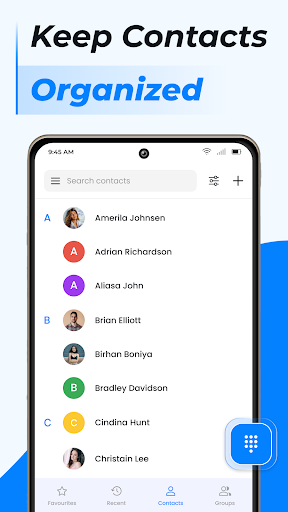
Contacts is a comprehensive communication management tool designed to streamline and enhance the way you handle your contact list on Android devices. The app allows users to efficiently manage their contacts by offering features such as quick access to recent contacts, sharing contact information effortlessly, and blocking unwanted calls or messages.

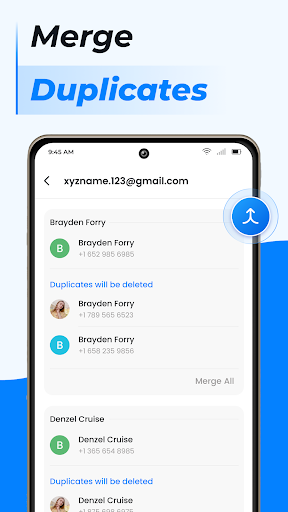
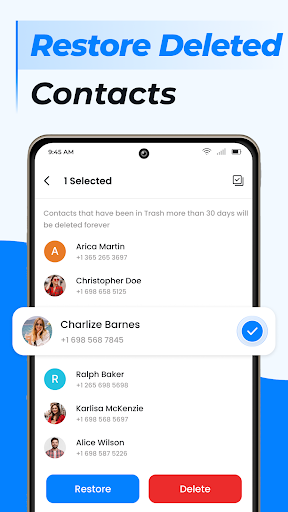
In addition to basic contact management, Contacts provides advanced functionalities including duplicate contact merging, group creation for better organization, and seamless contact backup and synchronization. Whether it's for personal or professional use, this app ensures that your contact information remains up-to-date, organized, and easily accessible, making it an essential tool for anyone looking to maintain a well-structured communication network.

Features

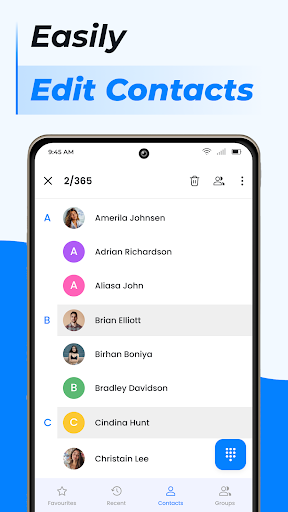
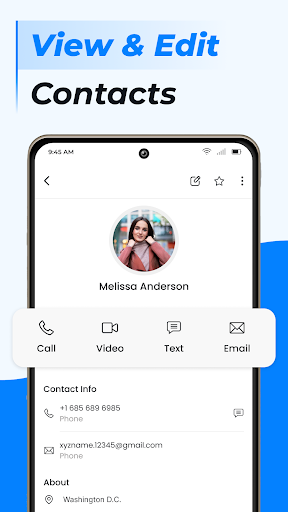
One of the standout features of Contacts is its ability to simplify the process of adding and editing contact information. With just a few taps, users can add new contacts to their phone book or update existing ones, ensuring that all information is current and accurate.

The app also offers smart management options such as handling duplicate entries by linking them together, creating custom groups for different aspects of your life, and managing where contact data is stored. These features not only declutter your contact list but also provide a more personalized and efficient way to manage communications.

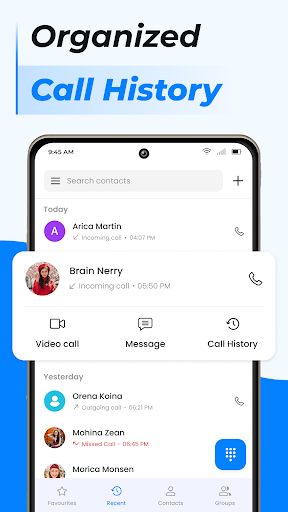
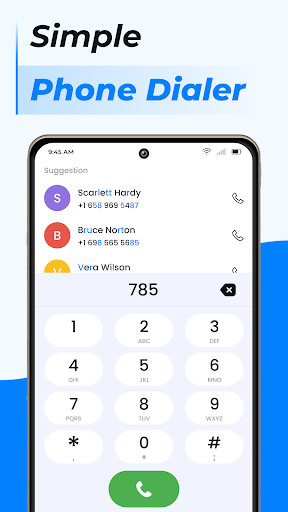
Furthermore, Contacts acts as a fast dialer with additional capabilities like call blocking, caller ID, and a detailed call log history. By integrating these powerful tools into a single platform, the app elevates the traditional phone calling experience, making it faster, smarter, and more intuitive for users.

Real-time messaging speed & reliability

Real-time messaging speed and reliability are crucial factors in any communication application as they determine how quickly and consistently messages are delivered to recipients. In the case of Contacts, this app ensures that users can reach out to their contacts without delay or technical hindrance. The application is designed to facilitate instant communication by providing features such as one-tap calling for favorite contacts and a fast dialer function which streamlines the process of connecting with others. This immediacy is essential for both personal and professional interactions where time-sensitive information needs to be conveyed without fail. Users of Contacts benefit from the assurance that their attempts to communicate will be successful, thanks to robust infrastructure supporting call management including Caller ID and Call Block functionalities. These features not only enhance the speed but also the dependability of reaching the intended recipient every time an interaction is initiated. Moreover, the integration of smart contact search capabilities means that even when a user's contact list grows large, finding and contacting someone remains efficient. Overall, the real-time messaging speed and reliability found within Contacts provide peace of mind that whether making a phone call or managing communications through groups, the experience will be seamless and dependable.

Media sharing support

Media sharing support is an integral part of modern communication applications like Contacts, allowing users to exchange various forms of media effortlessly. With the ability to share contact information at the click of a button, this app simplifies what could otherwise be a cumbersome process. Whether it's sending a new acquaintanceu2019s details or distributing updated contact info among colleagues, the feature ensures that all necessary data reaches its destination intact and promptly. Beyond just textual information, if extended to other media types, this capability would enable richer interactions by incorporating images, videos, or documents into conversations. Such versatility enhances both personal exchanges and collaborative work environments where multimedia content often complements textual dialogue. Furthermore, having comprehensive media sharing support embedded within Contacts implies that thereu2019s no need to switch between different apps for varied content types; everything required for effective communication is centralized. This consolidation not only saves time but also reduces complexity in managing multiple platforms. Additionally, with options for backing up and syncing contacts via cloud services, users gain flexibility in accessing shared media across devices. Thus, media sharing support in Contacts represents a significant advancement over traditional methods of exchanging contact details, offering convenience, efficiency, and adaptability in todayu2019s fast-paced digital landscape.

Props

User-friendly interface

Comprehensive contact management

Efficient call handling features

Smart organization tools

Seamless sync and backup options

Cons

Limited to Android platform

Some features may require permissions

Premium features come at a cost

Occasional syncing issues reported

Interface could be overwhelming for beginners

Features and Functions

What is this app and what can I use it for?

A tool to manage and organize Android contacts with features like call blocking and contact syncing

How do I download and install this app on my device?

Visit Google Play Store, search for Contacts, tap Install, and open after download

How do I get started after opening the app for the first time?

Grant necessary permissions, import contacts, and explore main features

What are the main features and capabilities of this app?

Contact management, call blocking, syncing, group creation, smart dialing

How can I customize my experience and adjust preferences?

Adjust settings via the Preferences menu to customize your experience

How do I save or bookmark my favorite content for later access?

Use Favorites or create groups to save and access important contacts quickly

How can I share content with friends or on social media?

Tap Share button to send contact info via messaging apps or social platforms

How do I access detailed information and explore more content?

Access detailed contact profiles and logs through the main dashboard

What permissions does this app need and how do I manage them?

App needs storage and contact permissions; manage in device settings

How do I check for updates and keep the app running smoothly?

Enable auto-updates in Google Play Store or manually check for updates
Show more

User Reveiws

{{ comment.reviewer_name }}
{{ comment.review_date_formatted}}
{{ comment.review_content }}
{{ tab.name }}
{{ comment.reviewer_name }}
{{ comment.review_date_formatted}}
{{ comment.review_content }}
No reviews with this rating