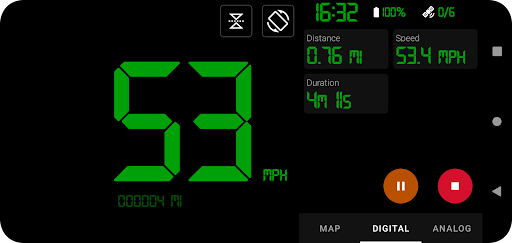
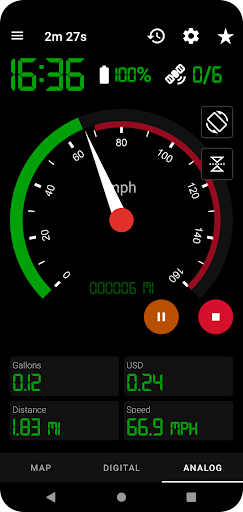
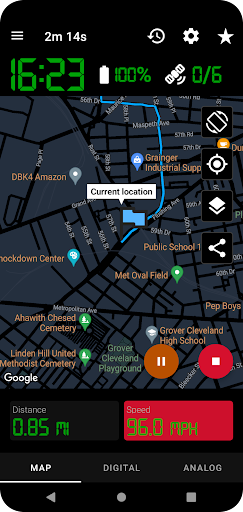
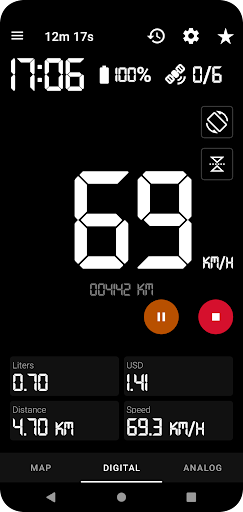
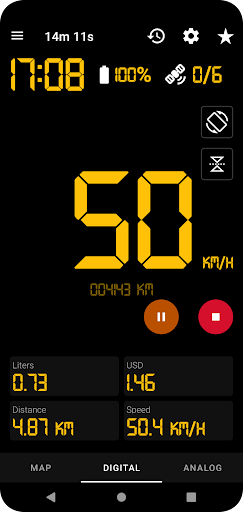


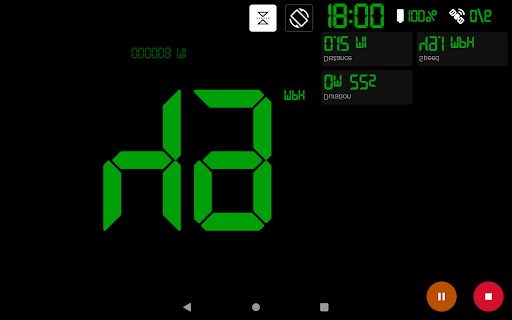

GPS Speedometer Pro is a comprehensive navigation and tracking application designed to monitor your speed, distance, and routes using your phone's built-in GPS. The app offers multiple display modes including analog, digital, and head-up display (HUD) options, making it versatile for various activities such as driving, running, or cycling.
One of the standout features of this app is its ability to operate seamlessly in the background, allowing users to multitask on their phones without interrupting the tracking process. Whether you're commuting, exercising, or exploring new terrains, GPS Speedometer Pro provides accurate real-time data and historical tracking information that can be exported in .gpx format for further analysis in third-party software.
The app also includes practical tools like fuel cost estimation, over-speed alerts, and customizable themes, ensuring both safety and convenience. Its user-friendly interface and privacy-conscious design make it an essential tool for anyone needing reliable GPS tracking.
GPS Speedometer Pro stands out with its rich feature set tailored for navigation enthusiasts. The app utilizes your phone's GPS to provide precise tracking of speed, distance, and routes. It supports multiple display formats including analog, digital, and HUD modes, catering to different user preferences and scenarios.
Advanced functionalities include odometer readings, fuel cost estimations, and the ability to download tracked routes in .gpx file format. Users can replay saved routes within the app to review their journey details. Additionally, the app offers shortcuts for one-tap start/stop recording, ensuring ease of use even while driving or engaging in other activities.
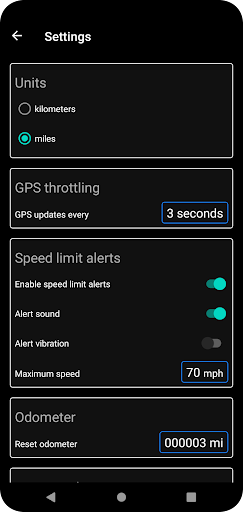
Customization options abound with selectable map types, switchable units between kilometers and miles, and both portrait and landscape orientations. Privacy is prioritized with no sign-in required and a commitment to not collecting or sharing Personally Identifiable Information, providing peace of mind for security-conscious users.
User-friendly interface
Accurate GPS tracking
Multiple display modes
Background operation
Privacy-focused design
Limited offline functionality
Occasional GPS inaccuracies
High battery consumption
No social sharing
Basic UI design

Easy, Moderate and difficult offroad adventures.
 4.00
4.00
Route schedules, maps, and real-time tracking of MTA buses in New York City.
4.20
Plan routes, share locations, and set custom alert zones
4.40
Voice GPS with driving directions, offline maps navigation GPS for safe travel
4.50
Ride CTA, Metra & Pace: Manage your fares, buy Metra tickets, get arrivals.
3.00
GPS Navigation: Get map directions and find the shortest routes to avoid delays!
4.00
Bolt is a ride-hailing app for requesting fast, safe, and affordable transport
4.80
MapQuest is your go-to app for maps, GPS, voice navigation & live traffic.
3.80
Explore Earth with live GPS, satellite view & street navigation
3.60
Find shortest way and save energy . Distance and area calculator.
4.70
Navigate confidently with our precise Digital Compass app & Direction Compass!
4.70
GPS navigation offers route finder, compass, translator, currency converter, etc
4.30
GPS phone tracker, family locator, secure location sharing app
4.20
Use GPS Maps and GPS Voice Navigation to find your way and get directions
4.10
Get route, find shortest path, near by places and weather update
3.90
Drive safe with real-time speed camera radar, police, and traffic alerts
3.80
Start your next adventure confidently using our Accurate Compass App
3.70
Fully offline 1:50k New Zealand topographical map North Island
4.2
All of NHSA's trail information at your fingertips for the 2025-2026 season
4.4


User Reveiws