IP Webcam Pro

4.20

Information

Category:

Video Players & Editors

Price:

$ 4.99

Rank:

18

Rating:

4.20

Overview

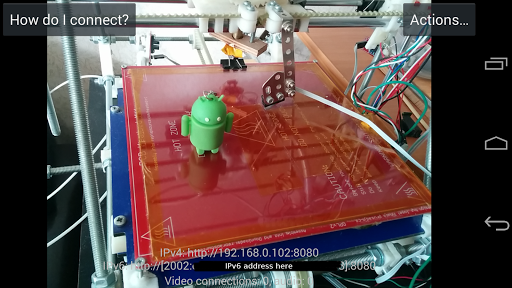
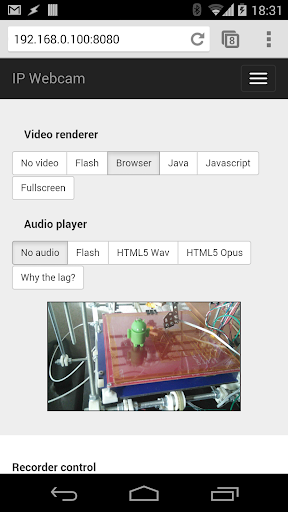
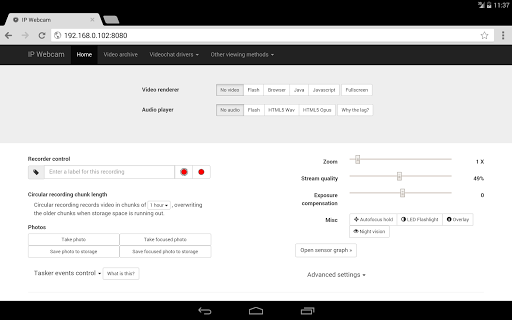
IP Webcam Pro transforms your smartphone into a versatile network camera, enabling real-time video streaming across multiple platforms. With support for VLC player and web browsers, it facilitates seamless viewing within local WiFi networks without requiring internet access.

Beyond basic streaming, the app supports optional Ivideon cloud broadcasting for global accessibility. It also offers advanced features like motion detection, two-way audio, and integration with third-party MJPG software, making it ideal for both personal monitoring and professional surveillance needs.

Features

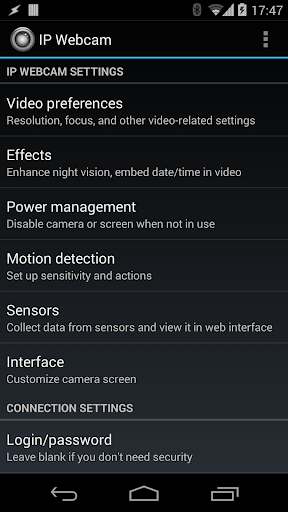
IP Webcam Pro boasts an array of sophisticated features designed to enhance user experience. The app allows video uploads to Dropbox, SFTP, FTP, and Email via Filoader plugin, ensuring flexible file management options. Users can choose from several web renderers including Flash, Javascript, or built-in options for optimal compatibility.

Advanced functionalities include video recording in WebM, MOV, MKV, or MPEG4 formats (on Android 4.1+), and audio streaming in wav, opus, and AAC (AAC requires Android 4.1+). Additional highlights encompass motion detection with sound triggers, Tasker integration, and extensive baby/pet monitoring capabilities such as night vision and sound detection.

Video format compatibility

Video format compatibility is a crucial feature for any video player or editor as it determines the range of video files that can be processed and played back by the application. For IP Webcam Pro, this means supporting various formats to ensure users can stream and record videos without worrying about compatibility issues. The app supports multiple video formats including WebM MOV MKV and MPEG4 which provides flexibility for users who want to capture their footage in different codecs. This wide range of supported formats allows users to choose the best option based on their specific needs such as file size quality and device compatibility. Additionally IP Webcam Pro offers audio streaming in WAV Opus and AAC formats with AAC requiring Android 4.1+. By providing these options the app ensures that both video and audio streams are compatible across different platforms and devices enhancing the overall user experience. Users benefit from this comprehensive format support as they can seamlessly integrate IP Webcam Pro with third-party MJPG software video surveillance systems security monitors and most audio players. This versatility makes the application suitable for a variety of use cases from personal entertainment to professional monitoring solutions.

AI-powered editing features

AI-powered editing features represent an innovative advancement in video editing technology allowing users to enhance their videos with minimal effort. While IP Webcam Pro may not offer extensive AI-driven tools it does include several smart functionalities that improve the video production process. One notable feature is motion detection with sound triggers which uses algorithms to identify movement within the camera's field of view and initiate recording or alerts based on predefined conditions. This capability is particularly useful for creating time-lapse videos or monitoring areas where activity needs to be captured automatically. Another aspect of AI integration in IP Webcam Pro is sensor data acquisition with online web graphing. This function collects information from the device's sensors such as light levels temperature and orientation and presents it visually through graphs accessible via a web interface. Although not traditional AI-powered editing these features demonstrate how intelligent processing can add value to video content creation by automating certain tasks and providing contextual data alongside visual media. Furthermore the app supports cloud push notifications on motion and sound events enabling real-time alerts when significant changes occur within the monitored environment. These smart features combined with customizable overlays for date time battery level and other metadata contribute to a more dynamic and informative viewing experience making IP Webcam Pro a versatile tool for both casual users and professionals seeking enhanced functionality in their mobile video solutions.

Props

User-friendly interface

Extensive feature set

Flexible streaming options

Cloud broadcasting support

Motion detection capabilities

Cons

Paid version only

Complex setup required

Limited free version

High battery usage

Requires stable WiFi
Features and Functions

What is this app and what can I use it for?

A network camera app for streaming video on WiFi.

How do I download and install this app on my device?

Search IP Webcam Pro on Google Play and tap Install.

How do I get started after opening the app for the first time?

Grant permissions and follow the setup wizard prompts.

What are the main features and capabilities of this app?

Offers video streaming, motion detection, and cloud support.

How can I customize my experience and adjust preferences?

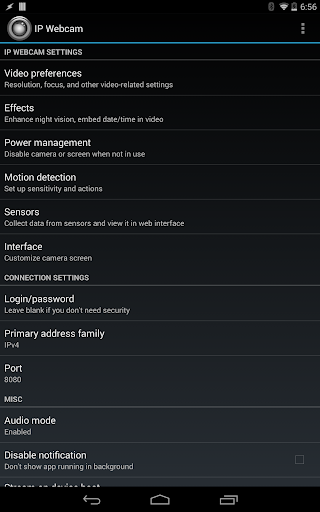
Adjust settings via the app's customizable user interface.

How do I save or bookmark my favorite content for later access?

Use Filoader plugin to save videos to Dropbox or FTP.

How can I share content with friends or on social media?

Stream directly through supported third-party apps.

How do I access detailed information and explore more content?

Access detailed info in the app's Settings section.

What permissions does this app need and how do I manage them?

Needs camera and mic access; manage in settings.

How do I check for updates and keep the app running smoothly?

Enable auto-updates in Google Play Store settings.
Show more

User Reveiws

{{ comment.reviewer_name }}
{{ comment.review_date_formatted}}
{{ comment.review_content }}
{{ tab.name }}
{{ comment.reviewer_name }}
{{ comment.review_date_formatted}}
{{ comment.review_content }}
No reviews with this rating