
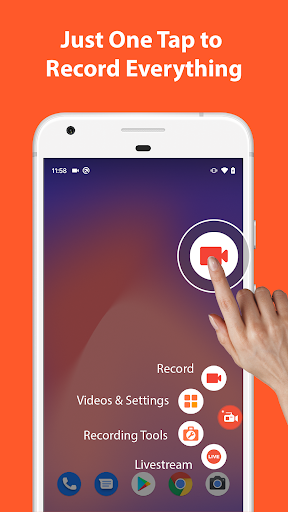

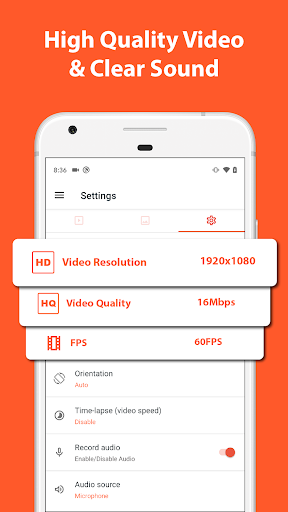
AZ Screen Recorder is a versatile screen recording application that allows users to capture high-quality videos of their device screens with audio. The app offers multiple functionalities including screen recording, video editing, live streaming, and image editing.
One of the standout features of AZ Screen Recorder is its ability to record screen activity with both internal audio and microphone sound, making it ideal for creating tutorials, gameplay videos, or capturing video calls. Additionally, the app provides advanced video editing tools such as trimming, merging, adding subtitles, and compressing videos, which enhance the overall user experience.
The app's multi-purpose nature makes it suitable for various use cases, from professional content creation to personal recordings. Whether you're looking to record your screen for educational purposes, gaming highlights, or live streaming on platforms like YouTube and Facebook, AZ Screen Recorder delivers a comprehensive solution with no watermarks and no time limits.
AZ Screen Recorder stands out with its rich feature set tailored for both casual and power users. The screen recording functionality includes easy start/stop controls, pause/resume options, and the ability to record audio from both the mic and internal sources. The unique facecam feature lets users show their reactions in a floating window, adding a personal touch to their recordings.
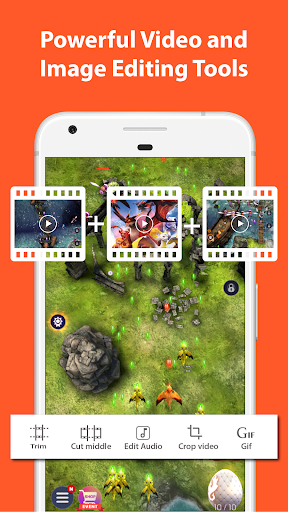
Beyond basic recording, the app serves as a full-fledged video editor. Users can trim unwanted parts, merge multiple clips, add background music or subtitles, and even extract frames from videos. Advanced options like video cropping, rotating, and compressing ensure that the final output meets specific requirements while saving storage space.
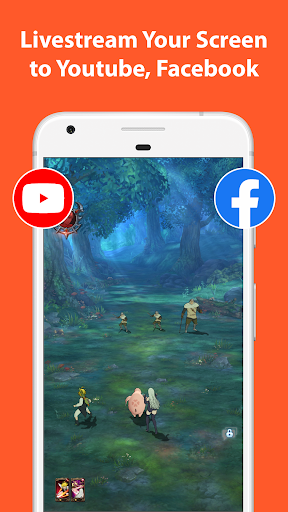
For those interested in live streaming, AZ Screen Recorder supports broadcasting your phone screen directly to platforms like YouTube and Facebook. It also offers various resolutions and the option to display your face during streams. Additionally, the built-in screenshot and image editing tools allow users to capture and modify images effortlessly, providing an all-in-one solution for digital content creation.
User-friendly interface
High-quality video output
No watermark on videos
Comprehensive editing tools
Live streaming capabilities
Some features require Android 10+
4K recording limited to certain devices
Premium version needed for advanced options
Occasional bugs reported
Ads in free version

Cast Videos from Web Browser, IPTV to Roku, Chromecast, DLNA, Smart TV +more
 4.60
4.60
A Quick and Pro Video Editor
4.70
High-Quality USB Camera Viewer & HDMI Display
4.70
Fast & Private Video Downloader App. Save all videos easily from the Internet.
4.40
Download videos and play them offline
4.70
#1 Torrent App on Android ** No Ads Ever + Battery Saver **
4.80
Livestream, news, & gaming content. Watch, chat, and upload. Join Rumble today!
3.80
Viddo: Generate Action Figure, AI Anime, AI kiss, AI hug Video from image & text
4.40
Capture the moment and Cut
3.40
Support 1000+ Video Format, Subtitle Download, mp3 & Background Play, Cast On TV
4.60
Seamlessly connect and control your smart devices, anytime, anywhere with ease.
4.60
Watch IPTV on your Android device
4.60
Browser + Remote for Roku to stream webvideos, online movies and livestreams
4.60
Download website videos fast&privacy
4.40
IPTV-Smarters Player Pro M3U - Watch Live Stream TV Channels with Chromecast
4.00
Capture images & record videos for USB Camera, Webcam, Microscopes, Endoscopes
3.80
Kodi media center, a free and open source cross-platform entertainment hub
3.60
Save photos and videos from social apps in one tap.
3.60
This app is an emulator of some specific IPTV boxes
3.50


User Reveiws