


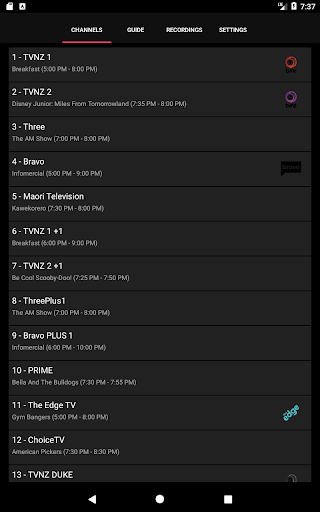
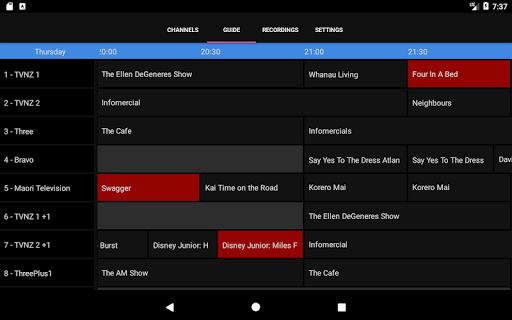

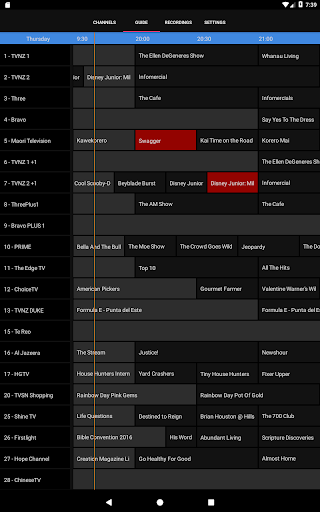
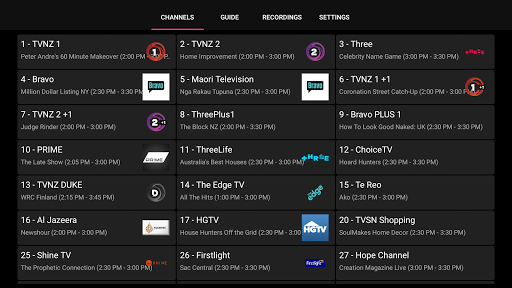
NextPVR is a versatile client application designed for users who want to extend their NextPVR media center experience to mobile devices. This app allows you to seamlessly interact with your NextPVR setup, provided you have version 4.1.0 or higher installed on your network. With this app, you can enjoy live TV streaming, access an intuitive TV guide, and manage your recording schedules from anywhere within your home network.
The true power of NextPVR lies in its ability to integrate with ATSC/DVB/Analog TV tuners and other video capture sources, making it a comprehensive solution for managing your home entertainment system. Whether you're looking to watch recordings on the go or schedule upcoming shows, this app provides a convenient interface that enhances your viewing experience without being tied to your PC.
NextPVR offers a robust set of features tailored for users seeking control over their media center remotely. One standout feature is its seamless integration with the NextPVR software, allowing users to stream live TV directly to their mobile device. The app also includes an interactive TV guide, giving users a clear overview of programming schedules and helping them plan their viewing sessions efficiently.
In addition to live TV, the app excels in DVR management. Users can easily schedule, modify, or delete recordings right from their mobile device. It also supports playback of previously recorded content, ensuring you never miss your favorite shows. These features collectively make NextPVR a powerful tool for anyone looking to streamline their home entertainment system while enjoying the flexibility of mobile access.
User-friendly interface
Live TV streaming
Flexible recording options
Comprehensive TV guide
Seamless PC integration
Requires Windows PC
Network dependency
Limited standalone use
No offline viewing
Complex initial setup

Video Player - Unlimited features, 30 days money back guarantee.
 4.60
4.60
?100% FREE! Download & save videos? safely in this app. All formats supported.
4.60
Video Trimmer, Video to MP3 Converter. Extract music from video, Easy & Fast.
4.80
Tik & Story Saver-Download ALL social media videos, photos & reels no watermark.
4.80
KineMaster, Your Ultimate Video Editor!
4.40
#1 Torrent App on Android ** No Ads Ever + Battery Saver **
4.80
Livestream, news, & gaming content. Watch, chat, and upload. Join Rumble today!
3.80
Create, Publish & Maximize
4.70
Photo editor & video maker with music and slideshows.
4.10
Fast & easy HD video downloader for all formats, support 4K playback & download.
4.60
Fast & Private HD Video Downloader with Built-in Proxy Browser and Video Player.
4.50
LumaFusion: The Ultimate Storytelling Experience for Video Editing
4.10
Powerful, professional, versatile teleprompter. Developed by an active film crew
4.00
All format media Player, no need video converter any more!
4.00
Stream Web Videos to Chromecast, Samsung, LG, Sony, Roku, Fire TV, DLNA + more
4.00
Online Videos Player
3.90
Kodi media center, a free and open source cross-platform entertainment hub
3.60
The smartest M3U IPTV Player your playlists have ever seen.
4.4
Stream high quality video from your camera over NDI protocol
4.0


User Reveiws