Kia Access

4.60

Information

Category:

Android Wear

Price:

Free

Rank:

159

Rating:

4.60

Overview

Kia Access is the official owner's app from Kia America, Inc., designed to provide seamless access to vehicle information and services. The app combines the benefits of the Kia Owner’s Portal with convenient features of Kia Connect (formerly UVO link), making it easier than ever to manage your vehicle directly from your smartphone or Wear OS device.

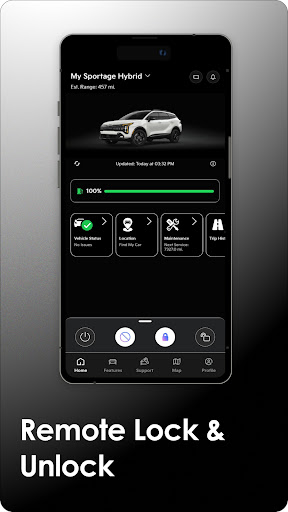
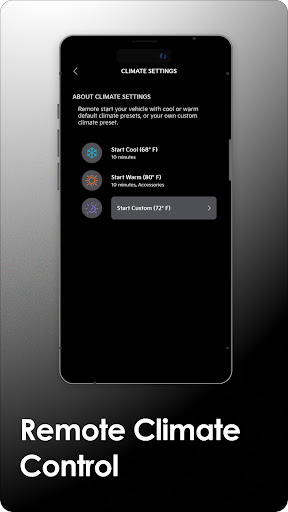
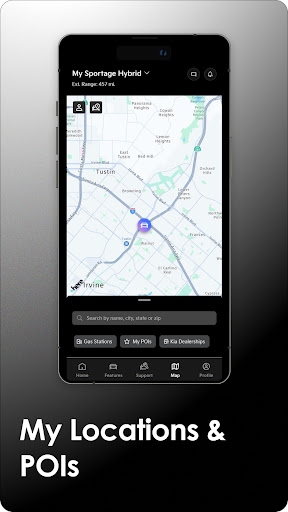
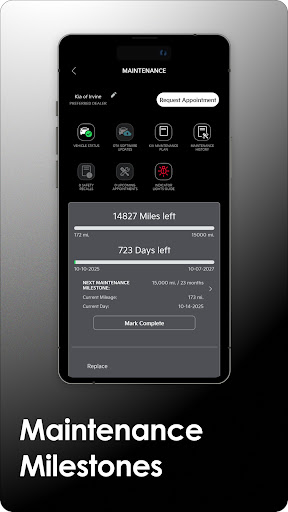
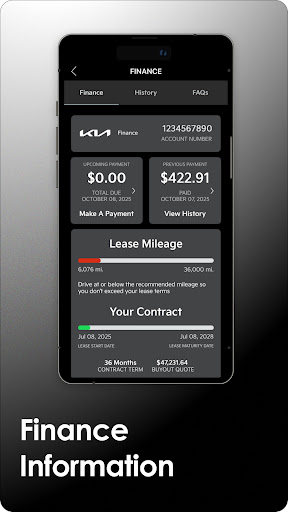
With Kia Access, users can access their vehicle's manual, warranty details, maintenance milestones, and payment information if financed through Kia Motors Finance. For vehicles equipped with Kia Connect, additional remote features include locking/unlocking doors, setting cabin temperature, finding your car, and sending locations to the navigation system. Plug-in hybrid and electric vehicles gain access to battery status, driving range estimates, and charging station locators.

This app is ideal for Kia owners who want to streamline vehicle management and enjoy advanced connectivity features. It provides a comprehensive solution for both standard vehicle management and enhanced smart functionalities, ensuring convenience and peace of mind.

Features

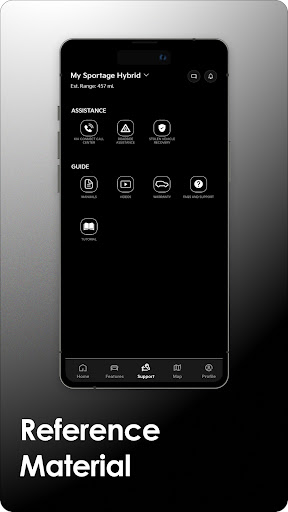
Kia Access offers an impressive array of features tailored for Kia vehicle owners. The app provides essential resources such as the Owner’s Manual, quick guides, videos, and warranty information, ensuring that all important documentation is easily accessible. Additionally, users financing through Kia Motors Finance can conveniently view their vehicle payment information.

For vehicles equipped with Kia Connect, the app extends its functionality to include remote commands like locking/unlocking doors, initiating horn and light signals, and even remotely starting the climate control system. Navigation capabilities allow users to send destinations directly to their vehicle's GPS, while the vehicle finder feature ensures you never lose track of your car. Health reports provide valuable insights into your vehicle's condition, though they are not a substitute for regular maintenance.

Plug-in hybrid and electric vehicle owners benefit from specialized features such as battery status checks, estimated driving range, and charging station locators. These tools help optimize energy usage and ensure drivers are always informed about their vehicle's capabilities. Overall, Kia Access delivers a robust set of features that enhance the ownership experience through smart technology integration.

Companion app integration

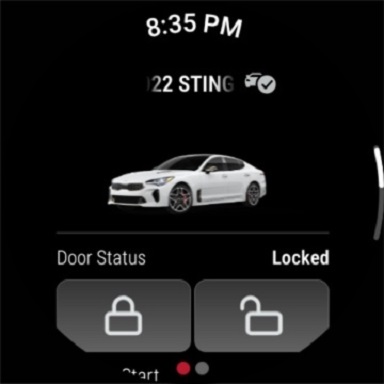
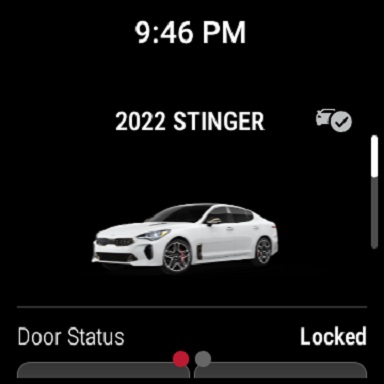
Companion app integration refers to the seamless connection and synchronization between a primary application and its wearable counterpart allowing users to access essential features and information directly from their smartwatch or wearable device This capability is particularly valuable for vehicle management applications like Kia Access as it enables drivers to conveniently interact with their vehicle systems without needing to reach for their smartphone The Kia Access app demonstrates excellent companion app integration by extending its core functionalities to Wear OS devices Through this integration users can receive important vehicle notifications such as maintenance alerts and health reports directly on their smartwatch Additionally key remote control features are accessible from the wearable device including door lock unlock functions horn and light activation and vehicle locator functionality This ensures that users can perform critical actions even when they are not able to access their phone The implementation of companion app integration in Kia Access showcases Kia America Inc commitment to providing a comprehensive and user friendly experience By enabling smartwatch access to essential vehicle controls and information the app enhances convenience and accessibility for vehicle owners For instance receiving instant alerts about battery status on an electric vehicle or getting reminders about scheduled maintenance while on the go significantly improves the overall ownership experience Furthermore the ability to remotely interact with the vehicle through a wearable device adds a layer of safety as drivers can quickly locate their car in a crowded parking lot or ensure it is securely locked without needing to pull out their phone This thoughtful extension of functionality to wearable platforms demonstrates how Kia is leveraging modern technology to create a more connected and convenient driving experience for its customers

Wear OS/device compatibility

Wear OS device compatibility represents the degree to which an application can effectively operate across various smartwatches and wearable devices running on the Wear OS platform For automotive applications like Kia Access ensuring broad compatibility with Wear OS devices is crucial as it allows the largest possible user base to benefit from the app s wearable functionalities Kia Access excels in this area by supporting a wide range of Wear OS powered devices The application maintains consistent performance and feature availability regardless of whether it is running on a Fossil TicWatch Samsung Galaxy Watch or any other popular Wear OS device This universal compatibility is achieved through careful optimization of the app s codebase and regular testing across different hardware configurations The significance of strong Wear OS compatibility becomes evident when considering the practical benefits it provides to Kia vehicle owners First it guarantees that users can choose their preferred smartwatch brand and model without worrying about losing access to vital vehicle management features Second it ensures that all Wear OS users receive the same high quality experience when interacting with their vehicle through the companion app This includes accessing vehicle health reports sending locations to the car s navigation system and using remote control features such as door locking and climate control preparation Furthermore Kia has implemented automatic resolution adjustment and adaptive UI elements that maintain optimal readability and usability across different watch screen sizes and resolutions The reliability of Kia Access across various Wear OS devices demonstrates the company s dedication to providing a seamless user experience Regardless of the specific Wear OS device a customer owns they can be confident that the Kia Access app will function properly and provide access to essential vehicle management tools This approach to device compatibility helps establish Kia as a forward thinking automaker that understands and caters to the technological preferences of modern drivers

Props

User-friendly interface

Comprehensive vehicle info

Remote control functions

Advanced navigation support

Specialized EV features

Cons

Limited to Kia vehicles

Subscription required

Dependent on cellular coverage

Not available in all regions

Some features need extra equipment

Features and Functions

What is this app and what can I use it for?

Kia Access is an app for Kia owners to manage vehicle info and access remote features.

How do I download and install this app on my device?

Search 'Kia Access' on Google Play Store and install it on your Android device.

How do I get started after opening the app for the first time?

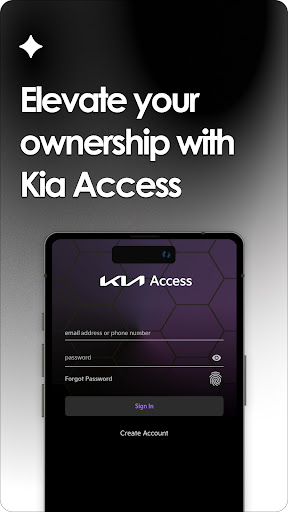
Sign up or log in to your Kia account to start using the app's features.

What are the main features and capabilities of this app?

Access manuals, warranty info, remote controls, and navigation tools for your Kia.

How can I customize my experience and adjust preferences?

Adjust app settings to customize notifications and preferred features.

How do I save or bookmark my favorite content for later access?

Bookmark favorite locations or content within the app's navigation section.

How can I share content with friends or on social media?

Use the share button to send content links via social media or messaging apps.

How do I access detailed information and explore more content?

Tap detailed info sections to explore more content and vehicle data.

What permissions does this app need and how do I manage them?

The app needs location and vehicle data permissions; manage these in settings.

How do I check for updates and keep the app running smoothly?

Enable automatic updates in the Google Play Store to keep the app current.
Show more

User Reveiws

{{ comment.reviewer_name }}
{{ comment.review_date_formatted}}
{{ comment.review_content }}
{{ tab.name }}
{{ comment.reviewer_name }}
{{ comment.review_date_formatted}}
{{ comment.review_content }}
No reviews with this rating