
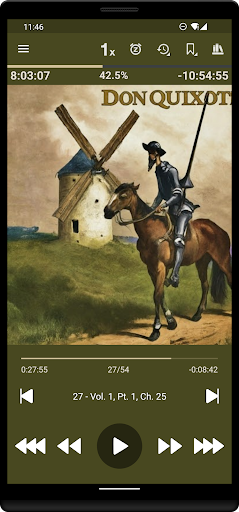
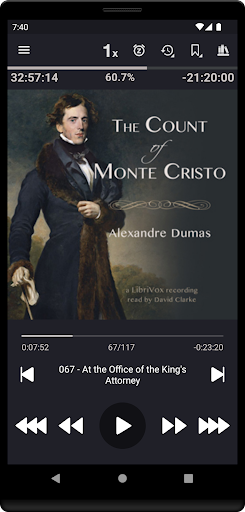
Listen Audiobook Player is a feature-rich audio player designed specifically for audiobook enthusiasts. This application allows users to play DRM-free audiobooks from various sources, including popular platforms like Librivox, Downpour, and Loyalbooks. The app supports multiple audio formats such as MP3, M4B, M4A, Opus, Ogg, AAC, FLAC, and more, ensuring compatibility with a wide range of audiobooks.
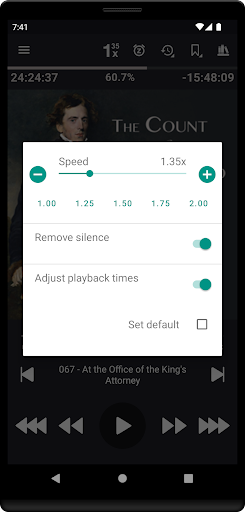
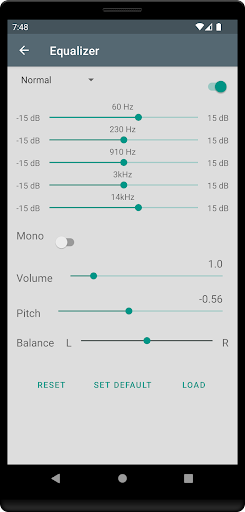
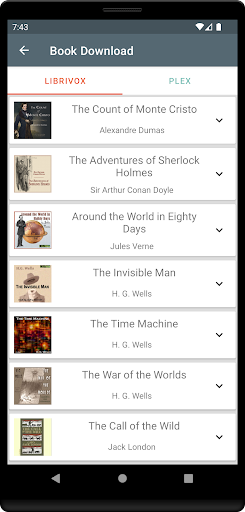
The player offers advanced playback features including variable speed control (0.5x to 4x), pitch control, silence trimming, and volume boosting. It also provides an equalizer and balance settings that can be customized globally or on a per-book basis. With its folder-based library system, users can easily organize and access their audiobook collection. Additionally, the app integrates with services like Plex and Audiobookshelf, allowing seamless downloading of books from hosted servers directly to the local library.
Designed for convenience, Listen Audiobook Player includes practical features like Android Auto support, Bluetooth controls, sleep timer functionality, and bookmark management. Users can create audio clips from bookmarks and share them with others. The app also offers customization options for UI colors and playback controls, making it a versatile tool for audiobook listeners across different devices.
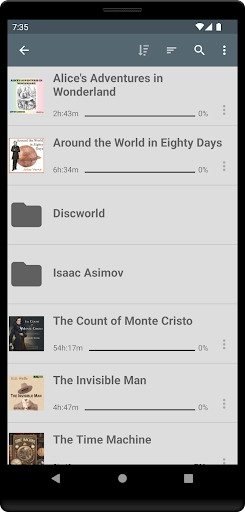
One of the standout features of Listen Audiobook Player is its comprehensive library management system. The app automatically syncs with the user's audiobook folder, organizing books into individual folders and subfolders. This structure allows for easy navigation and quick searching of specific titles. Each book can have its own embedded cover art, or users can download artwork directly within the app.
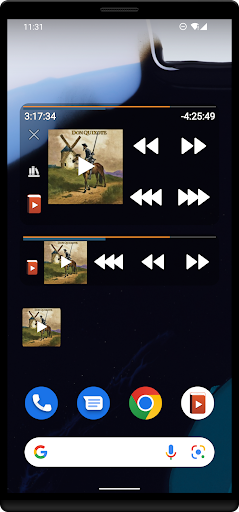
The player excels in playback customization. Users can adjust playback speed, trim silence, control pitch, and apply volume boosts. These settings can be configured globally or tailored for individual books. The app supports embedded chapters in most audio codecs, providing a smooth listening experience. Additional features include position history tracking, Bluetooth play/pause/skip functionality, and widgets for quick access.
Integration capabilities set this app apart from other audiobook players. It connects seamlessly with Plex and Audiobookshelf, enabling users to download books from personal servers. The built-in synchronization feature allows users to maintain their current position and bookmarks across multiple devices. Advanced options like Opus format conversion, Tasker integration, and customizable skip times demonstrate the app's commitment to providing a fully-featured audiobook listening experience.
User-friendly interface
Wide format support
Advanced playback controls
Seamless library sync
Multi-device support
No cloud storage
Limited language support
Complex setup required
No automatic updates
Premium price tag

Enhance the sound quality of your devices, listen to what you want
 4.50
4.50
The only true audiophile music player with Hi-Fi audio rendering and DSP engine
3.90
Advanced 10-Band Audio Graphic Equalizer Sound Booster Pro
4.30
Record, Mix & Master with all n-Track effects, 64-bit audio and Stem Separation.
4.70
24,000 free audio books and no ads!
4.90
Learn to play the piano using falling notes!
3.80
Help you quickly get started with Shokz headphones
4.40
A complete sound package for the sound engineer or enthusiast
4.60
Be a true music maker: create beats, mix and make music like a real DJ!
4.30
Tune in to the greatest hits on UK Radio | The home of Capital, Smooth & Heart.
4.90
Simple & Intuitive Metronome
4.70
A synth that really lets you shape your sounds!
4.50
Visualize the guitar fretboard, master scales & play through changes like a pro!
4.50
Permanently backup Now Playing. Maps, filters & listening stats.
4.00
Background pads for your band
3.80
Powerful beat maker & DJ mixer to remix tracks, make music, & perform DJ mix
3.70
The iconic iOS metronome app is now on Android.
3.70
Simple mp3 and mp4 player with advanced features.
3.40
Remove ads permanently from Music Visualizer
4.4


User Reveiws