DroidCamX HD (Classic)

4.40

Information

Category:

Tools

Price:

$ 4.99

Rank:

26

Rating:

4.40

Overview

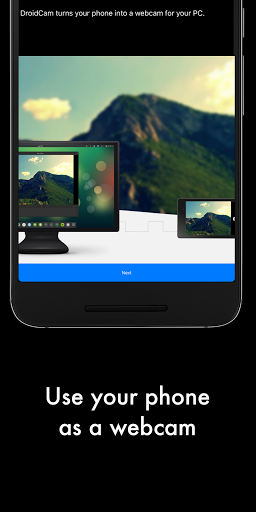
DroidCamX HD (Classic) is a versatile tool that transforms your Android device into a high-definition webcam for your computer. This application supports both video and audio transmission, making it ideal for video conferencing, streaming, or content creation.

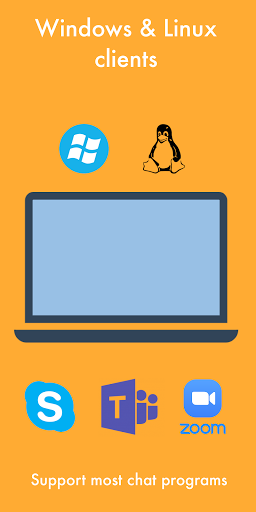
The app offers multiple connectivity options including Wi-Fi and USB, with support for 720p/1080p video quality in HD mode. Its unique features like the 'Smooth FPS' option ensure stable video performance while allowing users to run other apps in the background. Additionally, its compatibility with Windows and Linux clients provides extended usability across different platforms.

Features

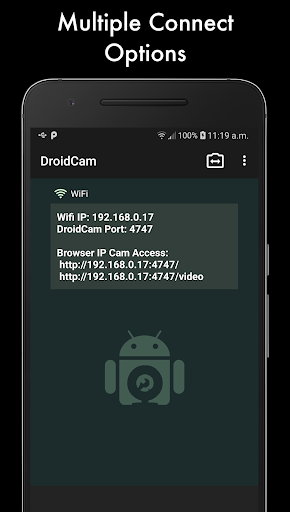
DroidCamX stands out with its comprehensive feature set tailored for seamless webcam functionality. The app allows users to connect their Android device to a computer via Wi-Fi or USB, providing flexibility based on the user's environment and preferences.

One of the key highlights is its support for HD video modes up to 1080p, ensuring crisp and clear video quality. The 'Smooth FPS' setting helps stabilize video performance, which is crucial during important meetings or live streams. Moreover, advanced camera controls such as auto-focus, zoom, flash, and image capture enhance the overall user experience.

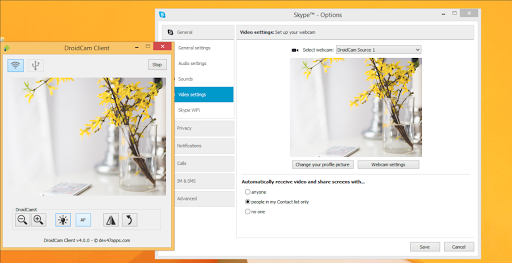
For power users, the Windows client offers professional controls like mirroring, flipping, brightness, and contrast adjustments. These features make DroidCamX not just a simple webcam utility but a powerful tool for anyone needing reliable and high-quality video input for their computer.

Core function accuracy & effectiveness

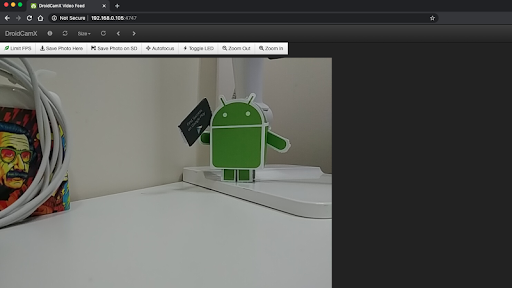
DroidCamX HD (Classic) excels in delivering core webcam functionality with precision and efficiency. The application transforms an Android device into a high-definition webcam for computers, ensuring both audio and video streams are transmitted seamlessly. Users can connect their devices over Wifi or USB, experiencing enhanced flexibility in setup options. With support for 720p and 1080p video resolutions through its HD Mode, the app guarantees superior image quality that meets professional standards. The inclusion of a 'Smooth FPS' option within settings further stabilizes video transmission, making it ideal for various use cases such as video conferencing or content creation. Additionally, DroidCamX allows users to operate other applications simultaneously without interrupting the webcam feed, thanks to its ability to run efficiently in the background. This feature not only conserves battery life by enabling operation with the screen off but also ensures uninterrupted performance during extended usage periods. By providing access to IP Webcam MJPEG streams, the app enables camera viewing from browsers or other devices, expanding its utility beyond traditional webcam applications. Camera controls like auto-focus, zoom, flash light, and more enhance user experience by allowing precise adjustments tailored to specific needs. Overall, DroidCamX stands out for its accurate implementation of essential webcam features combined with advanced functionalities that cater to diverse user requirements.

Interface simplicity & intuitiveness

DroidCamX HD (Classic) prioritizes user-friendly design by offering an intuitive interface that simplifies complex operations associated with webcam functionality. Upon launching the app, users are greeted with a straightforward layout that clearly presents all necessary controls and settings. Connection options such as Wifi and USB are easily accessible, streamlining the process of linking Android devices with computers. The availability of Windows and Linux clients underscores the app's commitment to cross-platform compatibility, ensuring broad accessibility regardless of operating system preferences. Detailed instructions available at www.dev47apps.com provide comprehensive guidance on installation and usage, further enhancing ease of adoption for new users. Within the app itself, settings are logically organized, allowing quick adjustments to parameters like resolution and frame rate without requiring extensive technical knowledge. Advanced features such as 'Smooth FPS' optimization and background operation are presented in a manner that encourages experimentation without overwhelming the user. Professional controls available on the Windows Clientu2014including mirror, flip, brightness, and contrast adjustmentsu2014demonstrate attention to detail while maintaining approachability for casual users. Furthermore, the capability to capture still images directly from either the phone or computer interface exemplifies thoughtful design that anticipates user needs. By combining powerful functionality with an accessible presentation, DroidCamX achieves an optimal balance between sophistication and usability, making it an excellent choice for both novice and experienced users seeking reliable webcam solutions.

Props

High-quality HD video support

Flexible connectivity options

Background app operation

Comprehensive camera controls

Cross-platform compatibility

Cons

Requires separate PC client

USB setup can be complex

Limited macOS support

Occasional connection issues

Premium version costs extra

Features and Functions

What is this app and what can I use it for?

DroidCamX turns your phone into a high-quality webcam for video calls and streaming

How do I download and install this app on my device?

Visit Google Play Store, search for DroidCamX, and tap Install to download and install the app

How do I get started after opening the app for the first time?

Download the PC client from www.dev47apps.com, install it, then connect your phone via Wi-Fi or USB

What are the main features and capabilities of this app?

HD video, audio support, Wi-Fi/USB connectivity, background operation, and advanced camera controls

How can I customize my experience and adjust preferences?

Adjust settings like video resolution, FPS, and camera controls through the app interface

How do I save or bookmark my favorite content for later access?

Use the Capture feature to save still images directly from the app during operation

How can I share content with friends or on social media?

Share captured images or videos by accessing them through your phone's gallery or file manager

How do I access detailed information and explore more content?

Explore detailed information about the app at www.dev47apps.com or within the app's settings menu

What permissions does this app need and how do I manage them?

The app needs camera and microphone permissions; manage these in your device's app settings

How do I check for updates and keep the app running smoothly?

Check for updates via the Google Play Store or the official website at www.dev47apps.com
Show more

User Reveiws

{{ comment.reviewer_name }}
{{ comment.review_date_formatted}}
{{ comment.review_content }}
{{ tab.name }}
{{ comment.reviewer_name }}
{{ comment.review_date_formatted}}
{{ comment.review_content }}
No reviews with this rating