Pix Material Expressive Icons

4.50

Information

Category:

Personalisation

Price:

$ 1.99

Rank:

35

Rating:

4.50

Overview

Pix Material Expressive Icons is a dynamic icon pack that transforms your device's interface with adaptive icons fully supporting Material You design. The pack includes over 24,000 adaptive icons that change shape and color based on your wallpaper and system settings.

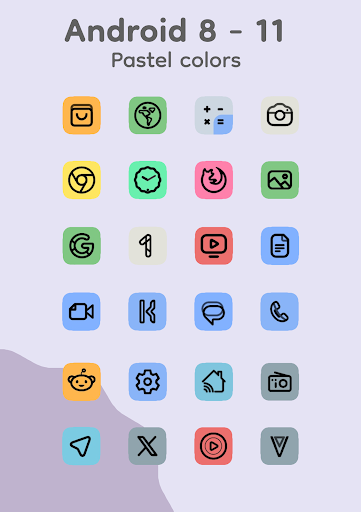
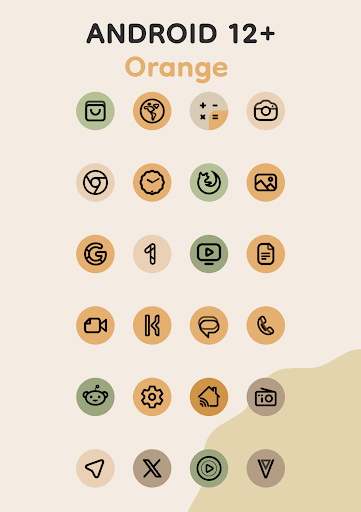
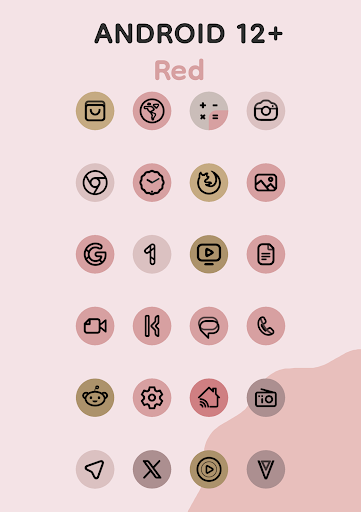
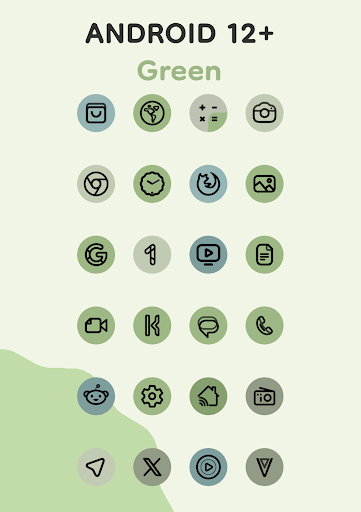
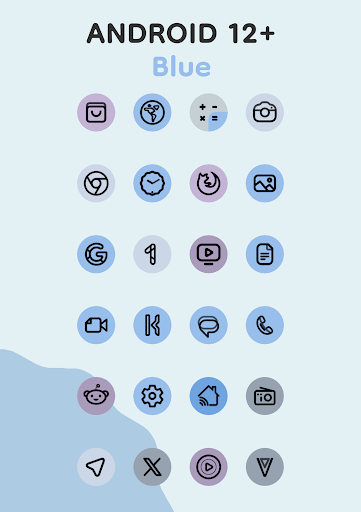
Designed for Android 8 and above, the icons display pastel colors on older versions while Android 12+ users can enjoy enhanced Monet palette integration with four expressive accent colors. The package also includes clock and music widgets, plus an innovative Icon-Widget feature for launchers that don't natively support icon packs.

Features

This icon pack stands out with its advanced personalization features. Each icon combines clean linear outlines with dynamic background colors that adapt to your wallpaper, creating a cohesive system-wide color scheme.

The adaptive nature of these icons allows them to modify their shape across different custom launchers. For devices running Android 12 and above, users benefit from automatic color adjustments through the enhanced Monet palette system. The included Icon-Widget functionality offers unprecedented customization options including various shapes, animations, and size adjustments based on screen grid and DPI settings.

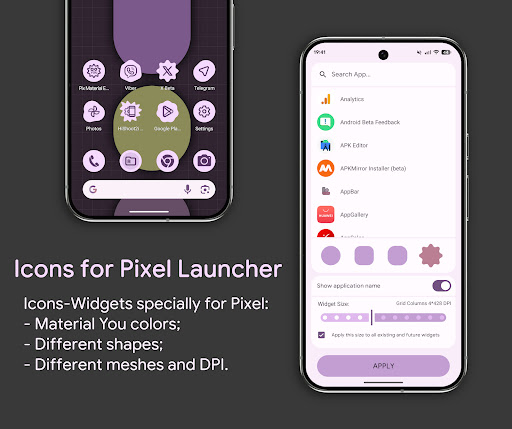
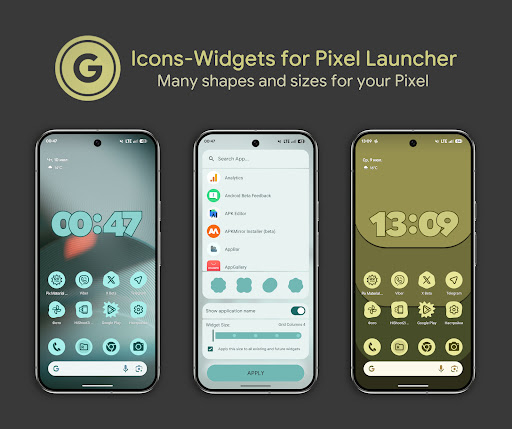
These features work together to provide a seamless integration with modern launchers like Nova, Smart, and Hyperion, while maintaining compatibility with Pixel Launcher through its specialized widget implementation.

Customization options variety

The Pix Material Expressive Icons application offers an extensive range of customization options that allow users to personalize their device's interface with remarkable precision. The app provides over 24,000 adaptive icons that are fully compatible with Material You design principles, ensuring a modern and cohesive appearance across the user interface. Each icon is crafted with a clean linear outline and features dynamic background colors that shift according to the device's wallpaper, providing a seamless integration with the system's color scheme. This dynamic color adaptation not only enhances visual harmony but also allows for a personalized aesthetic that reflects the user's style preferences. Beyond the standard Monet palette, the app introduces four expressive accent colors, which add an extra layer of individuality to the icons. For devices running on Android 12 and above, this feature is further enriched by the system's native support for Material You, allowing icons and widgets to change colors based on the wallpaper and adopt three distinct Material You colors. Additionally, the app supports various custom launchers, where icons can morph into different shapes, thus offering even more customization possibilities. Users can choose from multiple icon shapes using Material 3 Expressive, select icon names, and adjust widget sizes to fit different screen grids. This flexibility ensures that each user can tailor their home screen to their liking, creating a unique and engaging digital environment that stands out while maintaining intuitive usability.

Theme compatibility

Theme compatibility is a crucial aspect of the Pix Material Expressive Icons app, ensuring that its icons and widgets integrate smoothly with a wide array of Android launchers and themes. The app is designed to work seamlessly with popular launchers such as Nova Launcher, Smart Launcher, Hyperion, Niagara Launcher, AIO Launcher, and Stario Launcher, all of which automatically adjust icon colors on Android 12 and above. This automatic color adaptation simplifies the user experience by reducing the need for manual adjustments when changing wallpapers or system accents. For Pixel Launcher users, the app offers Icon Widgets, which mimic the behavior of themed icons within the launcher, providing a consistent look and feel. These widgets are not only color-adaptive based on the wallpaper but also responsive to the device's light or dark theme settings, ensuring visual comfort in any environment. Furthermore, the app includes comprehensive support for OneUI Launcher through Theme Park, expanding its compatibility to Samsung devices. Even for launchers that require manual intervention, the app facilitates easy reapplication of the icon pack after changes to the wallpaper or system settings, preserving the desired theme. With additional features like clock and music widgets, the app enriches the home screen experience without compromising theme integrity. This high level of theme compatibility ensures that regardless of the launcher or device, users can enjoy a unified and visually appealing interface that aligns perfectly with their chosen aesthetics, enhancing both functionality and personal expression.

Props

Extensive icon library

Dynamic color adaptation

Wide launcher compatibility

Innovative widget system

Modern design aesthetics

Cons

Manual reapplication needed

Limited Android 12+ features

Complex setup process

Third-party launcher required

No iOS support

Features and Functions

What is this app and what can I use it for?

A customizable icon pack with 24k+ adaptive icons

How do I download and install this app on my device?

Download via Google Play Store link provided

How do I get started after opening the app for the first time?

Apply icon pack in launcher settings menu

What are the main features and capabilities of this app?

Adaptive icons dynamic color changes based on wallpaper

How can I customize my experience and adjust preferences?

Adjust icon shapes sizes through widget settings

How do I save or bookmark my favorite content for later access?

Use Icon-Widget feature to save preferred configurations

How can I share content with friends or on social media?

Share icon designs through widget export options

How do I access detailed information and explore more content?

Explore additional content in app documentation section

What permissions does this app need and how do I manage them?

Requires basic storage permissions for installation

How do I check for updates and keep the app running smoothly?

Check Google Play Store regularly for updates
Show more

User Reveiws

{{ comment.reviewer_name }}
{{ comment.review_date_formatted}}
{{ comment.review_content }}
{{ tab.name }}
{{ comment.reviewer_name }}
{{ comment.review_date_formatted}}
{{ comment.review_content }}
No reviews with this rating