Ps Controller for PS4 PS5

4.10

Information

Category:

Libraries & Demo

Price:

Free

Rank:

36

Rating:

4.10

Overview

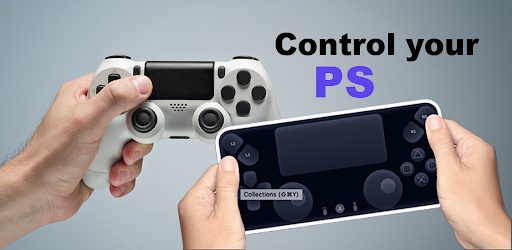
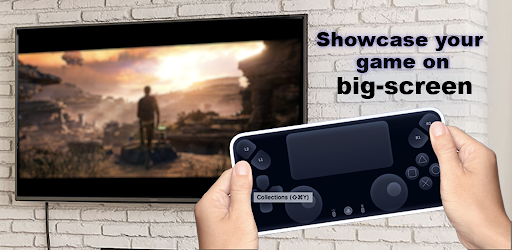
Ps Controller for PS4 PS5 is a powerful remote control application that allows users to seamlessly interact with their PlayStation consoles from a mobile device. The app transforms your smartphone into a virtual Dualshock controller, enabling you to play multiplayer games without the need for an additional physical controller. It also supports streaming directly from your PS4 or PS5 to your device with minimal latency, offering a smooth and responsive gaming experience.

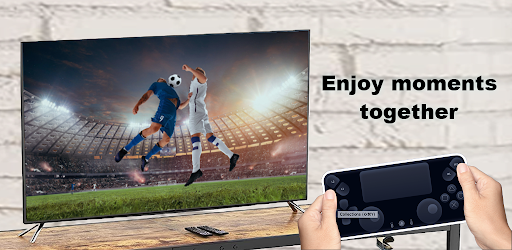
In addition to its core functionality as a virtual controller, Ps Controller provides advanced features such as second-screen capabilities, allowing users to enhance their gameplay by utilizing their mobile device as an extended interface. Whether you're looking to enjoy local co-op games or simply want more flexibility in how you interact with your console, this app delivers both convenience and innovation, making it an essential tool for modern PlayStation gamers.

Features

One of the standout features of Ps Controller for PS4 PS5 is its ability to function as a fully operational virtual Dualshock controller. This means you can use your phone's touchscreen to replicate all the buttons and joysticks found on a traditional Dualshock or Dualsense controller. Additionally, the app supports third-party controllers, giving users even more options when choosing how they want to play. For those who prefer physical controls but don't have access to another Dualshock, this feature bridges the gap effectively.

Another key aspect is the low-latency streaming capability, which ensures that gameplay remains fluid and responsive even when accessed remotely. By leveraging your mobile data or Wi-Fi connection, Ps Controller streams live footage from your PlayStation directly to your device. While network conditions may affect performance, the app optimizes data usage to provide the best possible experience under most circumstances. These robust features make Ps Controller a versatile solution for expanding your PlayStation gaming options.

Functionality completeness & coverage

The Ps Controller for PS4 PS5 offers a comprehensive set of features that ensure users can fully control their PlayStation consoles remotely. Functionality completeness refers to the app's ability to replicate all essential functions of a physical Dualshock or Dualsense controller on a mobile device. This includes not only basic controls like directional pads and buttons but also advanced functionalities such as motion controls, touchpad interactions, and vibration feedback. The coverage aspect is equally impressive, as the app supports both PlayStation 4 and PlayStation 5 consoles, making it versatile for gamers who own multiple systems. Additionally, the app accommodates various connection methods, including Wi-Fi and mobile data, although the latter may be subject to network conditions and carrier restrictions. The streaming feature allows users to view their console gameplay on their mobile devices with minimal latency, which is crucial for maintaining an immersive gaming experience. Furthermore, the app supports third-party controllers, expanding its compatibility to virtually any Android device. This broad functionality coverage ensures that users can enjoy their PS4 and PS5 games from anywhere, using just their smartphones or tablets as both a controller and a second screen. The combination of these features makes the Ps Controller app a powerful tool for remote gaming, offering unprecedented flexibility and convenience for players who want to enjoy their favorite titles without being tied to their living room setup.

Usability & operational smoothness

Usability and operational smoothness are critical factors in determining the effectiveness of remote play applications like the Ps Controller for PS4 PS5. Usability encompasses how intuitive and user-friendly the interface is, while operational smoothness relates to how seamlessly the app performs its intended functions without interruptions or significant delays. In terms of usability, the Ps Controller app excels by providing a clean and organized layout that mimics the familiar design of physical controllers. Users will find it easy to locate and utilize different control elements on their mobile device's screen, thanks to well-placed virtual buttons and joysticks. The app also includes helpful visual cues and customizable options to enhance the user experience further. Regarding operational smoothness, the application leverages advanced streaming technology to deliver low-latency video transmission from the console to the mobile device. This ensures that gameplay remains responsive and enjoyable, even when played remotely. Moreover, the app handles input commands efficiently, translating touchscreen interactions into precise controller inputs on the console. While performance may vary depending on network conditions, the app generally maintains a stable connection, minimizing disconnections or lag spikes. These aspects contribute to a smooth and reliable remote gaming experience, allowing users to focus on enjoying their games rather than troubleshooting technical issues. Overall, the Ps Controller app demonstrates excellent usability and operational smoothness, making it a valuable tool for gamers seeking to extend their PlayStation experience beyond the confines of their home entertainment system.

Props

User-friendly interface

Low-latency streaming

Supports third-party controllers

Second-screen functionality

Multiplayer game support

Cons

Requires stable internet

Mobile data charges may apply

Limited offline functionality

Dependent on network quality

Not compatible with all devices

Features and Functions

What is this app and what can I use it for?

A remote app turning smartphones into virtual Dualshock controllers for PS4/PS5

How do I download and install this app on my device?

Search 'Ps Controller for PS4 PS5' on Google Play Store and tap Install

How do I get started after opening the app for the first time?

Connect your device to the same Wi-Fi as your PS4/PS5 and follow the pairing instructions

What are the main features and capabilities of this app?

Virtual Dualshock, low-latency streaming, second-screen functionality

How can I customize my experience and adjust preferences?

Adjust touch sensitivity and button layout via in-app settings menu

How do I save or bookmark my favorite content for later access?

Save favorite games directly through the app's integrated bookmarking system

How can I share content with friends or on social media?

Share gameplay clips using the app's built-in social media sharing tools

How do I access detailed information and explore more content?

Access detailed guides and explore content via the app's help section

What permissions does this app need and how do I manage them?

Needs camera and microphone permissions; manage in device settings

How do I check for updates and keep the app running smoothly?

Enable automatic updates in Google Play Store settings for the latest version
Show more

User Reveiws

{{ comment.reviewer_name }}
{{ comment.review_date_formatted}}
{{ comment.review_content }}
{{ tab.name }}
{{ comment.reviewer_name }}
{{ comment.review_date_formatted}}
{{ comment.review_content }}
No reviews with this rating