

Scrolla

4.20

Information

Category:

Communication

Price:

Free

Rank:

24

Rating:

4.20

Overview

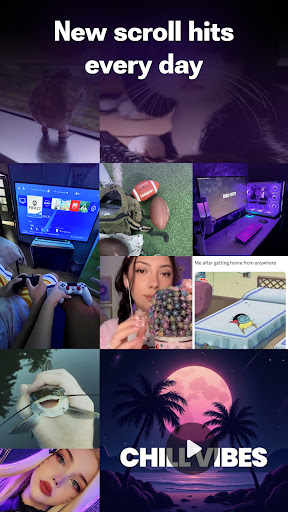
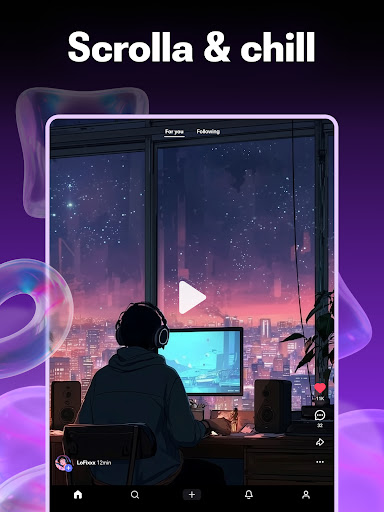
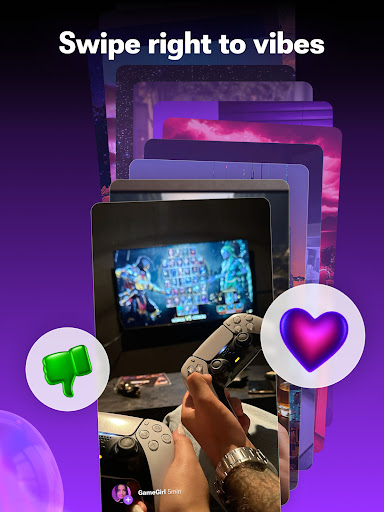
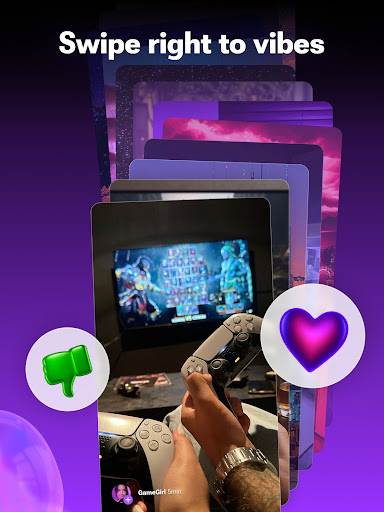
Scrolla is a dynamic communication app designed to provide users with an engaging experience through short-form video content. This reels-focused platform offers a diverse range of hype shorts, comedy clips, and intriguing images, all accessible through a seamless scrolling interface. The app's intelligent feed adapts to user preferences, creating a personalized entertainment journey.

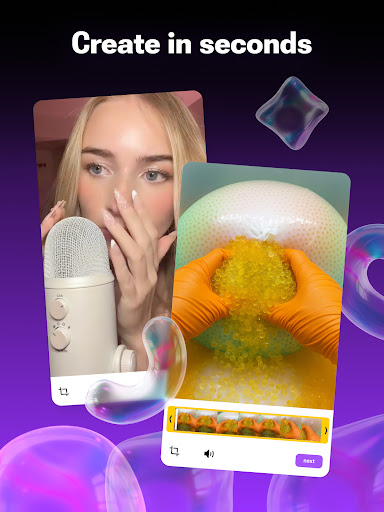
Beyond just consumption, Scrolla empowers users to become creators through its intuitive video-making tools. With features for adding music and effects, the app enables anyone to produce professional-quality short videos. Its community-oriented approach allows for easy sharing and interaction, making it more than just a content platform - it's a space for connection and self-expression.

Features

Scrolla distinguishes itself through several innovative features that enhance user engagement. The app's adaptive feed technology learns from user behavior, curating content that aligns with individual preferences while still offering room for discovery. Its comprehensive creation suite includes advanced editing tools that simplify the process of producing high-quality short videos.

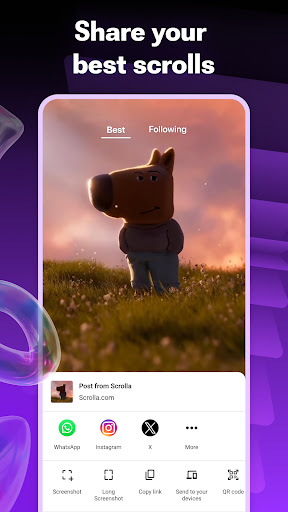
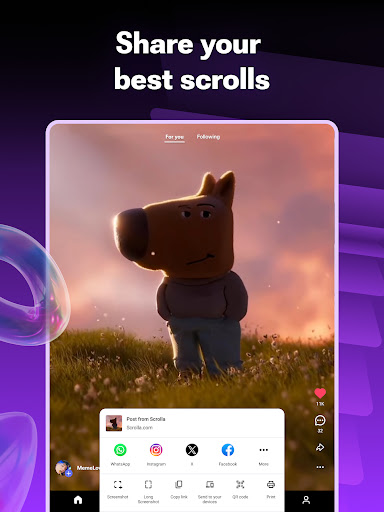
The platform's social integration capabilities allow seamless content sharing across messaging apps and social media platforms. Users can easily react to and share content, fostering a sense of community. Additionally, Scrolla's lightweight architecture ensures smooth performance even on lower-end devices, while its moderation system maintains a positive environment by filtering inappropriate content.

Real-time messaging speed & reliability

Real-time messaging speed and reliability are crucial factors in any communication application as they determine how quickly and consistently messages are delivered between users. In Scrolla, the emphasis on seamless communication is evident through its optimized infrastructure that ensures messages are transmitted without delays or failures. The app employs advanced networking protocols and server architectures to maintain a stable connection even under varying network conditions. This means whether you're sharing a hilarious comedy video or reacting to a weird picture, your interactions feel instantaneous and reliable. For users, this translates to an uninterrupted flow of conversation where reactions, shares, and comments appear in real-time, enhancing the sense of presence and engagement within the community. The app's ability to handle high message throughput while maintaining low latency is particularly beneficial during peak usage times when many users are simultaneously interacting with content. Furthermore, Scrolla's reliable messaging system supports not only text but also media-rich communications such as short videos and images, ensuring that all types of content are shared efficiently. This comprehensive approach to messaging creates a dynamic environment where users can freely express themselves without worrying about technical limitations, making every interaction smooth and enjoyable.

Media sharing support

Media sharing support is an essential feature in modern communication apps like Scrolla, enabling users to exchange various forms of digital content effortlessly. Scrolla excels in this area by providing robust support for different media formats including short videos, images, and other file types. When a user discovers a jaw-dropping weird picture or a trending comedy video, they can instantly share it with friends using the app's intuitive interface. The platform leverages efficient compression algorithms and adaptive streaming technologies to ensure that media files are transferred quickly without compromising quality. Additionally, Scrolla's media sharing capabilities extend beyond mere transmission; the app offers creative tools that allow users to enhance their content before sharing. For instance, the built-in video maker lets creators add music and fun effects to their clips, making each shared item uniquely expressive. This focus on creativity enhances the overall user experience by encouraging originality and personalization in communications. Moreover, Scrolla's commitment to supporting diverse media types fosters a rich ecosystem where users can engage with multifaceted content. Whether it's reacting to a hype short or collaborating on a meme-worthy image, the app's comprehensive media sharing features facilitate meaningful interactions. By prioritizing both functionality and creativity in media sharing, Scrolla empowers its community to connect more deeply and enjoyably, reinforcing its position as a leading reels app designed for fun and engaging social experiences.

Props

User-friendly interface

Personalized content feed

Powerful creation tools

Active community engagement

Lightweight performance

Cons

Limited long-form content

High data usage

Occasional bugs

Ads between videos

Learning curve for creators

Features and Functions

What is this app and what can I use it for?

A reels app offering short videos, creation tools, and community features

How do I download and install this app on my device?

Search Scrolla in Google Play Store, tap Install, and open after download

How do I get started after opening the app for the first time?

Sign up, complete profile, and start exploring recommended content feeds

What are the main features and capabilities of this app?

Video creation tools, personalized feed, social sharing capabilities

How can I customize my experience and adjust preferences?

Adjust notification settings and content preferences in Settings menu

How do I save or bookmark my favorite content for later access?

Tap Save button on videos or images to store in personal collection

How can I share content with friends or on social media?

Use Share button to send content via messaging apps or social platforms

How do I access detailed information and explore more content?

Browse categories, use search function, and explore trending sections

What permissions does this app need and how do I manage them?

Needs storage and camera access; manage in app settings or device options

How do I check for updates and keep the app running smoothly?

Enable automatic updates in Google Play Store for latest version
Show more

User Reveiws

{{ comment.reviewer_name }}
{{ comment.review_date_formatted}}
{{ comment.review_content }}
{{ tab.name }}
{{ comment.reviewer_name }}
{{ comment.review_date_formatted}}
{{ comment.review_content }}
No reviews with this rating