Sticker & Emoji

4.70

Information

Category:

Personalisation

Price:

Free

Rank:

57

Rating:

4.70

Overview

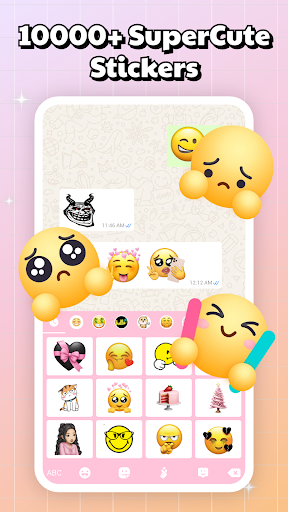
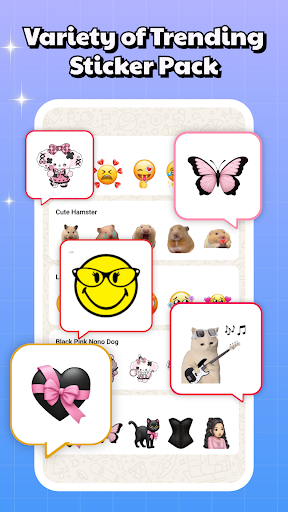
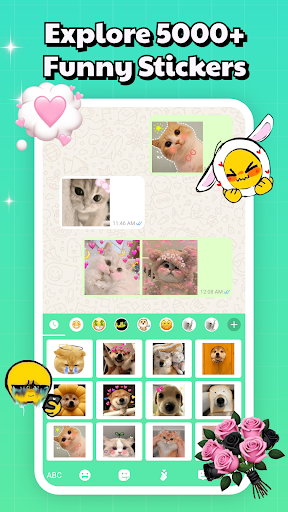
Sticker & Emoji - Memes Maker is a versatile personalization app that brings fun and creativity to your digital conversations. With an extensive collection of both animated and static sticker packs, this app works seamlessly across all major chat platforms like Telegram, WhatsApp, iMessage, and Facebook Messenger.

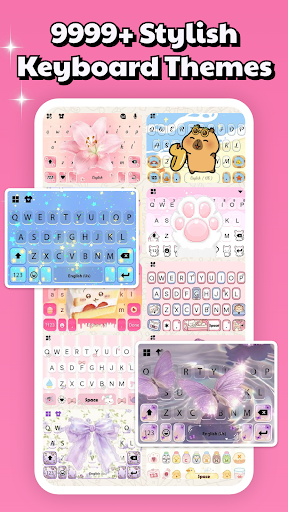
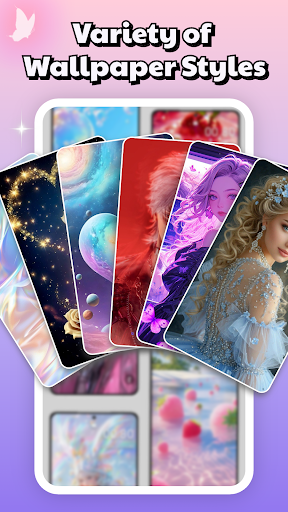
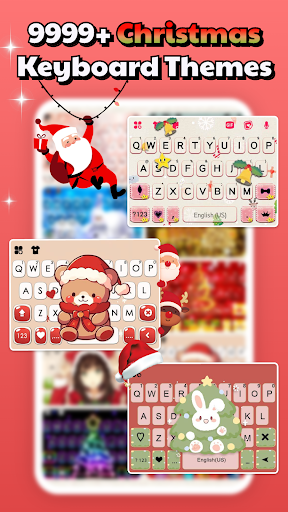
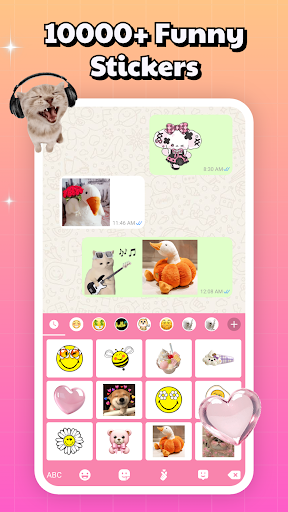
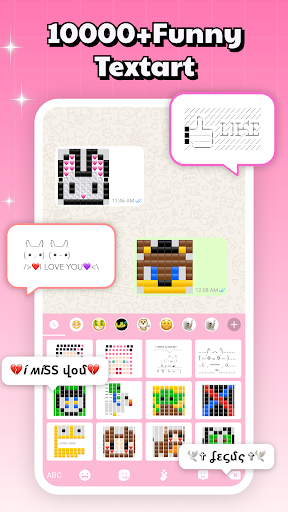
The app also features a smart keyboard function that allows quick access to your favorite stickers while typing, eliminating the need to switch between apps. Additionally, it offers over 10,000 free keyboard themes, various aesthetic backgrounds, and lock screen options, letting you customize your device to truly reflect your personal style.

Whether you're looking for cute, edgy, or trendy designs, Sticker & Emoji has something for every mood and occasion. The regularly updated sticker packs ensure you always have fresh content to keep your chats lively and engaging.

Features

Sticker & Emoji stands out with its comprehensive feature set tailored for personalization enthusiasts. The app's cross-platform compatibility ensures that users can employ their favorite stickers in any chat application they prefer, making it incredibly versatile.

One of the key highlights is the built-in smart keyboard, which streamlines the process of accessing stickers by integrating them directly into the typing interface. This makes communication more efficient and enjoyable. Furthermore, the vast selection of keyboard themes, including LED, transparent, gravity, and animated keyboards, provides countless ways to customize your typing experience.

The app also boasts a diverse range of background and lock screen options, featuring aesthetic, neon, and cute designs among others. These customization features allow users to transform their devices into personalized gadgets that are both functional and expressive.

Customization options variety

The Customization options variety in Sticker & Emoji - Memes Maker is a standout feature that allows users to express their individuality through an extensive range of sticker packs and keyboard themes. This app provides an impressive selection of both animated and static sticker packs, catering to diverse tastes and conversation styles. Whether you're looking for aesthetic designs with soft hues, vibrant anime characters, sleek iOS-inspired stickers, or playful and edgy memes, this app has it all. Beyond stickers, the app offers over 10,000 free keyboard themes, including unique options like LED, transparent, gravity, and animated keyboards. These customization options ensure that your keyboard not only functions as a typing tool but also as a canvas for personal expression. The availability of varied themes such as anime, cute animals, nature scenes, and more ensures that there's something for everyone. With daily updates introducing new designs, users can keep their chat experience fresh and exciting. The ability to seamlessly integrate these customizations across multiple chat platforms like Telegram, WhatsApp, iMessage, and Facebook Messenger enhances the user experience by maintaining consistency in personal style, no matter where the conversation takes place. This level of customization empowers users to make every chat uniquely theirs, transforming simple text exchanges into visually engaging conversations.

Theme compatibility

Theme compatibility in Sticker & Emoji - Memes Maker represents a crucial aspect of the app's value proposition, ensuring that its vast array of customization options work seamlessly across different platforms and devices. The app's developers have implemented robust compatibility features that allow their sticker packs and keyboard themes to function perfectly on various messaging applications including Telegram, WhatsApp, iMessage, and Facebook Messenger. This cross-platform compatibility eliminates the frustration of limited functionality when switching between different chat apps, providing a consistent user experience throughout. The smart keyboard feature exemplifies this compatibility excellence, enabling users to access their favorite stickers directly while typing, without needing to switch between applications. Furthermore, the app maintains visual consistency across different screen sizes and resolutions, ensuring that both animated and static stickers display correctly on any device. The compatibility extends to various operating systems as well, making it accessible to a wider audience. Regular updates and maintenance demonstrate the developers' commitment to maintaining this compatibility as new versions of operating systems and messaging apps are released. This dedication to seamless integration across platforms enhances the overall user experience, allowing individuals to fully utilize their personalized themes and stickers without technical limitations or compatibility concerns. The result is a reliable, versatile customization tool that users can depend on regardless of their preferred communication platforms.

Props

Extensive sticker variety

Cross-platform support

Free keyboard themes

User-friendly interface

Regular content updates

Cons

Limited advanced features

Occasional performance lags

Ads in free version

Design inconsistencies

High storage usage

Features and Functions

What is this app and what can I use it for?

An app offering diverse stickers and keyboard themes for chat personalization

How do I download and install this app on my device?

Visit Google Play Store, search for the app, and tap Install to download and install it

How do I get started after opening the app for the first time?

Open the app, browse sticker collections, and enable the smart keyboard for immediate use

What are the main features and capabilities of this app?

Cross-platform sticker support, smart keyboard, varied themes, and regular updates

How can I customize my experience and adjust preferences?

Adjust theme settings in-app to personalize keyboard appearance and functionality

How do I save or bookmark my favorite content for later access?

Save stickers by adding them to favorites within the app for easy future access

How can I share content with friends or on social media?

Share stickers directly through integrated chat platforms via the smart keyboard

How do I access detailed information and explore more content?

Explore detailed categories and trending sections to discover new and relevant content

What permissions does this app need and how do I manage them?

The app needs storage and accessibility permissions; manage these in your device settings

How do I check for updates and keep the app running smoothly?

Enable automatic updates in Google Play Store settings to keep the app current
Show more

User Reveiws

{{ comment.reviewer_name }}
{{ comment.review_date_formatted}}
{{ comment.review_content }}
{{ tab.name }}
{{ comment.reviewer_name }}
{{ comment.review_date_formatted}}
{{ comment.review_content }}
No reviews with this rating