
Retro Mode - Icon Pack (Neon)

4.60

Information

Category:

Personalisation

Price:

$ 2.79

Rank:

33

Rating:

4.60

Overview

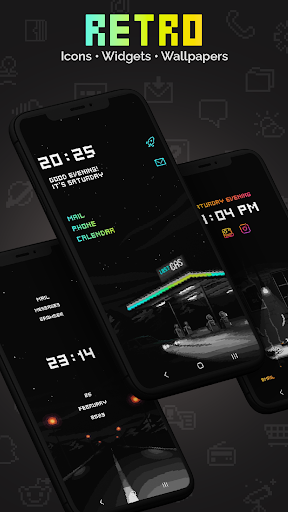
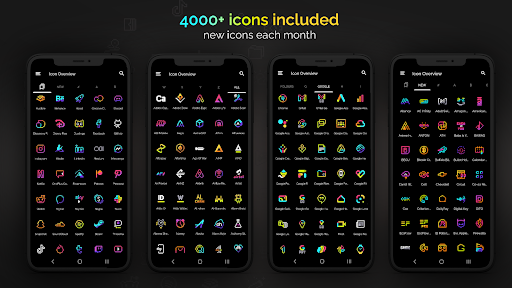
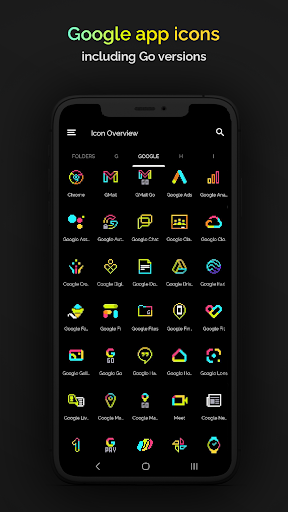
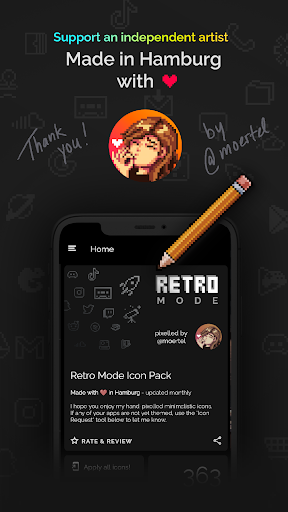
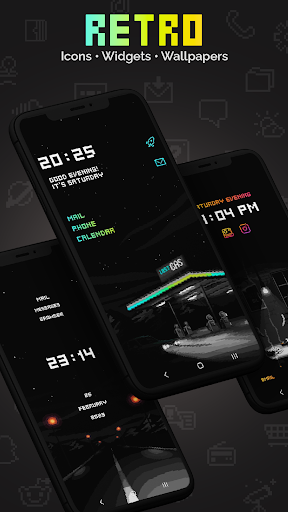
Retro Mode - Icon Pack (Neon) is a pixel art icon pack designed by Moertel, a pixel artist based in Hamburg. This app offers over 4050 pixel-perfect icons with a crisp neon design that takes users on a digital journey back to the vibrant aesthetics of the 90s. The pack includes 12 wallpapers and 6 widgets such as digital and analog clocks, date displays, greetings, calendar, and text shortcuts. It supports more than 20 launchers and requires specific launchers for certain devices like Google Pixel and Samsung. Icons are updated monthly ensuring fresh content regularly. With its unique retro-neon style, absence of shadows and outlines, and customizable widgets, this icon pack provides an engaging way to personalize smartphones. Suitable for those who appreciate pixel art and nostalgia, it brings both functionality and aesthetic pleasure to users' devices.

Features

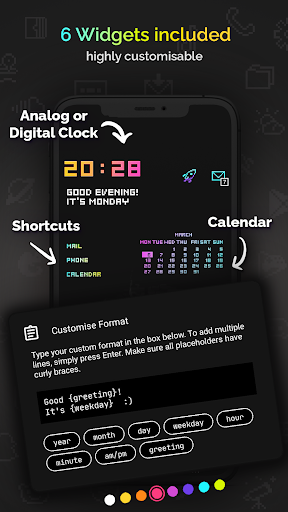
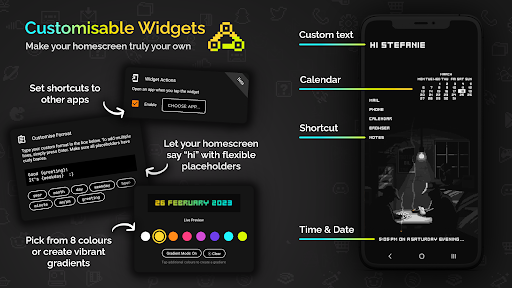
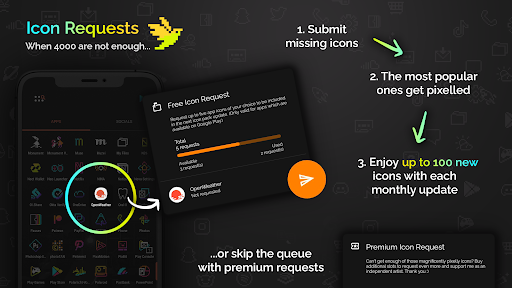
Retro Mode - Icon Pack (Neon) comes packed with features that make personalizing your device both fun and easy. Here are five notable features: 1. Extensive Icon Library - Over 4050 handcrafted pixel art icons included, providing a wide range of app representations in vivid neon colors. 2. Monthly Updates - Regular updates ensure that the icon library stays current with new additions every month, keeping your home screen fresh and exciting. 3. Customizable Widgets - Six different types of widgets including digital clock, analog clock, date display, greeting messages, calendar view, and text shortcuts offer versatile customization options. 4. Multiple Launcher Support - Compatible with more than 20 launchers ensuring broad device support across various Android platforms. 5. Icon Request System - Users can request up to five free icon designs per month directly through the app, allowing personalized touches tailored specifically to individual preferences.

Customization options variety

The Retro Mode - Icon Pack (Neon) offers an extensive range of customization options that allow users to personalize their smartphone experience with pixel art aesthetics. With over 4050 unique icons included in the pack, users can transform the appearance of their apps into a vibrant neon-themed design reminiscent of the 90s digital era. The icon pack also includes 12 wallpapers and six different widgets such as a digital clock, analog clock, date display, greeting messages based on the time of day, calendar views, and text shortcuts. These features provide users with numerous ways to customize their home screens according to their preferences while maintaining visual consistency through crisp pixel art design. Additionally, support for more than 20 launchers ensures compatibility across various devices and systems. This level of variety empowers users not only to express individuality but also enhances usability by allowing them to organize and access information efficiently through visually distinct elements like colorful widgets and themed wallpapers.

Theme compatibility

Theme compatibility is crucial when selecting an icon pack as it determines how well the icons will integrate with your device's existing interface and other third-party applications. Retro Mode - Icon Pack (Neon) excels in this aspect by ensuring seamless integration with supported launchers including popular choices like Nova Launcher which is recommended for Google Pixel Motorola Xiaomi users whose stock launchers do not accommodate third-party icon packs. For Samsung users running One UI 4.0 or newer versions Theme Park application facilitates easy application of these icons without requiring launcher changes whereas older versions necessitate switching to compatible alternatives from the provided list. Furthermore each monthly update introduces new icons alongside potential feature enhancements bolstering its adaptability across evolving software landscapes. By prioritizing broad launcher support coupled with regular updates Retro Mode guarantees sustained relevance and optimal performance regardless of device type thereby offering peace of mind regarding future-proofing oneu2019s personalized setup against technological advancements.

Features and Functions

What is this app and what can I use it for?

Retro Mode - Icon Pack (Neon) is a pixel art icon pack featuring over 4050 neon icons, 12 wallpapers, and 6 widget types for personalizing Android devices.

How do I download and install this app on my device?

Download Retro Mode - Icon Pack (Neon) from Google Play Store, then install it by following the on-screen instructions provided during installation.

How do I get started after opening the app for the first time?

Upon first opening Retro Mode - Icon Pack (Neon), select your preferred launcher if prompted, then apply the icon pack via your launcher's settings menu.

What are the main features and capabilities of this app?

Key features include 4050+ pixel art icons, monthly updates, 6 widget types, multi-launcher support, and an icon request system for personalized additions.

How can I customize my experience and adjust preferences?

Customize your experience by choosing from 8 widget colors, creating gradients, configuring text within widgets, and selecting placeholders for dynamic content.

How do I save or bookmark my favorite content for later access?

Save favorite icons or wallpapers by applying them directly to your home screen or saving images locally via typical Android sharing methods.

How can I share content with friends or on social media?

Share content by capturing screenshots of customized screens or exporting widget configurations if supported by the respective feature within the app.

How do I access detailed information and explore more content?

Access detailed information about each icon's design and explore additional content through the appu2019s interface or linked resources like demo tutorials.

What permissions does this app need and how do I manage them?

This app needs permissions related to storage and launcher access; manage these under Android's app permission settings to control data usage.

How do I check for updates and keep the app running smoothly?

Check for updates via the Google Play Store where available; maintain smooth operation by ensuring adequate storage space and restarting the device periodically.
Show more

User Reveiws

{{ comment.reviewer_name }}
{{ comment.review_date_formatted}}
{{ comment.review_content }}
{{ tab.name }}
{{ comment.reviewer_name }}
{{ comment.review_date_formatted}}
{{ comment.review_content }}
No reviews with this rating