tvQuickActions Pro

4.50

Information

Category:

Tools

Price:

$ 3.99

Rank:

2

Rating:

4.50

Overview

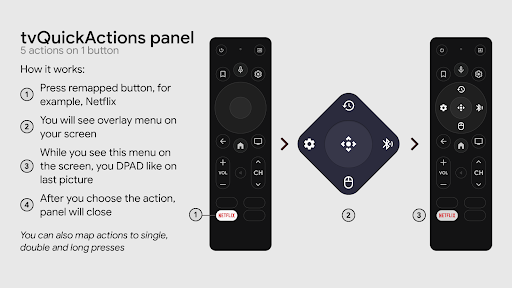
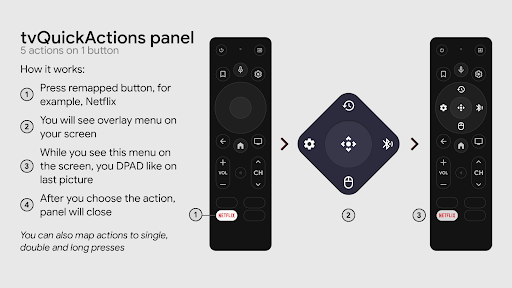
tvQuickActions Pro is an advanced button/key mapper specifically designed for TV devices, compatible with Android TV, Google TV, and AOSP on most devices. Its standout feature allows users to assign up to five actions to a single remote button, significantly enhancing device functionality.

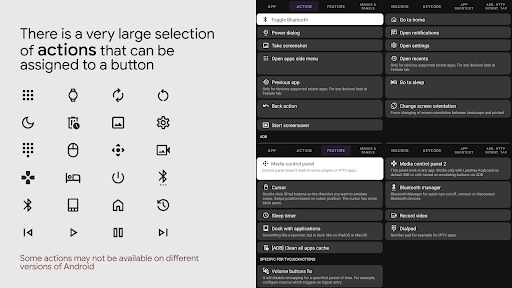
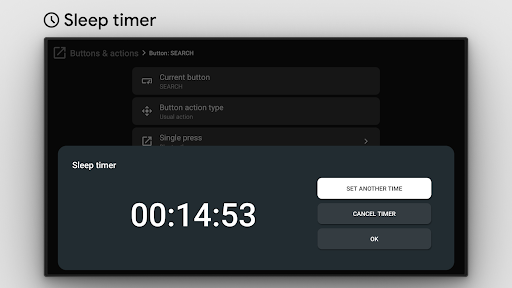
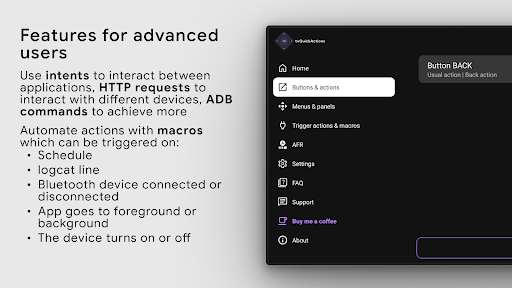
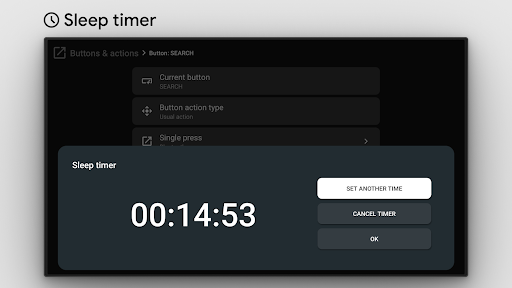
This app transforms your TV experience by adding features like a dock similar to macOS/iPadOS, recent apps management, custom action menus, and even ADB commands as actions. It also supports practical functions such as mouse toggle, sleep timer, dialpad, screen recording, night mode, Bluetooth manager, media control panel, and quick TV input changes.

With its unique capabilities, tvQuickActions Pro is ideal for power users seeking to maximize their TV's potential, offering both customization and convenience in one comprehensive package.

Features

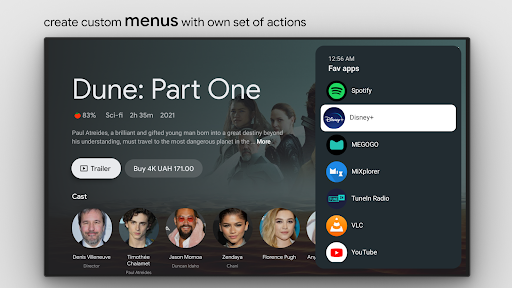
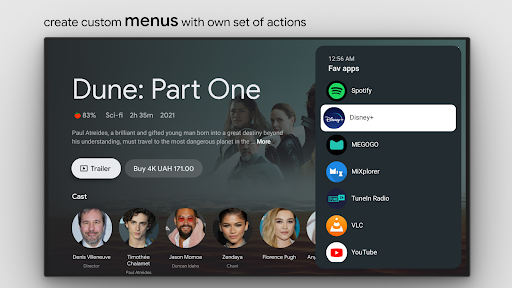
tvQuickActions Pro boasts an impressive array of features tailored for TV enthusiasts. One key highlight is the ability to create custom menus filled with any desired actions, allowing users to streamline their workflows and access frequently-used functions effortlessly.

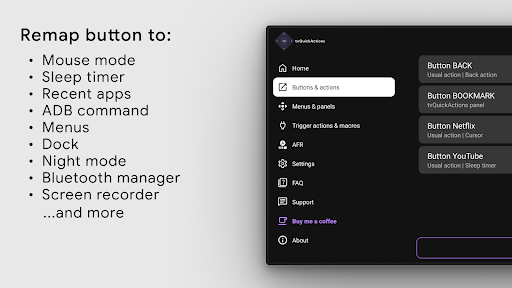
The app supports remapping buttons on popular devices like Xiaomi and TiVo Stream 4K, including the Netflix button. It also enables setting actions for power-on events, sleep mode transitions, and creating custom channels for Android TV home screens. Additionally, users can lock apps to prevent accidental usage.

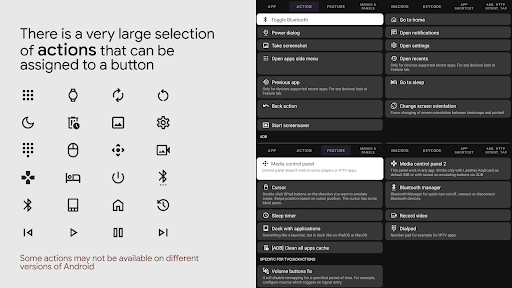
From opening apps and sending keycodes to controlling media playback and toggling system settings, this tool offers extensive customization options that cater to both casual users and tech-savvy individuals looking to optimize their TV experience.

Core function accuracy & effectiveness

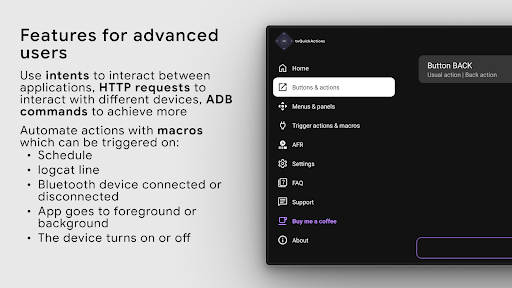
tvQuickActions Pro represents a sophisticated button and key mapper specifically designed for TV devices including Android TV Google TV and AOSP on most devices. The core functionality of this application lies in its ability to remap buttons on your remote control allowing users to assign up to five distinct actions per button. This feature significantly enhances the utility of any compatible device by introducing functions that are otherwise unavailable or cumbersome to access. For instance users can create custom menus execute ADB commands toggle mouse functionality set sleep timers access dialpads initiate screen recordings activate night mode manage Bluetooth connections control media playback change TV inputs and even automate framerate adjustments on Amlogic devices running Android 9-11. The app employs AccessibilityService API which is essential for intercepting and blocking key events enabling seamless remapping capabilities. Additionally it supports unique functionalities such as remapping Netflix buttons on specific devices like Xiaomi and TiVo Stream 4K. Users can also configure actions triggered upon powering on entering or exiting sleep mode creating custom channels from menus and locking apps. While some features may vary in effectiveness depending on firmware and Android versions the overall implementation ensures high accuracy and responsiveness making tvQuickActions Pro an indispensable tool for enhancing TV device usability.

Interface simplicity & intuitiveness

tvQuickActions Pro excels in providing an intuitive and straightforward user interface despite the complexity of its underlying functionalities. The app allows users to map multiple actions to remote control buttons through a streamlined process ensuring ease of use without compromising on advanced capabilities. Its design incorporates familiar paradigms such as docks similar to macOS iPadOS recent apps interfaces customizable menus and various practical shortcuts all tailored for optimal interaction within a television environment. By offering extensive options ranging from opening applications and activities executing shortcuts intents and keycodes to controlling media toggling connectivity settings capturing screenshots and more the interface remains uncluttered and accessible. Each action is easily configurable via clear menu structures promoting quick adaptation even for less tech-savvy individuals. Furthermore the inclusion of helpful tooltips guidance and feedback mechanisms ensures users understand how each feature operates reducing the learning curve associated with mastering new tools. Although certain functionalities might necessitate specific conditions or permissions such as using AccessibilityService API for effective operation these requirements are communicated transparently preventing confusion. Overall tvQuickActions Pro balances powerful functionality with an approachable interface resulting in an efficient yet user-friendly experience across diverse TV platforms.

Props

Extensive customization

Wide device compatibility

Unique multi-action mapping

Comprehensive feature set

User-friendly interface

Cons

Complex for beginners

Device-specific issues

Requires Accessibility Service

Premium version needed

Occasional bugs

Features and Functions

What is this app and what can I use it for?

A versatile TV remote button mapper for enhanced functionality

How do I download and install this app on my device?

Search tvQuickActions Pro on Google Play Store and tap Install

How do I get started after opening the app for the first time?

Follow the setup wizard to configure initial preferences

What are the main features and capabilities of this app?

Customizable button mapping and extensive system controls

How can I customize my experience and adjust preferences?

Adjust settings through the app's configuration menu

How do I save or bookmark my favorite content for later access?

Save favorites via custom menus or shortcuts

How can I share content with friends or on social media?

Use built-in sharing options for supported content

How do I access detailed information and explore more content?

Explore detailed info in the app's feature documentation

What permissions does this app need and how do I manage them?

Needs Accessibility Service for key remapping features

How do I check for updates and keep the app running smoothly?

Enable auto-updates in Google Play Store settings
Show more

User Reveiws

{{ comment.reviewer_name }}
{{ comment.review_date_formatted}}
{{ comment.review_content }}
{{ tab.name }}
{{ comment.reviewer_name }}
{{ comment.review_date_formatted}}
{{ comment.review_content }}
No reviews with this rating