
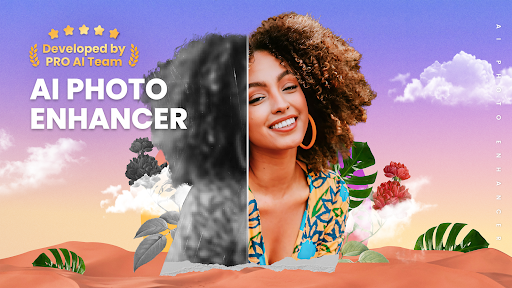
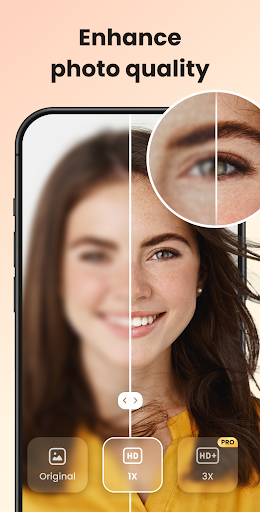
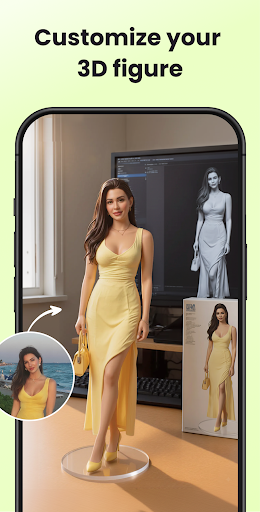

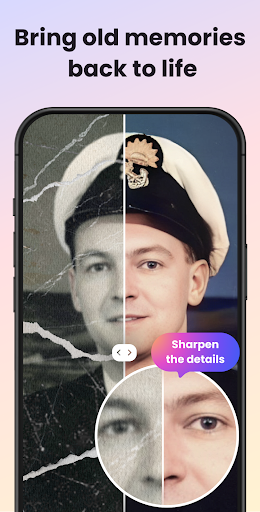

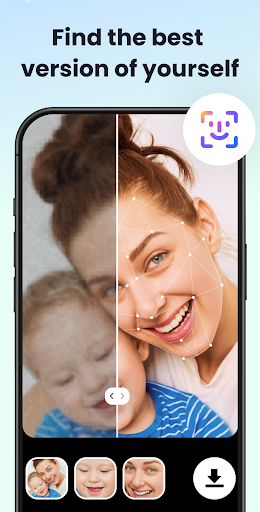
UpFoto is an AI-powered photo enhancement application designed to transform low-quality, blurry, and damaged images into high-definition masterpieces. Utilizing cutting-edge artificial intelligence, this app specializes in restoring old photos, enhancing facial details, and improving overall image resolution by up to 800%. Whether you're looking to revitalize cherished family memories or enhance real-time photos with a single tap, UpFoto delivers professional-grade results without the need for complex editing skills.
The app's standout feature is its ability to recognize faces in portraits and group photos, optimizing skin texture and eye detail while maintaining a natural appearance. Additionally, it supports upcoming features like one-click colorization of black-and-white photos and creative filters that allow users to add artistic effects. With its intuitive interface and powerful capabilities, UpFoto is perfect for anyone seeking to preserve their precious moments in stunning clarity.
UpFoto offers a comprehensive suite of photo editing tools powered by advanced AI technology. One of its key features is the ability to increase photo resolution significantly—up to 200%, 500%, or even 800%—while retaining sharpness and detail. This makes it ideal for enlarging small images without compromising quality. The app also includes specialized functions such as deblurring, scratch removal, and restoration of damaged photos, giving new life to old or deteriorated images.
Another notable feature is its portrait optimization tool, which automatically detects faces in photos and enhances facial details with remarkable precision. Users can achieve flawless skin textures and vivid eye details with just one tap. Furthermore, UpFoto supports real-time photo enhancement, enabling instant improvements during photo capture. These innovative features ensure that both amateur photographers and professionals can achieve exceptional results effortlessly.
User-friendly interface
Advanced AI algorithms
High-resolution enhancement
Real-time photo editing
Restoration of old photos
Limited free features
Subscription required
Occasional processing delays
Ads in free version
Large file size

Safe & smart flight with Go Fly drone controller for 40+ drone camera, zone map
 4.50
4.50
What celebrity do you look like? Celebs will find your celebrity match!
4.10
Create & Edit with AI: AI Remove, Enhance, Retouch, Filter
4.10
Turn your phone into a professional camera - full DSLR manual photography
4.30
HD Camera Pro with HD Video shooting, Panorama, Photo editor , Beauty Camera.
4.50
Easily create custom gifts, cards, photo books & more on the Shutterfly app!
4.60
Catch sunlight, sunrise sunset times and sun phases with the AR sun tracker.
4.10
Remote control the phone camera shutter from your smartwatch and take a picture
1.60
Discover How to Plan any Sun, Moon and Milky Way Photo You Imagine in Seconds
4.70
Create funny photos and videos with the popular Time Warp Scan filter.
4.90
Light-weight Media Gallery app for Android made with Jetpack Compose
4.60
AI photo enhancer with Sora 2! Enhance, descratch, and colorize your old photos.
4.50
All-in-One Editor & AI Photo Enhancer, Beautify & Retouch, Collage, Cartoonify
4.20
Create AI Photos, Improve and restore quality of blurry, old or damaged pics.
4.20
Luminar: Photo Editor - easy picture editing with AI
4.20
Transform Photos: Edit, Beautify and Craft Memories & Make Collages!
4.10
Photo editor: face & body editor, beauty cam, filters and quality enhancer.
4.00
Be your best in every shot! Fix, edit and retouch your face in selfies & photos.
3.70
Long exposure camera with computational photography
2.60


User Reveiws