
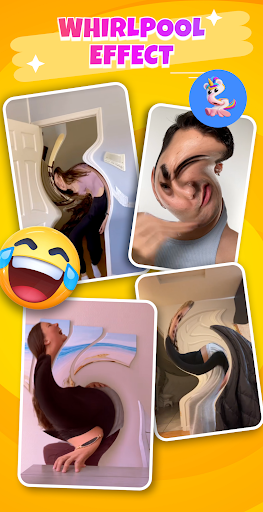
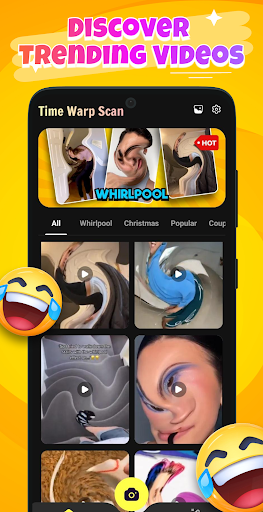
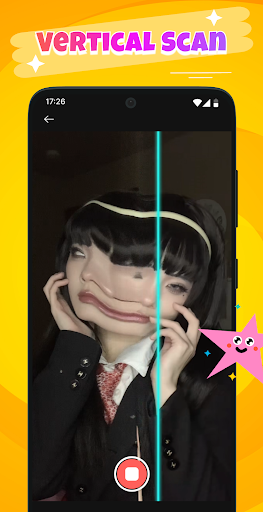
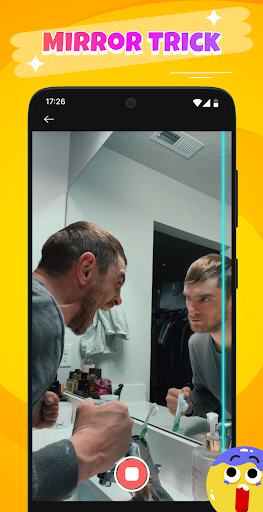
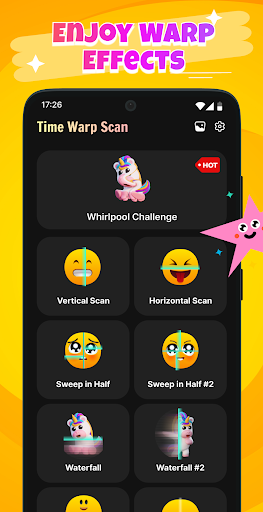
Time Warp Scan: Scanner Filter is a creative photography app that specializes in real-time image distortion effects. The app's core feature is its Time Warp Filter, which creates impressive 'virtual but real' effects as a scan line moves across the screen. This filter transforms objects into flexible and illogical forms, making it perfect for capturing unique moments.
In addition to static images, the app supports video recording with these unique scanning effects. Users can create trendy filter clips that are highly popular on social media platforms. With features like Magical eyebrows, leg lengthening, and flowing mouths, this app allows users to inspire creativity and capture moments that will amaze everyone.
The Time Warp Scan: Scanner Filter app offers several distinctive features. First, the Whirlpool Filter provides a magical feeling of space being swirled, stretched, and twisted. This effect transforms every object in the frame into soft, flexible, and illogical forms, creating visually stunning results.
Another key feature is the Creative Video Capture & Recording capability. With just one touch, users can record videos with unique scanning effects, producing viral filter clips that are extremely hot on social networks. These capabilities ensure that users can easily create entertaining content that stands out.
Furthermore, the app suggests various trending ideas such as Funny squint eyes, Drawing a shimmering sunset, and Unique Christmas tree effects. These suggestions help users explore their creativity and produce special videos that capture the imagination of friends and followers alike.
User-friendly interface
Unique visual effects
Supports video recording
Trending filter options
Highly shareable content
May drain battery quickly
Requires good lighting
Some features may lag
Limited free options
Occasional bugs reported

Remote control of the phone camera from your Wear OS smartwatch
 3.70
3.70
Viewfinder, Light meter, Reciprocity failure time, DOF & Bellows Extension
4.60
Cut and paste photo editor & eraser to customize photos easy and swap faces fun
4.50
What celebrity do you look like? Celebs will find your celebrity match!
4.10
Edit like a pro with Hypic. Apply filters, AI effects, & magic touch.
4.40
Photo prints, cards, & gifts at Walgreens. Easy ordering & fast local pickup !
4.80
Fit multiple photos on one post. Create carousels & scroll layouts for Instagram
4.50
Astrophotography with your smartphone, photo live stacking and much more!
3.90
Edit photos with the picture generator: PS2 & AI Clay filters, cartoon effects.
4.50
Unblur, enhance & restore photos with powerful AI photo enhancer tools.
4.60
Effortlessly organize, view and share your photos & videos with Gallery app!
4.40
All-in-One Editor & AI Photo Enhancer, Beautify & Retouch, Collage, Cartoonify
4.20
Virtual makeup, hair filters & body tuner—edit from face to full body!
4.20
Create AI Photos, Improve and restore quality of blurry, old or damaged pics.
4.20
Luminar: Photo Editor - easy picture editing with AI
4.20
Create & Edit with AI: AI Remove, Enhance, Retouch, Filter
4.10
Photobooth mini FULL app will allow you to add more fun to your parties
4.00
Professional quality photo edits with the new Snapseed.
4.00
Professional video recording application with manual controls for filmmakers!
2.80


User Reveiws