
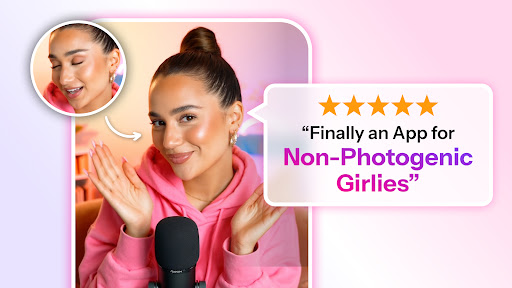
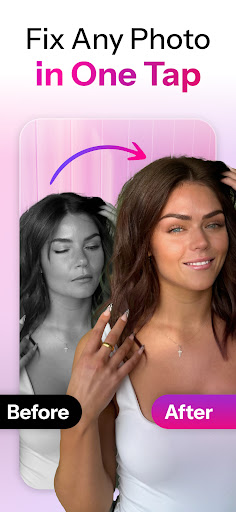

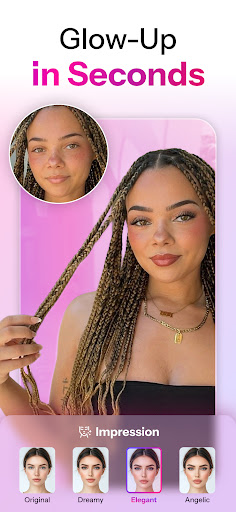

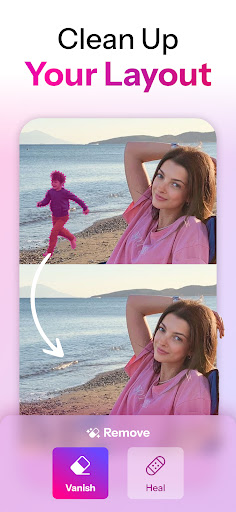

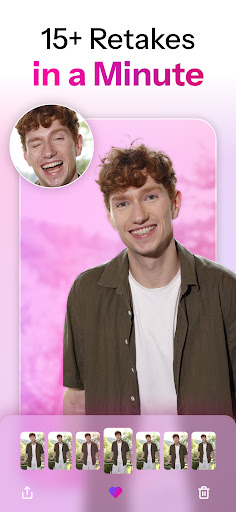
Retake AI is a revolutionary photography app that transforms any photo into a stunning, natural-looking image with just one tap. Unlike typical photo editing apps, Retake uses advanced AI technology to reimagine and refine images while preserving their authenticity. Whether it's an old memory or a new snapshot, this app ensures every picture reflects your true essence without artificial enhancements.
The app's standout feature is its ability to create personalized AI models based on user-uploaded photos, allowing for tailored retouching that blends seamlessly with real moments. With Retake AI, users can effortlessly capture perfect shots without the need for multiple takes or extensive editing sessions. This makes it ideal for social media enthusiasts looking to elevate their Instagram feeds and TikTok presence with naturally beautiful selfies.
Retake AI offers several unique features that set it apart from other photo editing tools. First, its powerful AI engine crafts personalized face and photo models by analyzing 12 uploaded pictures, ensuring each edit feels natural and authentic. The app doesn't rely on artificial filters or excessive makeovers; instead, it focuses on enhancing the genuine qualities of each image.
Another key feature is the simplicity of use. Users simply upload their photos, and Retake AI provides an array of refined options, making it easy to choose the best version. This eliminates the stress of capturing perfect shots in the moment, as the app guarantees professional-quality edits with minimal effort. Additionally, Retake AI ensures privacy and security, adhering to strict policies outlined in its Privacy Policy and Terms of Use.
User-friendly interface
Advanced AI technology
Natural-looking edits
Personalized photo models
Effortless sharing capabilities
Requires initial photo upload
Limited free features
Premium subscription needed
Internet connection required
Privacy concerns for some users
Search, tag and rate your way to an organized image gallery
 4.40
4.40
Trendy TikTok time warp scan funny filter app brings you unique photos & videos.
4.40
Professional video recording application with manual controls for filmmakers!
2.80
Raw Image Viewer. Gallery with support of raw images (.cr3, .cr2, .nef, .raf).
2.00
Smart, light, and fast photo and video gallery
4.30
Astrophotography with your smartphone, photo live stacking and much more!
3.90
Discover & download millions of art for The Frame TV or Hisense CanvasTV
4.60
Your Family Calendar + Photos. Manage your Skylight Calendar and Skylight Frame.
4.40
Try an anime version, cartoon yourself, and generate AI hug or aging videos!
3.70
Pro version: AR sun/moon tracker for any date. Tool for photographers & planners
4.90
AI Photo Editor with 100+ Filters, Effects! Remove BG, Retouch & Photo Enhancer.
4.80
Your personal guide to the sun and moon. Plan ahead, visualize and predict!
4.70
The original Rarevision VHS look seen everywhere!
4.70
Add Watermark - Sign your pictures with a text or logo. Effective, quick, easy!
4.50
AI-powered video creator by MiniMax - Where ideas meet cinema
4.20
Catch sunlight, sunrise sunset times and sun phases with the AR sun tracker.
4.10
Pet Camera
3.70
HD Photo gallery and photo manager to edit, hide private photos, videos & albums
4.5
Snap photos remotely using your Garmin watch as the camera trigger
4.0


User Reveiws