
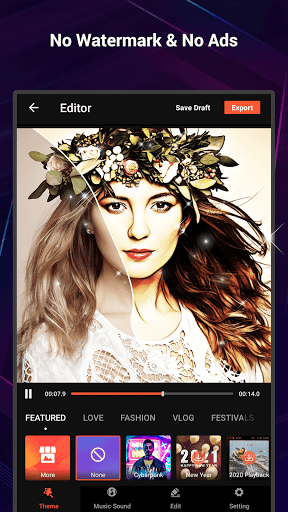
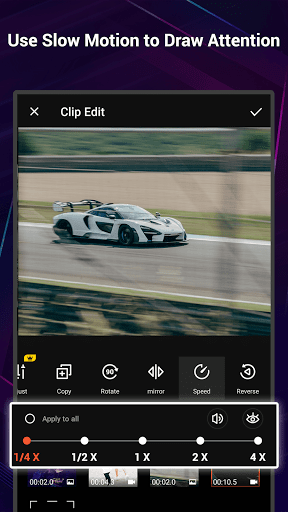
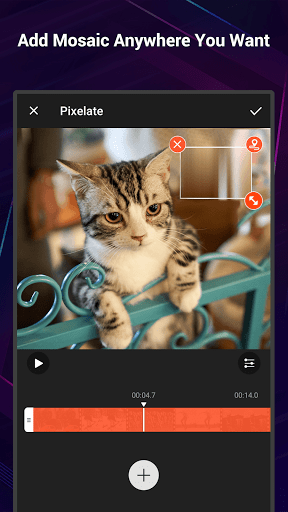
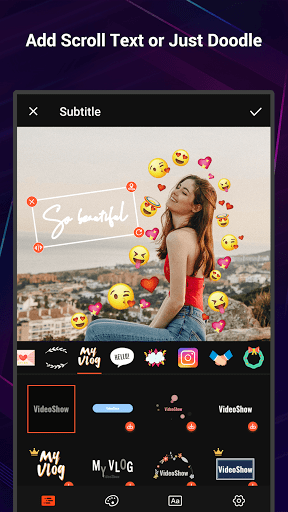


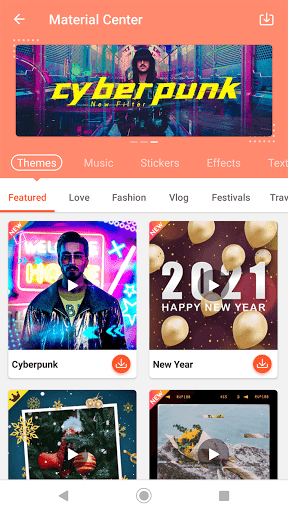
VideoShow Pro is a premium video editing application designed for both amateur and professional content creators. This app offers advanced features such as 4K video support, no watermark, and an ad-free experience, making it ideal for users who demand high-quality video production. With its intuitive interface, VideoShow Pro allows users to create stunning videos by integrating photos, music, filters, and various effects seamlessly.
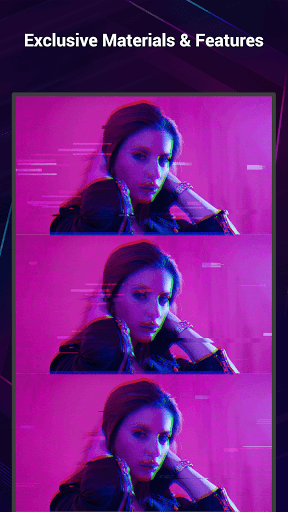
The app stands out with its extensive library of exclusive materials, including themes, music, text styles, stickers, and sound effects. Whether you're editing a vlog, promotional video, or personal montage, VideoShow Pro provides all the necessary tools to express creativity. From zooming and rotating videos to adding transitions and live dubbing, this app ensures your videos are polished and professional.
VideoShow Pro is particularly beneficial for social media influencers and marketers who need to produce engaging content quickly. Its one-tap export feature for 1080p and 4K videos ensures that your creations maintain exceptional quality across all platforms.
VideoShow Pro boasts a comprehensive suite of video editing tools that cater to diverse creative needs. One of its standout features is the ability to apply up to 20 FX effects in a single video, allowing for dynamic and visually captivating content. The app also supports multi-music tracks, enabling users to blend different audio sources, including online and locally stored music, into their projects.
The inclusion of a Materials Store enhances the editing process by offering unique themes, text styles, fonts, and sound effects. These resources help users craft videos with distinct styles, whether for personal milestones like birthdays or broader themes like friendship and love. Additionally, the Square Mode feature is tailored for social media platforms, ensuring videos fit perfectly within square formats.
For those seeking efficiency, VideoShow Pro's toolbox includes practical functions like Ultra Cut, Fast Trim, and Video to MP3 conversion. These tools streamline the editing workflow, allowing users to cut, merge, trim, and compress videos effortlessly. Such capabilities make the app not only powerful but also versatile for various video editing scenarios.
High-quality 4K support
No watermarks or ads
Extensive material library
Intuitive user interface
Multi-track audio editing
Premium version costly
Advanced tools steep learning curve
Limited free material options
Occasional export errors
Heavy app size

Connect 2 UVC devices for recording and broadcast video/audio stream
 3.90
3.90
Video Downloader is an utility that can save videos and music from web sites
4.20
Watch a large amount of high-definition short drama content
4.60
Explore the largest library of free GIFs, Stickers & Memes - or create your own!
3.90
Seamlessly connect and control your smart devices, anytime, anywhere with ease.
4.60
All in one multi protocols stream receiver for AirPlay, Cast and DLNA.
3.60
This app is an emulator of some specific IPTV boxes
3.50
Cast movies, tv shows and live streams to Chromecast, Roku, DLNA, Fire TV & more
4.60
Video&Drama Player All Format is a HD video player, music player
3.00
Snaptubè Video Downloader app allows to download videos and music in Snaptube. .
4.60
Search & download videos from net with all video downloader, auto-detect & safe.
4.60
Watch IPTV on your Android device
4.60
Movie maker & video editing app with AI effects and green screen
4.30
Your media, on your terms.
4.10
Cast to Smart TV, Fire TV. Cast video, photo - Fast & Stable!
3.90
HD video & music player - All format support with floating & PIP mode!
3.80
Live TV, anywhere in your home
3.80
Manage your IPTV live channels and VOD playlists (no playlist included)
3.80
The smartest M3U IPTV Player your playlists have ever seen.
4.2


User Reveiws