
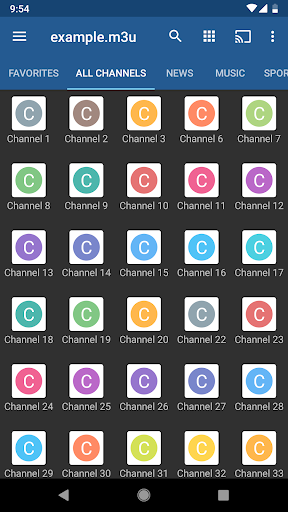

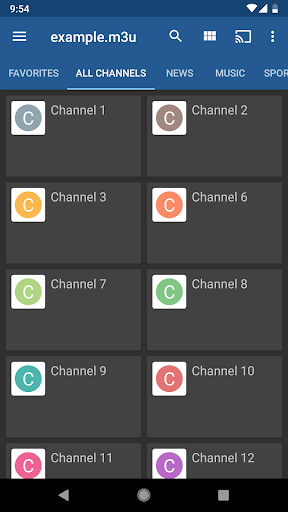
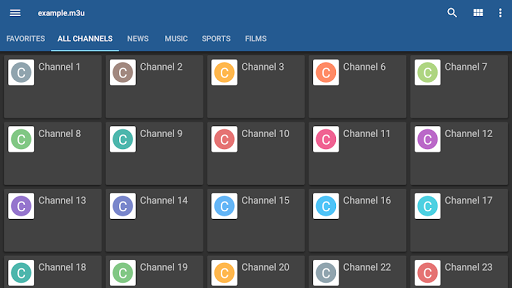
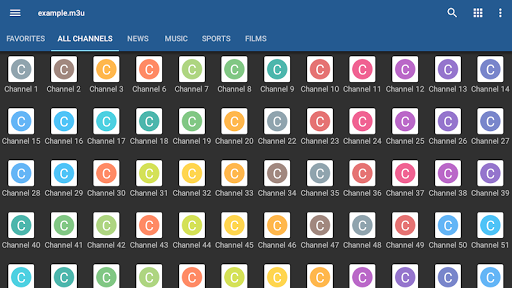
IPTV Pro is the premium version of IPTV app, offering an enhanced experience for users who want to watch IPTV from their Internet service provider or free live TV channels from any other source on the web. With its advanced features such as M3U and XSPF playlists support, EPG in XMLTV and JTV formats, and parental control, it caters to a wide range of audience looking for a seamless streaming experience.
One of the standout features of IPTV Pro is its ability to play multicast streams with UDP proxy, making it a suitable choice for set-top boxes. The app also offers various viewing options like grid, list, or tile view of TV channels, ensuring that users can customize their interface according to their preferences.
The application's auto-play last channel option and extended playlists history are particularly useful for users who frequently switch between devices or share their setup with family members. While it doesn't contain any built-in channels, this app provides all the tools necessary to manage and enjoy your personal playlist of TV channels efficiently.
IPTV Pro stands out with its comprehensive feature set tailored for avid TV viewers. The app supports both M3U and XSPF playlists, catering to different user preferences and technical setups. Its ability to display Electronic Program Guide (EPG) information in multiple formats including XMLTV and JTV ensures that users are always informed about the programming schedule.
For those dealing with multicast streams, IPTV Pro facilitates smooth playback through UDP proxy support, which requires installation in your local area network (LAN). This makes it especially valuable for users operating within complex network environments. Additionally, the internal and external video player options provide flexibility in how content is consumed.
Parental controls add a layer of security, allowing guardians to manage what content is accessible to younger audiences. Although IPTV Pro does not come with pre-loaded channels, its robust infrastructure supports diverse playlists, giving users complete control over their viewing options while maintaining a high standard of quality and reliability.
Ad-free experience
Device boot start option
Auto-play last channel
Extended playlist history
Multiple playlist formats
No built-in channels
Requires third-party playlists
Complex for beginners
Additional setup for multicast
Limited customer support

You can play SWF format file!
 2.50
2.50
KineMaster, Your Ultimate Video Editor!
4.40
Connect EasyCap or UVC devices for recording and broadcast video/audio stream
3.60
LumaFusion: The Ultimate Storytelling Experience for Video Editing
4.10
#1 Torrent App on Android ** No Ads Ever + Battery Saver **
4.80
Browser + Remote for Roku to stream webvideos, online movies and livestreams
4.60
Web Browser for LG TV to stream webvideos, online movies and livestreams in HD
4.20
Download Hub, easy and private way to download and enjoy your videos offline
4.80
Capture the moment and Cut
3.40
Video Trimmer, Video to MP3 Converter. Extract music from video, Easy & Fast.
4.80
An easy-to-use and all-round screen recorder with audio
4.80
Flud is a simple and beautiful BitTorrent client for Android.
4.80
Fast & easy HD video downloader for all formats, support 4K playback & download.
4.60
Fast, private downloading, video saving, social media
4.50
KMPlayer Plus (Divx Codec) officially support Divx codec.
4.30
AI Video Editor:AI Music, Text to Video,Text to Speech,Auto Caption,Video Effect
4.00
Make your own Animations, Video and Photo Edits, Visual Effects, and more!
4.00
Cast to Smart TV, Fire TV. Cast video, photo - Fast & Stable!
3.90
A full editing room to accompany your Insta360 cameras and handheld gimbals.
3.30


User Reveiws