

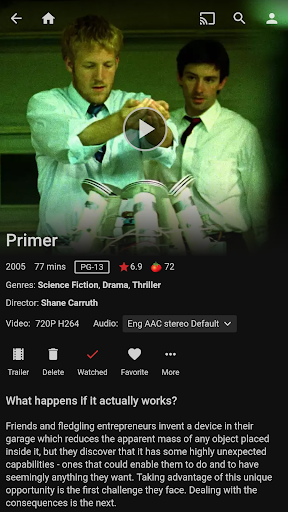
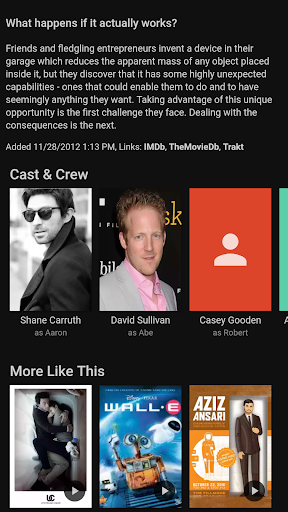
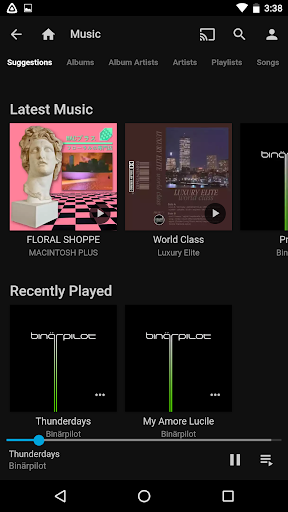
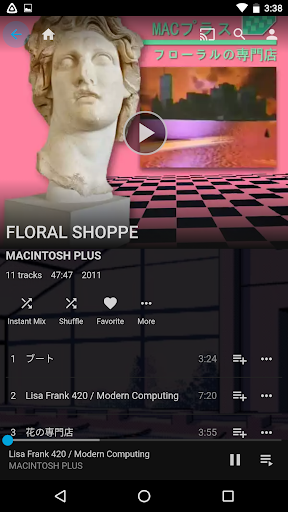
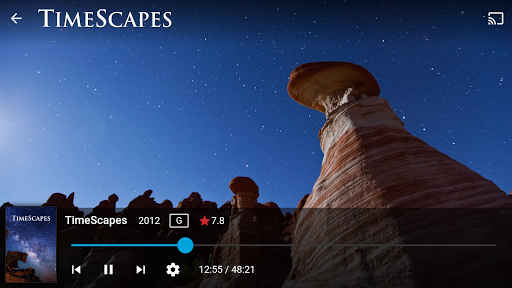
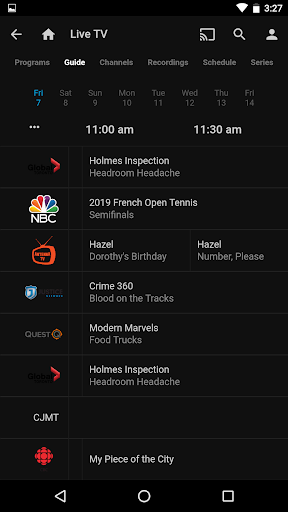

Jellyfin is an open-source media server and player that gives you complete control over your personal media library. This Android app serves as the official companion to the Jellyfin server, allowing users to stream their personal audio, video, and photo collections directly to their mobile devices. With no fees or tracking, Jellyfin offers a privacy-focused solution for enjoying your media on your terms.
The app supports features like Live TV streaming, Chromecast integration, and Android Auto support for music playback. Whether you're at home or on the go, Jellyfin provides a seamless way to access your entire media collection through an intuitive interface. Perfect for those who value freedom and flexibility in managing their digital content.
Jellyfin stands out with its robust feature set designed for media enthusiasts. The app allows you to stream media from your Jellyfin server to your Android device, providing high-quality playback of your personal video and music libraries. It supports Live TV functionality, enabling you to watch live broadcasts and recorded shows when paired with compatible hardware.
Integration with Chromecast devices makes it easy to stream content to your TV, while Android Auto compatibility lets you enjoy your music library hands-free while driving. The app's user-friendly interface organizes your media collection in an easily navigable format, making it simple to browse and play your favorite content. These features combine to create a comprehensive media experience that respects your privacy and ownership rights.
User-friendly interface
Free and open-source
Privacy-focused design
Chromecast support
Live TV functionality
Requires separate server setup
Limited offline capabilities
No built-in media library
Dependent on network connection
Hardware-dependent features

The smartest M3U IPTV Player your playlists have ever seen.
 4.2
4.2
Powerful, professional, versatile teleprompter. Developed by an active film crew
4.00
Fast video downloader & private browser. Save HD clips to watch offline.
4.40
Powerful HD video player with support for all formats & subtitles.
4.1
Video Browser & Downloader X to play the sexy videos from any website.
4.40
Movie maker & video editing app with AI effects and green screen
4.30
LumaFusion: The Ultimate Storytelling Experience for Video Editing
4.10
Video player with 4K & 1080P support, popup play, background play and subtitle.
4.20
VLC for Android is the best open source video and music player, fast and easy!
4.10
Tik & Story Saver-Download ALL social media videos, photos & reels no watermark.
4.80
All in one HD video downloader & player for multiple formats with full privacy
4.70
Download videos and play them offline
4.70
Snaptubè Video Downloader app allows to download videos and music in Snaptube. .
4.60
Turn your phone into a wireless camera!
4.20
1)AirPlay/DLNA Mirroring/Streaming, up to 4 connections; 2)Samba/NAS/DMS Player.
4.00
Live TV, anywhere in your home
3.80
Manage your IPTV live channels and VOD playlists (no playlist included)
3.80
Download videos easily & play them all in one smart, powerful video manager.
3.40
Stream high quality video from your camera over NDI protocol
4.1


User Reveiws