AirReceiver AirPlay Cast DLNA

3.60

Information

Category:

Video Players & Editors

Price:

$ 2.99

Rank:

12

Rating:

3.60

Overview

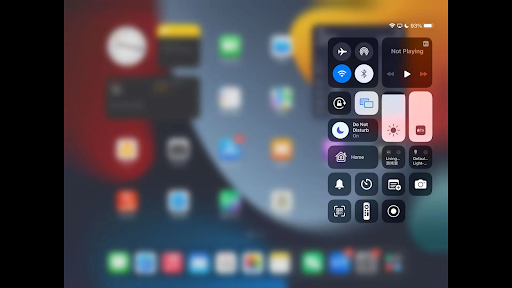
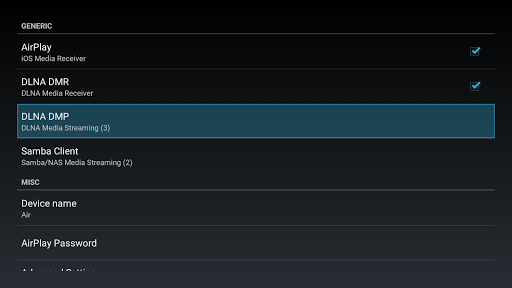
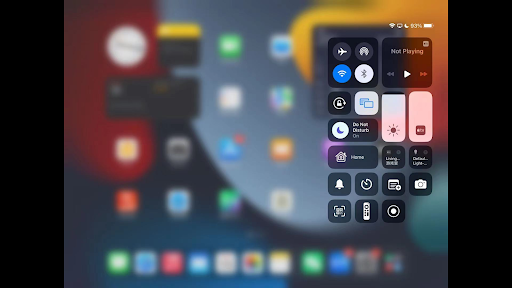
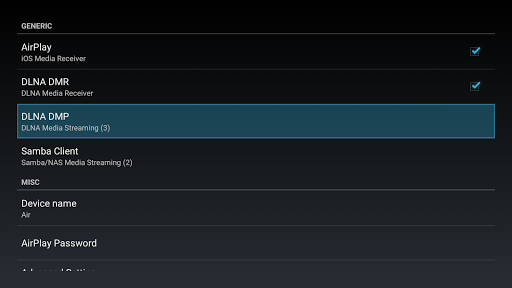
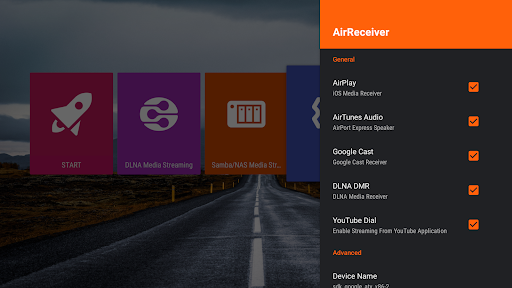
AirReceiver is a versatile streaming solution that supports multiple protocols including AirPlay, Cast, Wireless Display, and DLNA. This application allows users to stream screens, photos, music, and videos from their phones or laptops directly to a TV screen.

Designed to operate seamlessly in the background, AirReceiver is optimized for Android TV/Box, making it an ideal choice for users looking to enhance their multimedia experience without interruptions.

With its comprehensive protocol support and user-friendly features, AirReceiver offers significant value by bridging various devices and enabling effortless content sharing across platforms.

Features

AirReceiver stands out with its extensive feature set tailored for seamless media streaming. It supports YouTube video streaming and offers audio sync capabilities with other AirExpress devices, ensuring a synchronized multi-room audio experience.

The app excels in AirMirror functionality, providing top-tier performance among third-party AirPlay applications. With full compatibility for iOS 16 and slideshow features, users can enjoy a rich multimedia experience.

Additional highlights include integration with AirParrot for PC screen mirroring, background service operation, configurable network names, and automatic startup on boot, all contributing to a flexible and powerful streaming tool.

Video format compatibility

Video format compatibility refers to the range of video formats that a video player or editor can recognize and play smoothly. This is an essential feature for users who work with various types of video files and need assurance that their video player can handle different codecs and containers without issues. AirReceiver AirPlay Cast DLNA offers extensive support for multiple streaming protocols including AirPlay, Cast, Wireless Display, and DLNA which ensures that users can stream screen, photos, music, and videos from their phones or laptops directly to a TV. The application supports Youtube video streaming, audio sync with other AirExpress devices, slideshow features, and compatibility with AirParrot for mirroring PC screens on Android Tablets. With its ability to stream audio, video, and photos from both AirPlay clients like iTunes and iOS devices as well as DLNA clients such as WMP12 and AirShare, AirReceiver provides a versatile platform for media consumption. Running in the background as a service, it allows uninterrupted streaming to an Android device, making it especially suitable for Android TV or Box setups. Users benefit from configurable network names and the option to start the service on boot, ensuring seamless integration into any home entertainment system. By supporting a wide array of video formats and offering unique features like Windows Screen Mirror through the AirSender tool, AirReceiver delivers a comprehensive solution for those seeking flexible and reliable video playback options.

AI-powered editing features

AI-powered editing features represent the cutting-edge advancements integrated into video players and editors that allow for smarter and more efficient video processing. These features utilize artificial intelligence to automate complex tasks, enhance video quality, and provide intuitive user experiences. AirReceiver AirPlay Cast DLNA incorporates several innovative functionalities that align with this trend. For instance, the app fully supports IOS16 and works optimally with AirMirror, providing one of the best performances among third-party AirPlay applications. This ensures high-quality screen mirroring with minimal latency, even though it may require a powerful device with at least a 1GHz dual-core CPU for optimal performance. Additionally, AirReceiver's compatibility with AirParrot enables users to mirror their PC screens onto Android tablets effortlessly. While the app doesn't explicitly market itself as having AI-driven editing tools, its sophisticated handling of multimedia streamsu2014such as syncing audio across different devices and supporting slideshow featuresu2014demonstrates a level of intelligent automation. Users also appreciate the configurability and seamless operation offered by the app, which runs efficiently in the background as a service. Furthermore, the inclusion of practical notes regarding potential conflicts with other AirPlay apps and hardware requirements underscores the developeru2019s commitment to delivering a robust user experience. Although traditional video editing might not be its primary focus, AirReceiver enhances media interaction through smart connectivity solutions, thus enriching the overall digital entertainment landscape.

Props

Multi-protocol support

Seamless background operation

Optimized for Android TV/Box

Superior AirMirror performance

Comprehensive device compatibility

Cons

High CPU load for AirMirror

Limited to powerful devices

Potential port conflicts

No built-in media player

Complex setup for beginners

Features and Functions

What is this app and what can I use it for?

A multi-protocol stream receiver for AirPlay, Cast, Wireless Display, and DLNA

How do I download and install this app on my device?

Visit Google Play Store, search for AirReceiver, and tap Install

How do I get started after opening the app for the first time?

Launch the app, ensure your devices are connected to the same Wi-Fi, and start streaming

What are the main features and capabilities of this app?

Supports AirPlay, Cast, DLNA, audio sync, AirMirror, and more

How can I customize my experience and adjust preferences?

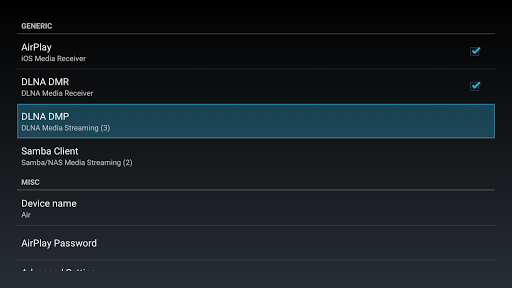
Adjust settings like network name and startup options in the app's configuration menu

How do I save or bookmark my favorite content for later access?

Use the app's interface to save favorite streams or settings for later access

How can I share content with friends or on social media?

Utilize native sharing options to share content via social media or messaging apps

How do I access detailed information and explore more content?

Explore detailed streaming options and settings within the app's main menu

What permissions does this app need and how do I manage them?

Requires network and media permissions; manage these in your device's settings

How do I check for updates and keep the app running smoothly?

Check for updates in the Google Play Store and keep your device updated
Show more

User Reveiws

{{ comment.reviewer_name }}
{{ comment.review_date_formatted}}
{{ comment.review_content }}
{{ tab.name }}
{{ comment.reviewer_name }}
{{ comment.review_date_formatted}}
{{ comment.review_content }}
No reviews with this rating