
WiFi Analyzer Pro

4.70

Information

Category:

Tools

Price:

$ 4.19

Rank:

68

Rating:

4.70

Overview

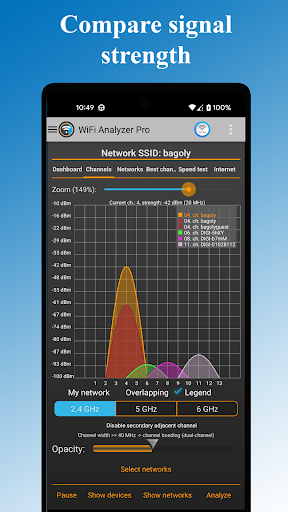
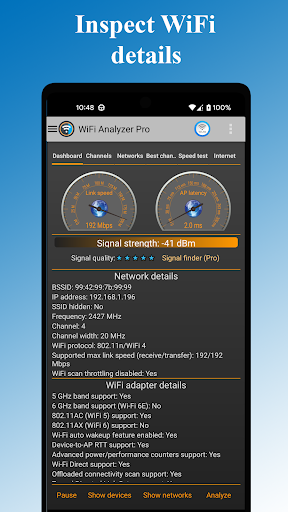
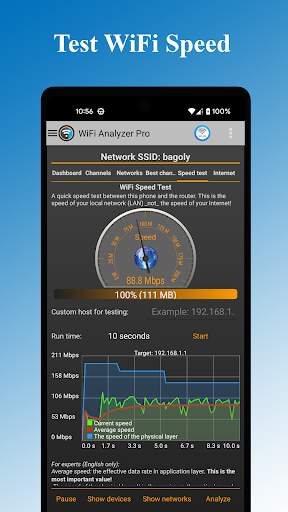
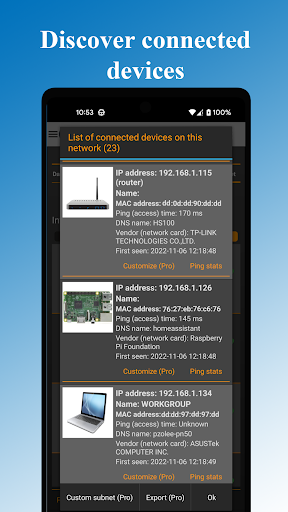
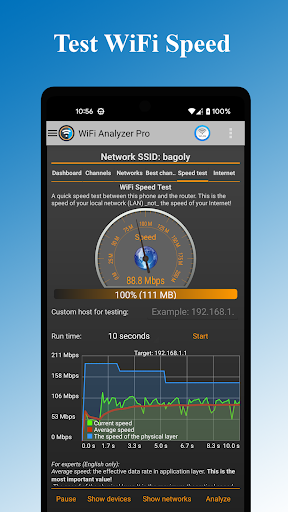
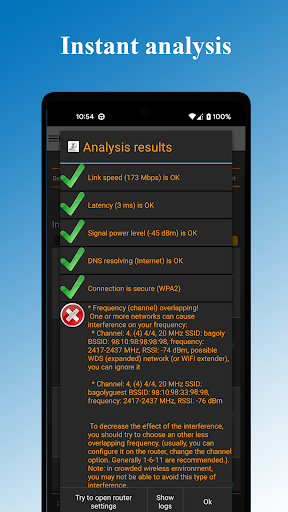
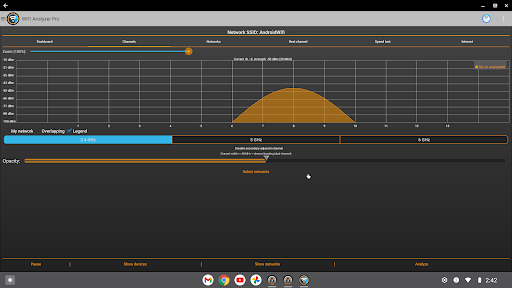
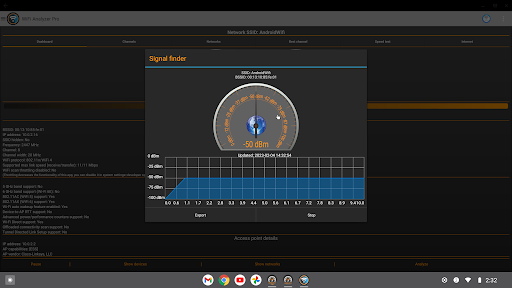
WiFi Analyzer Pro is a powerful network optimization tool designed to help users maximize their WiFi performance. The app provides detailed analysis of wireless networks, identifies the best router placement and channel settings, and monitors connected devices. With support for both 2.4GHz and 5GHz bands, it offers comprehensive network diagnostics including signal strength, latency testing, and security checks.

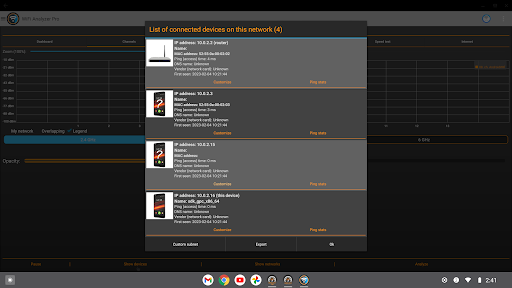
This professional-grade tool stands out with its advanced features like customized device scanning, log exporting to internet providers, and faster access to new features through its Pro version. Whether you're troubleshooting network issues or setting up a new WiFi connection, this app provides intuitive visual charts and detailed network information to optimize your wireless experience.

Features

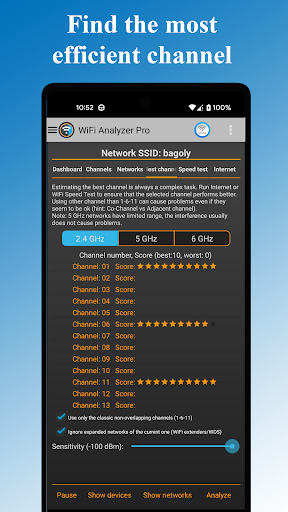
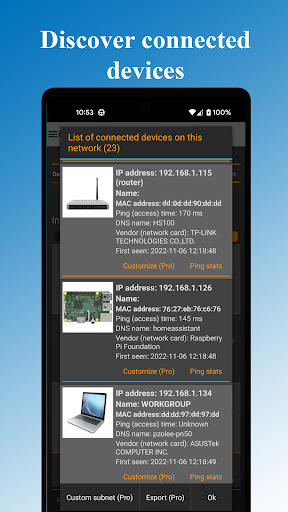
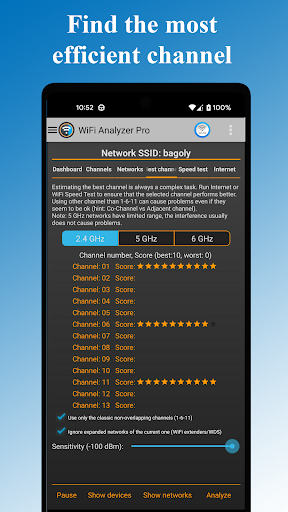
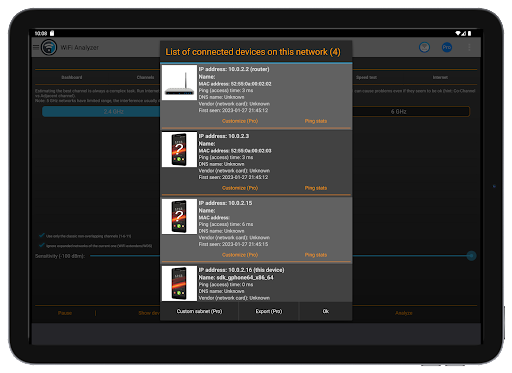
WiFi Analyzer Pro offers an impressive array of features that cater to both novice and advanced users. The app's signature capability lies in its comprehensive network scanning function that detects all connected devices while analyzing potential security risks. Its channel recommendation system helps users find the least congested frequency for optimal connection speed.

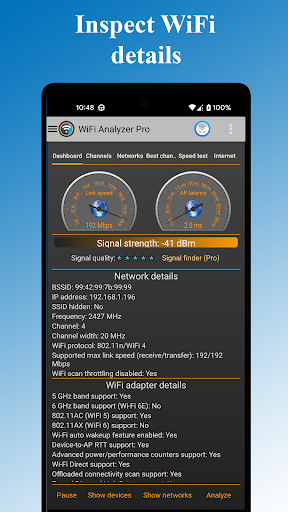
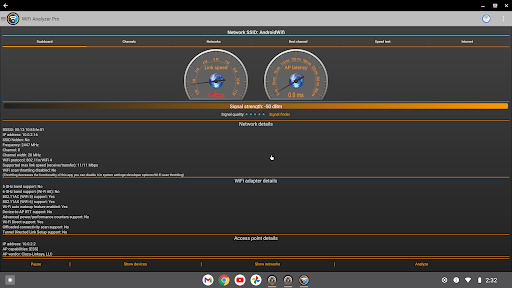
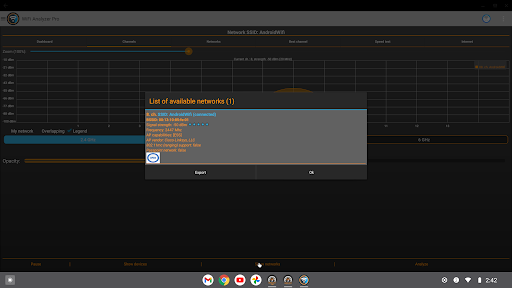
Advanced users will appreciate the detailed technical data provided for each network, including BSSID, channel width, and DNS verification. The app also includes practical tools like wireless network export functionality, theme customization options, and various filtering capabilities. These features are presented through easy-to-understand graphical interfaces, making complex network information accessible to all users regardless of their technical background.

Core function accuracy & effectiveness

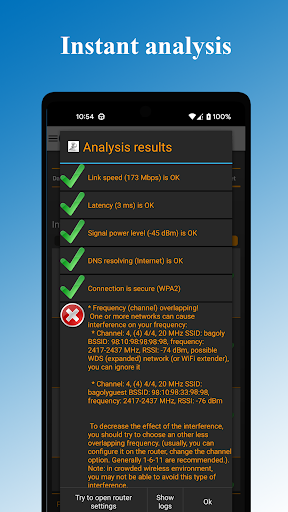
WiFi Analyzer Pro is designed to provide users with the most accurate and effective tools for optimizing their WiFi network performance. The application's core functions revolve around analyzing and monitoring wireless networks, offering detailed insights into connected devices, signal strength, latency, and security issues. By scanning both 2.4 GHz and 5 GHz bands, the app ensures comprehensive coverage of all available networks in the vicinity. One of its standout features is the ability to recommend the best channel for achieving optimal connection speeds, which directly addresses common pain points associated with crowded channels and interference. Additionally, the app provides advanced diagnostic capabilities such as verifying DNS functionality and detecting potential security vulnerabilities within the network. Users can also export results for further analysis or share them with their internet service provider if needed. These functionalities are not only highly precise but also presented in an intuitive manner that makes it accessible even to those without technical expertise. The value proposition lies in empowering users to take control of their home or office WiFi setup by identifying issues that could be hindering performance and providing actionable solutions. Whether you're looking to enhance your current network configuration or troubleshoot specific problems like unauthorized device access or weak signal areas, WiFi Analyzer Pro delivers reliable data-driven recommendations that lead to tangible improvements in connectivity quality.

Interface simplicity & intuitiveness

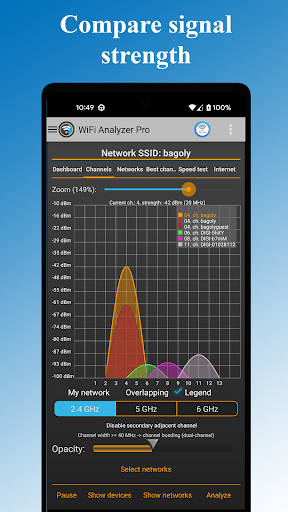
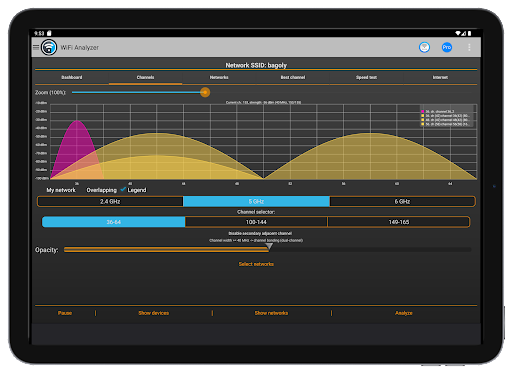
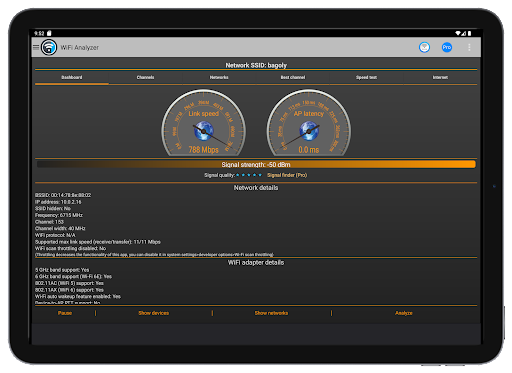
The interface design of WiFi Analyzer Pro prioritizes simplicity and intuitiveness, ensuring that users of all technical backgrounds can navigate and utilize its features effectively. Upon launching the app, users are greeted with a clean layout that organizes key information into easily digestible sections. The main dashboard displays essential details about nearby networks including SSID, signal strength, channel usage, and security type in a straightforward table format. Advanced metrics such as frequency band, channel width, and vendor identification are also readily accessible but tucked away under expandable menus to prevent overwhelming newcomers. A series of interactive charts visually represent complex data points like signal overlap and congestion levels, making it easier to grasp concepts without needing deep technical knowledge. Furthermore, the inclusion of both dark and light themes caters to personal preferences while enhancing readability across different lighting conditions. Customizable filters allow users to refine displayed information based on criteria like SSID, WiFi band, or overlapping channels, streamlining the process of pinpointing relevant data. Despite packing numerous powerful tools under the hood, the developers have managed to maintain a user-friendly experience throughout. This balance between functionality and ease-of-use ensures that whether you're diagnosing intricate network issues or simply curious about who else might be using your WiFi, everything remains just a few taps away. Overall, WiFi Analyzer Pro exemplifies how sophisticated technology can be made approachable through thoughtful UI/UX design principles.

Props

User-friendly interface

Comprehensive network analysis

Advanced channel optimization

Detailed device information

Regular feature updates

Cons

Requires location services

Premium version costs

Technical knowledge needed

Android version limitations

Occasional scanning delays

Features and Functions

What is this app and what can I use it for?

A WiFi optimization tool for network analysis and improvement

How do I download and install this app on my device?

Search WiFi Analyzer Pro on Google Play and install

How do I get started after opening the app for the first time?

Grant necessary permissions and follow setup wizard

What are the main features and capabilities of this app?

Network scanning, device detection, channel optimization

How can I customize my experience and adjust preferences?

Adjust themes, filters, and scan settings as needed

How do I save or bookmark my favorite content for later access?

Export scan results via email or cloud storage

How can I share content with friends or on social media?

Share network details through messaging apps directly

How do I access detailed information and explore more content?

View detailed analytics in graphical format

What permissions does this app need and how do I manage them?

Needs location access for network scanning functionality

How do I check for updates and keep the app running smoothly?

Check Play Store regularly for updates and enable auto-update
Show more

User Reveiws

{{ comment.reviewer_name }}
{{ comment.review_date_formatted}}
{{ comment.review_content }}
{{ tab.name }}
{{ comment.reviewer_name }}
{{ comment.review_date_formatted}}
{{ comment.review_content }}
No reviews with this rating
















