
Ace Cleaner

4.10

Information

Category:

Tools

Price:

Free

Rank:

31

Rating:

4.10

Overview

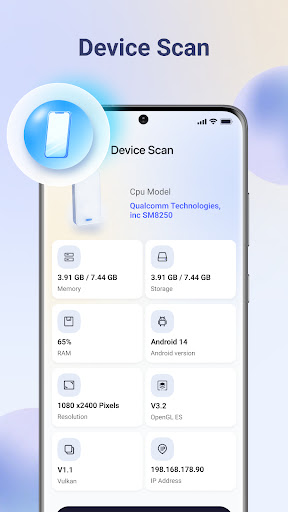
Ace Cleaner is a comprehensive tool designed to help users efficiently manage their device storage while maintaining privacy and control. The app specializes in junk file cleaning, app organization, photo and video management, and large file identification.

Core features include junk file and cache removal, detailed app storage analysis, media file organization, and on-device privacy protection. These functionalities ensure that users can free up valuable space without compromising personal data security.

Ideal for individuals seeking to declutter their devices, Ace Cleaner provides an intuitive interface that combines multiple storage management tools into one convenient solution.

Features

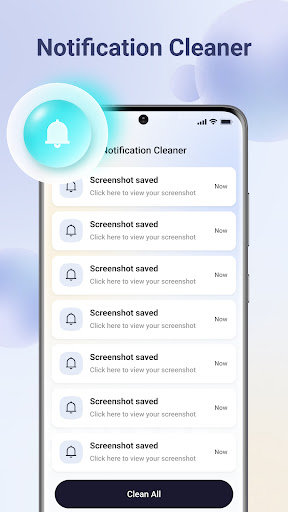
Ace Cleaner stands out with its diverse feature set tailored for effective device management. The app's junk cleaning functionality allows users to scan and safely remove temporary files and cached data that accumulate over time.

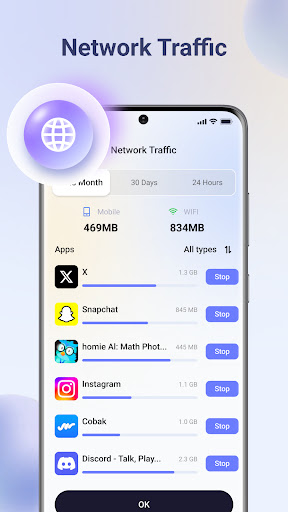
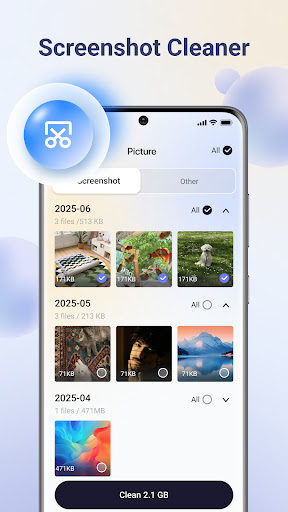
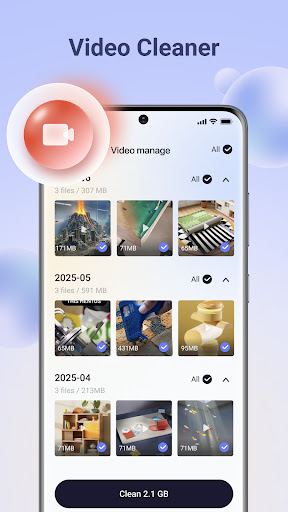
The App Organizer provides detailed insights into installed applications, showing storage usage and enabling easy uninstallation of unwanted apps. For media management, the Photo & Video Tidy-Up feature helps users review and organize visual content while preserving important memories.

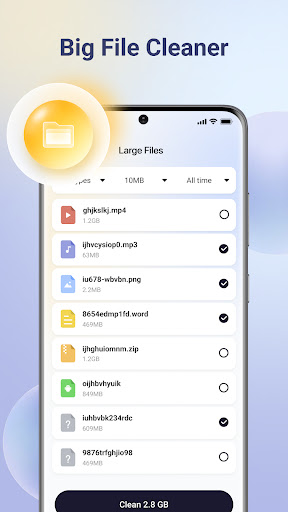
Additionally, the Large File Finder assists in identifying space-consuming files, giving users better control over their storage allocation. All operations are performed locally, ensuring maximum privacy protection.

Core function accuracy & effectiveness

Ace Cleaner provides a comprehensive suite of tools designed to optimize device storage with precision and efficiency. At the heart of its functionality is the ability to accurately identify and remove junk files and cache that accumulate over time, freeing up valuable space on your device. This core feature ensures that temporary files and cached data which are often overlooked do not consume unnecessary storage. The app's scanning algorithm is engineered to deliver reliable results, allowing users to review identified junk files before removal. This meticulous approach guarantees that only non-essential files are targeted, preserving important data intact. Additionally, Ace Cleaner's App Organizer empowers users with detailed insights into app storage usage, enabling informed decisions about uninstalling apps. With features like Photo & Video Tidy-Up and Large File Finder, the application extends its functional accuracy beyond mere junk cleaning to encompass organizing multimedia content and managing sizable files effectively. These capabilities collectively enhance the overall effectiveness of Ace Cleaner as an essential tool for maintaining optimal device performance while ensuring user control over personal data remains paramount.

Interface simplicity & intuitiveness

The interface design of Ace Cleaner exemplifies simplicity and intuitiveness, making file management accessible even to those who may not be technologically savvy. Upon launching the app, users are greeted with a clean layout that organizes its robust features into easily navigable sections. Each toolu2014whether itu2019s for cleaning junk files or organizing appsu2014is presented with straightforward options that guide users through each step of the process seamlessly. For instance, when using the App Organizer feature, individuals can effortlessly view all installed applications alongside their respective storage footprints without any confusion or cluttered visuals. Similarly, functions such as Photo & Video Tidy-Up offer intuitive controls for reviewing media items; this allows users to make deliberate choices about what stays on their device versus what gets deleted without feeling overwhelmed by complex settings. Moreover, transparency in actions taken within Ace Cleaner further enhances its user-friendly natureu2014nothing happens automatically without clear consent from the user. Every action requires confirmation before execution, reinforcing trust between the software and its operator. Overall, these thoughtful design elements ensure that despite offering advanced functionalities like large file identification and privacy protection measures, Ace Cleaner remains remarkably easy to use day-to-day.

Props

User-friendly interface

Comprehensive cleaning tools

On-device data processing

Transparent action choices

Effective storage management

Cons

Limited advanced features

No automatic cleaning

Basic design aesthetics

Occasional scanning delays

Manual file selection required

Features and Functions

What is this app and what can I use it for?

Ace Cleaner manages device storage by cleaning junk files and organizing apps

How do I download and install this app on my device?

Download Ace Cleaner from Google Play Store and install it on your Android device

How do I get started after opening the app for the first time?

Open Ace Cleaner, grant necessary permissions, and start with junk file scanning

What are the main features and capabilities of this app?

Main features include junk cleaning, app organization, photo management, and large file finder

How can I customize my experience and adjust preferences?

Customize experience through settings menu and preference adjustments

How do I save or bookmark my favorite content for later access?

Save favorite content by reviewing files and choosing what to keep or delete

How can I share content with friends or on social media?

Share content directly through app's interface using standard sharing options

How do I access detailed information and explore more content?

Access detailed information via app's organized file categories and sections

What permissions does this app need and how do I manage them?

App needs storage access permissions which can be managed in device settings

How do I check for updates and keep the app running smoothly?

Check for updates in Google Play Store and maintain regular usage for smooth operation
Show more

User Reveiws

{{ comment.reviewer_name }}
{{ comment.review_date_formatted}}
{{ comment.review_content }}
{{ tab.name }}
{{ comment.reviewer_name }}
{{ comment.review_date_formatted}}
{{ comment.review_content }}
No reviews with this rating
















