
Windows 11 represents a significant evolution in personal computing, offering users an intuitive interface with enhanced productivity tools. Designed for seamless integration across devices, it provides a cohesive experience whether you're working, learning, or playing.
This operating system introduces innovative features like Snap Layouts and Groups to optimize multitasking, alongside DirectStorage technology that dramatically reduces load times for games and large applications. Its redesigned Microsoft Store makes discovering apps easier than ever before.
A hallmark of Windows 11 is its emphasis on security and performance, featuring built-in antivirus protection and regular updates to ensure your device remains protected against emerging threats. The new Widgets panel offers personalized content at a glance, powered by AI to adapt to user preferences over time.
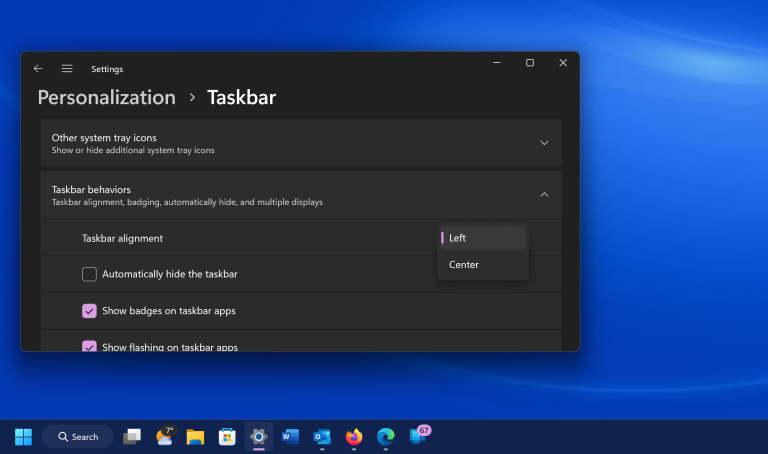
Additionally, Windows 11 supports running Android apps natively through the Amazon Appstore integration, expanding the range of available software exponentially. With Teams integrated directly into the taskbar, staying connected has never been simpler or more efficient.
Enhanced multitasking capabilities
Improved gaming performance
Streamlined app discovery process
Robust built-in security measures
Seamless cross-device functionality
Higher system requirements
Limited touch-optimized apps
Potential compatibility issues
Occasional update disruptions
Learning curve for new UI

Change your GPS location instantly. Simulate routes anywhere in the world.
 4.90
4.90
A convenient photo, video, and file recovery tool.
4.00
Extremely fast, secure, and protects your privacy
4.80
Complete kernel toolbox with features to manage and tweak your rooted device
4.30
Fluid navigation gestures for all of us!
4.30
Effortlessly run ADB commands directly on your device without a PC.
4.20
Unleash gamepad precision for ultimate mobile gaming dominance.
3.90
The Ultimate Flex Drivers Utility App - Convenient Tapping & Block Filters
4.70
Automate everything from settings to photos, SMS to speech. ADC2 prize winner.
4.10
The ultimate tool for network analysis, wifi scanning and problem detection.
4.90
Remote Play with FSR upscaling, low latency & full controller support
4.80
Learn the vast amount of system information about device and monitor it's state
4.70
The one-and-only remote control for PC, Mac, and Linux
4.70
HD Video player and downloader for all formats, fast & smooth 4K video playback.
4.60
Pro Emulator is an easy to use game console emulator for a range of consoles.
4.40
Quickly check the frequency of the Earth
4.30
pdf merge, word to pdf, jpg to pdf, edit pdf, convert to pdf and much more!
4.20
MS-DOS in your pocket. Play old DOS games anywhere you are ;)
4.10
Fun lie-detection pranks for friends and parties.
3.80


User Reveiws