Google Translate

4.30

Information

Category:

Tools

Price:

Free

Rank:

18

Rating:

4.30

Overview

Google Translate is a versatile translation tool that supports text translation between 108 languages. The app offers multiple ways to translate, including typing, camera-based translation, and even handwriting recognition. With features like offline translation for 59 languages and instant camera translation for 94 languages, it ensures usability in various scenarios.

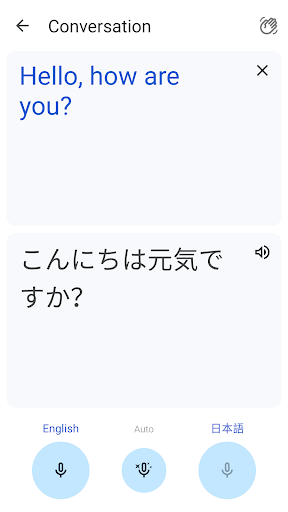
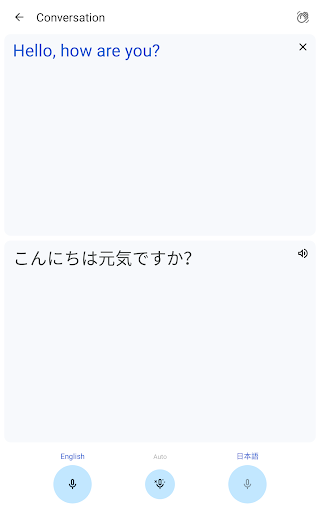
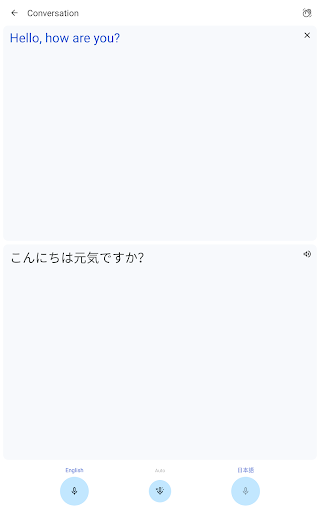
The application stands out with its ability to handle bilingual conversations in real-time, making it invaluable for travelers and professionals working in multilingual environments. Its cross-device syncing allows users to maintain a consistent experience across their devices, while the phrasebook feature lets them save frequently-used translations for easy access.

Features

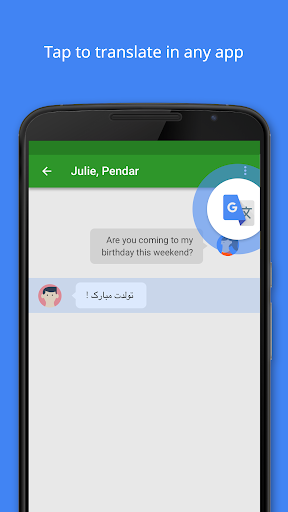
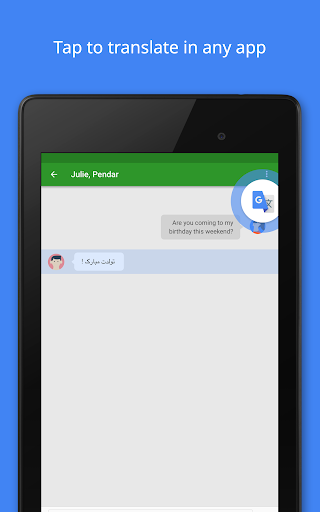
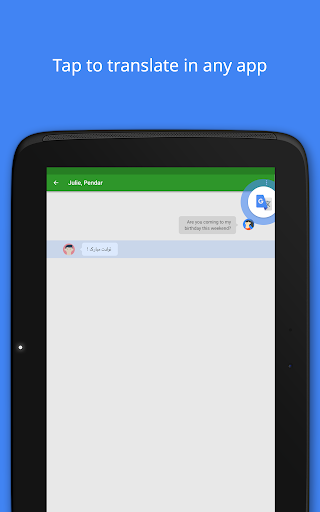
One of Google Translate's most notable features is its Tap to Translate functionality, which allows users to copy text in any app and instantly translate it by tapping the Google Translate icon. This feature works across all supported languages, making it incredibly convenient for users who need quick translations while using other apps.

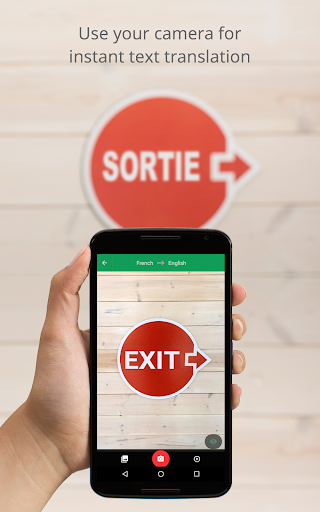
In addition to text translation, the app provides robust support for translating spoken language through its Transcribe feature, available in 8 languages. Users can also take or import photos for higher quality translations in 90 languages. The inclusion of offline capabilities for 59 languages ensures that users can rely on the app even without an internet connection.

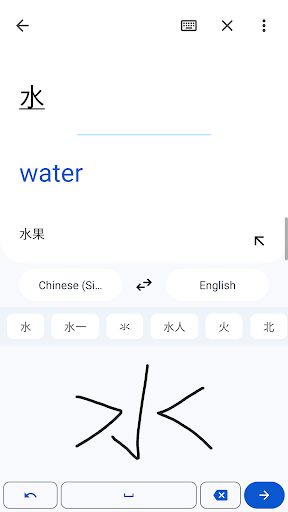
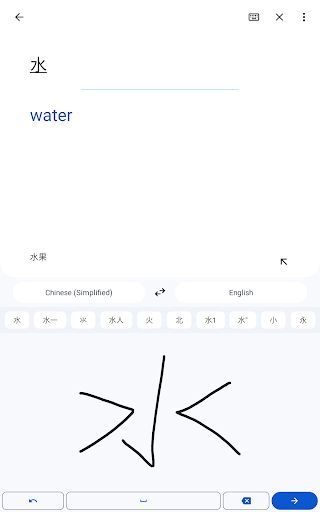
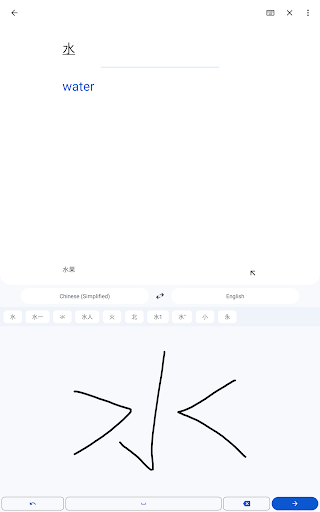
For those needing to translate handwritten text, the app supports 96 languages through its handwriting recognition feature. The phrasebook function allows users to star and save translated words and phrases, which are then synced across devices when logged in, providing a seamless user experience.

Core function accuracy & effectiveness

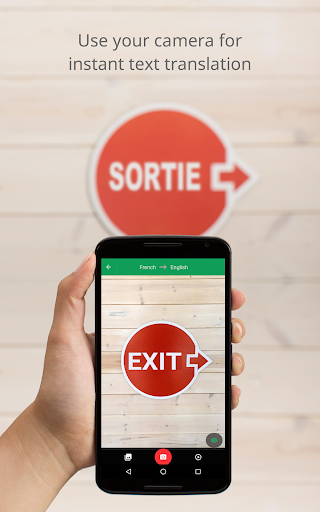
Google Translate stands as a premier tool for bridging language barriers through its robust translation capabilities. The core function of this application revolves around text translation, supporting an impressive 108 languages. This vast coverage ensures that users from diverse linguistic backgrounds can communicate effectively without the hindrance of language differences. By simply typing the text, users gain access to translations that are not only accurate but also contextually appropriate, enhancing the overall communication experience. Beyond basic text translation, Google Translate incorporates advanced features such as Tap to Translate, allowing users to copy text in any app and instantly translate it by tapping the Google Translate icon. This seamless integration across applications underscores the tool's effectiveness in real-world scenarios where quick and reliable translations are paramount. Moreover, the offline translation feature supports 59 languages, ensuring that users remain connected even without an internet connection. This functionality is particularly valuable when traveling or in areas with limited connectivity. The application's instant camera translation further exemplifies its effectiveness by translating text within images in real-time across 94 languages. Users can point their cameras at signs, menus, or documents, receiving immediate translations that facilitate comprehension and interaction in foreign environments. Additionally, the photo import feature enhances translation quality by allowing users to take or upload photos for translation in 90 languages. These multifaceted translation methods highlight Google Translate's commitment to accuracy and effectiveness, empowering users to navigate multilingual contexts with confidence and ease.

Interface simplicity & intuitiveness

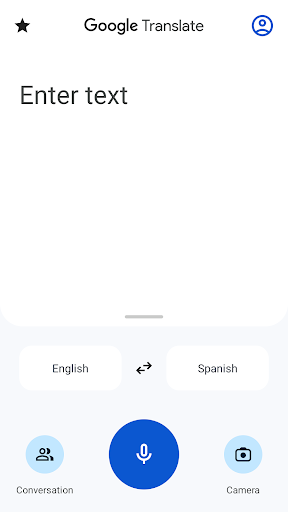
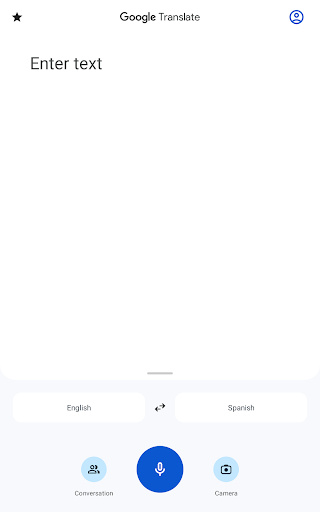
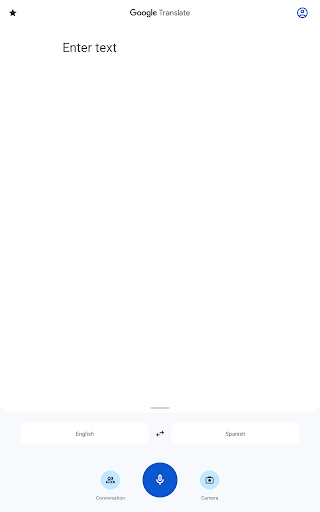
The interface design of Google Translate plays a crucial role in ensuring that users can effortlessly navigate and utilize its comprehensive translation features. Upon opening the application, users are greeted with a clean and straightforward layout that prioritizes functionality without overwhelming them with unnecessary complexities. The primary translation input area prominently displays the source and target language selectors alongside a spacious text entry field, enabling users to quickly initiate translations. This intuitive arrangement significantly reduces the learning curve for new users while maintaining efficiency for experienced ones. One of the standout interface elements is the Tap to Translate feature, which seamlessly integrates with other applications on the user's device. When encountering foreign text in any app, users can simply copy the content and tap the omnipresent Google Translate icon to receive instant translations. This streamlined process eliminates the need to switch between applications, preserving the user's workflow and enhancing productivity. Furthermore, the application's support for handwriting input demonstrates its commitment to inclusivity and accessibility. Users who prefer or require drawing characters can easily switch to the handwriting mode, where they can trace letters or symbols on the screen. The responsive and accurate recognition of handwritten inputs showcases the application's attention to detail and adaptability to various user preferences. Another notable aspect of the interface is the conversation mode, designed specifically for bilingual exchanges. By selecting this feature, users can engage in fluid dialogues with speakers of different languages, with each party's speech being translated in near real-time. The clear visual separation of translated texts and the prominent microphone button for voice input contribute to a natural and intuitive conversational experience. Overall, Google Translate's interface successfully balances simplicity with powerful functionality, making it an indispensable tool for overcoming language barriers in everyday situations.

Props

Wide language support

Offline functionality

Real-time conversation mode

Handwriting recognition

Cross-device syncing

Cons

Limited offline languages

Occasional accuracy issues

Requires internet for best results

Ads in free version

Advanced features need login

Features and Functions

What is this app and what can I use it for?

A translation app supporting 108 languages via text, voice, and images

How do I download and install this app on my device?

Visit Google Play Store, search for Google Translate, and tap Install

How do I get started after opening the app for the first time?

Open the app, select source and target languages, then start translating

What are the main features and capabilities of this app?

Text, voice, image translation, offline mode, and phrasebook

How can I customize my experience and adjust preferences?

Adjust settings like default languages and notification preferences

How do I save or bookmark my favorite content for later access?

Use the Phrasebook feature to save translations for future reference

How can I share content with friends or on social media?

Tap the share button to send translations via messages or social media

How do I access detailed information and explore more content?

Explore detailed language options in the app's settings menu

What permissions does this app need and how do I manage them?

The app may request mic, camera, and storage permissions for full functionality

How do I check for updates and keep the app running smoothly?

Enable auto-updates in Google Play Store to keep the app updated
Show more

User Reveiws

{{ comment.reviewer_name }}
{{ comment.review_date_formatted}}
{{ comment.review_content }}
{{ tab.name }}
{{ comment.reviewer_name }}
{{ comment.review_date_formatted}}
{{ comment.review_content }}
No reviews with this rating

















