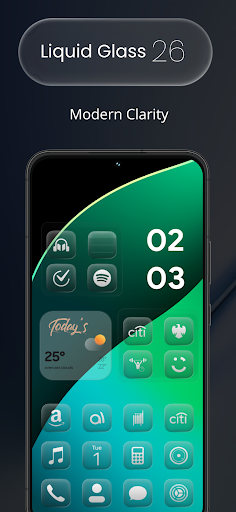
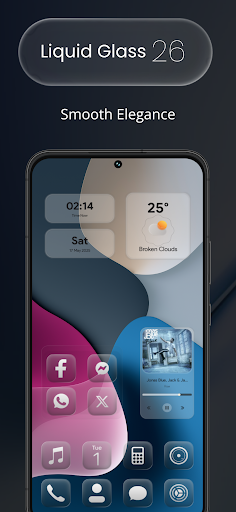
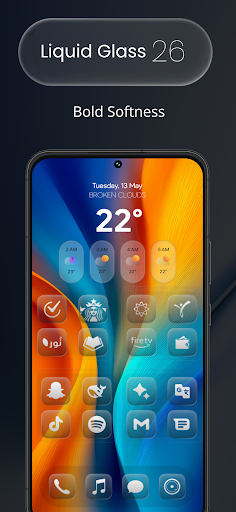
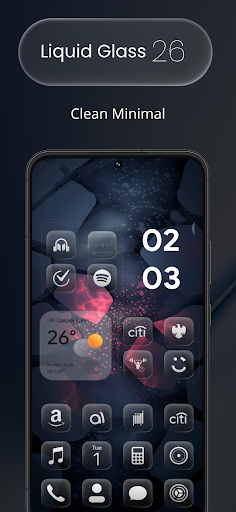
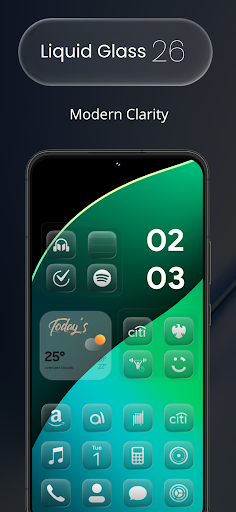
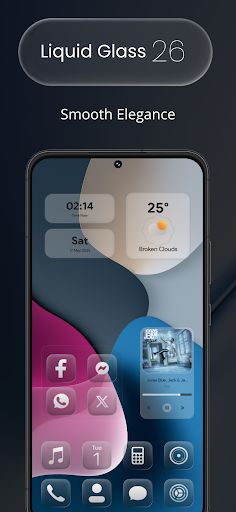
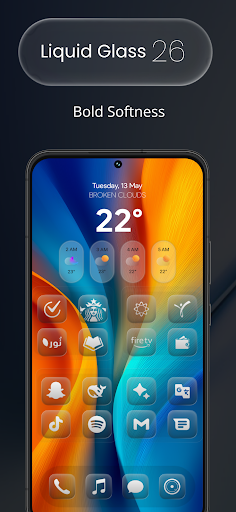
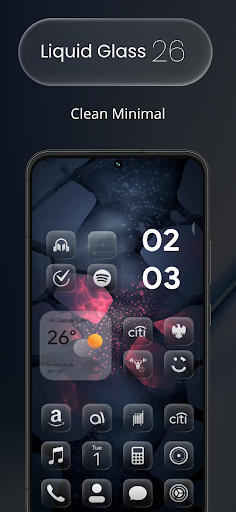
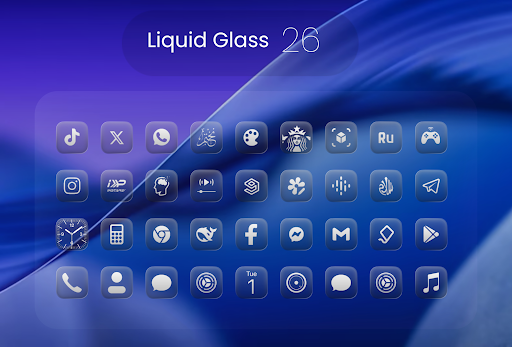
Liquid Glass 26 Icon Pack

3.60

Information

Category:

Art & Design

Price:

$ 0.99

Rank:

16

Rating:

3.60

Overview

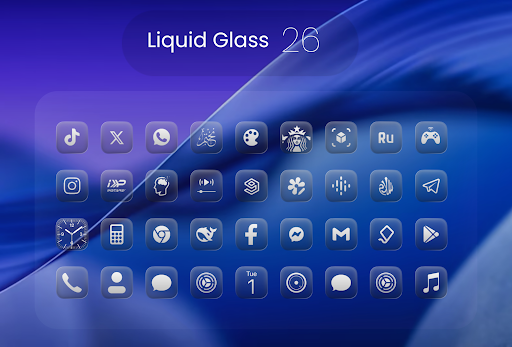
Liquid Glass 26 Icon Pack is a premium customization tool designed for users seeking a sleek, futuristic aesthetic on their devices. Inspired by the translucent elegance of iOS 26, this icon pack offers over 2500 handcrafted icons that blend glassmorphism with minimalistic design. Perfect for personalizing your home screen, it supports all major launchers and provides dynamic calendar functionality.

Whether you're aiming for a professional or playful layout, Liquid Glass 26 adapts seamlessly to your preferences. The inclusion of multiple alternate icons for popular apps ensures maximum compatibility, while an in-app request tool allows users to suggest missing icons for future updates. This makes it not only visually stunning but also highly practical for daily use.

Features

The Liquid Glass 26 Icon Pack stands out with its meticulously crafted features tailored to enhance user experience. With over 2500 high-quality icons at launch, the collection continues to grow, ensuring variety and freshness. Each icon reflects the cutting-edge Liquid Glass aesthetic inspired by iOS 26, offering a unique visual appeal.

One of the standout features is the support for multiple alternate icons for popular applications, allowing users to choose variations that best suit their style. Compatibility across all major launchers such as Nova, Smart, and Lawnchair ensures broad usability. Additionally, dynamic calendar support adds functionality, making this pack both beautiful and practical for organizing your digital life.

Creative tool completeness

Creative tool completeness refers to the range and depth of design functionalities available within an application allowing users to fully realize their artistic visions Liquid Glass 26 Icon Pack excels in this area by offering a comprehensive suite of customization options for device icons The pack includes over 2500 handcrafted icons at launch which cater to various aesthetic preferences from sleek minimalism to vibrant futuristic designs These icons are meticulously crafted with attention to detail ensuring high-quality visuals that enhance the overall user experience Additionally the icon pack supports all major launchers such as Nova Smart and Lawnchair providing users with flexibility in how they apply these design elements Users also benefit from dynamic calendar support and multiple alternate icons for popular apps This ensures that their home screens remain both functional and visually appealing over time By including an in-app request tool for missing icons Liquid Glass 26 demonstrates its commitment to ongoing improvement and user satisfaction This feature allows users to suggest additional icons which will be added in future updates thereby continually expanding the creative possibilities available to users With such a robust set of creative tools Liquid Glass 26 empowers users to personalize their devices like never before creating a unique and engaging digital environment that reflects their individual style and preferences

Canvas/format flexibility

Canvas or format flexibility is crucial in design applications as it determines how adaptable the creative tools are across different platforms and formats In the case of Liquid Glass 26 Icon Pack this flexibility is evident through its compatibility with a wide array of device launchers and its ability to seamlessly integrate into various home screen setups The pack has been optimized for use with all major launchers including Nova Smart Lawnchair and others This extensive compatibility ensures that regardless of the launcher a user prefers they can still enjoy the benefits of the icon pack without any loss in quality or functionality Furthermore Liquid Glass 26 offers multiple alternate icons for popular apps enhancing the adaptability of the design elements to fit different layout styles Whether aiming for a cohesive minimalist look or a more eclectic vibrant arrangement users have the freedom to experiment with diverse visual themes Another notable aspect of its canvas flexibility is the inclusion of dynamic calendar support This feature allows the icons to change dynamically based on date-related information adding another layer of personalization and utility Beyond static customization options Liquid Glass 26 provides an in-app request tool enabling users to ask for specific icons not currently included in the pack This forward-thinking approach guarantees that the icon pack remains versatile and responsive to user needs over time By prioritizing canvas and format flexibility Liquid Glass 26 ensures that users can achieve a personalized and harmonious digital environment that evolves alongside their changing preferences and technological advancements

Props

Stunning futuristic design

Wide launcher compatibility

Dynamic calendar integration

Regular updates with new icons

In-app icon request feature

Cons

Initial learning curve

Limited to Android devices

Some icons may lack uniformity

Paid app without free trial

Requires compatible launcher

Features and Functions

What is this app and what can I use it for?

A premium icon pack with 2500+ handcrafted icons for device customization.

How do I download and install this app on my device?

Search 'Liquid Glass 26' on Google Play Store and tap Install.

How do I get started after opening the app for the first time?

Select Apply Theme in the app and choose your preferred launcher.

What are the main features and capabilities of this app?

Offers 2500+ icons, alternate designs, and dynamic calendar support.

How can I customize my experience and adjust preferences?

Use settings menu to adjust icon size, style, and effects as needed.

How do I save or bookmark my favorite content for later access?

Save favorite icons via the app's built-in bookmarking feature.

How can I share content with friends or on social media?

Share icons directly through the app using social media or messaging.

How do I access detailed information and explore more content?

Access detailed info in the appu2019s Explore section for more content.

What permissions does this app need and how do I manage them?

The app needs storage and launcher permissions managed in settings.

How do I check for updates and keep the app running smoothly?

Check Google Play Store regularly for updates to ensure smooth performance.
Show more

User Reveiws

{{ comment.reviewer_name }}
{{ comment.review_date_formatted}}
{{ comment.review_content }}
{{ tab.name }}
{{ comment.reviewer_name }}
{{ comment.review_date_formatted}}
{{ comment.review_content }}
No reviews with this rating