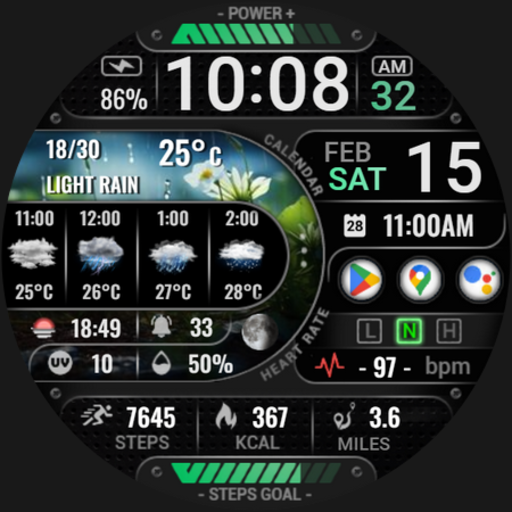
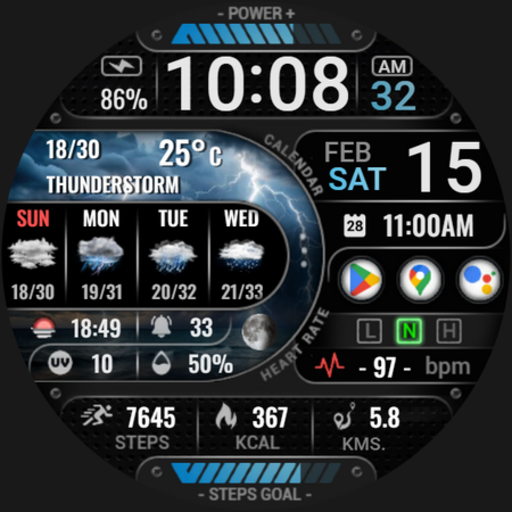
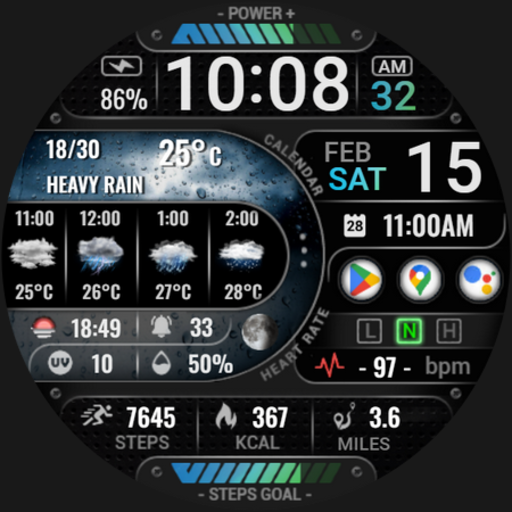
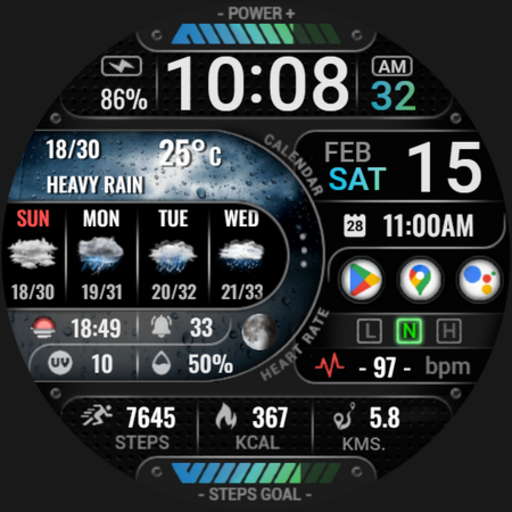
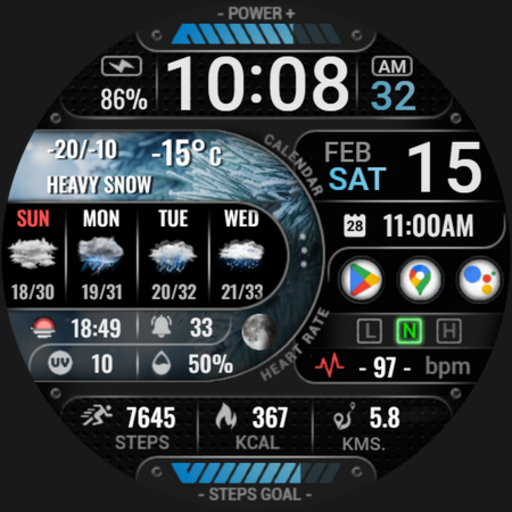
[KNA015] CRESCENT

3.00

Information

Category:

Art & Design

Price:

$ 1.49

Rank:

27

Rating:

3.00

Overview

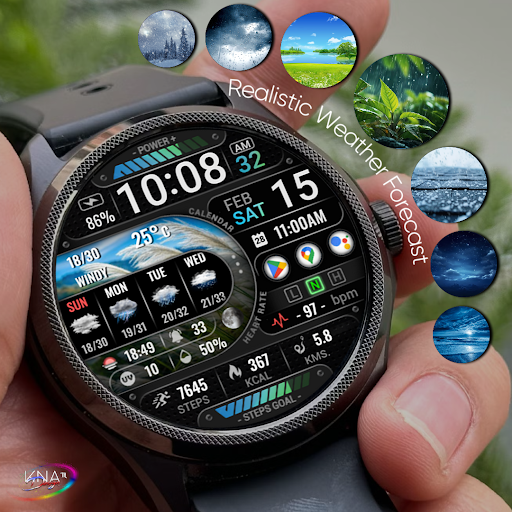
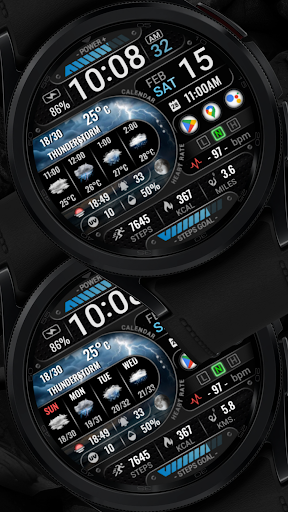
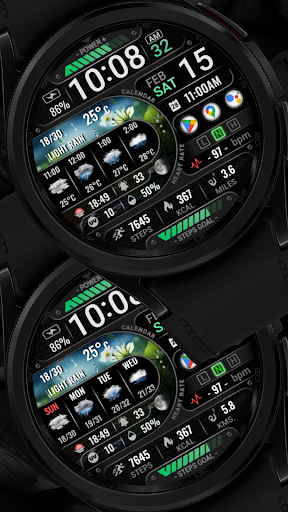
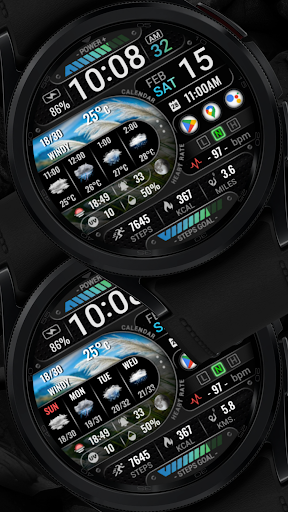
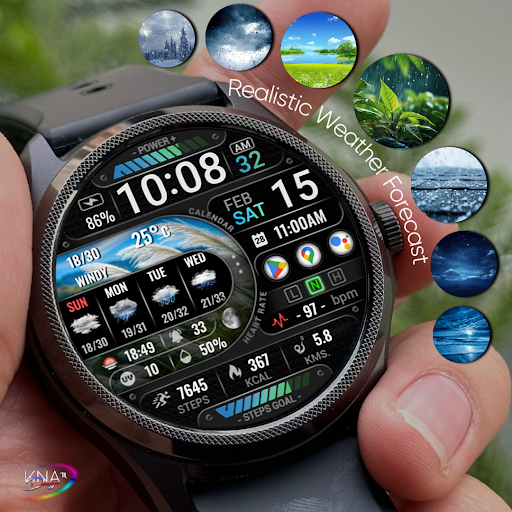
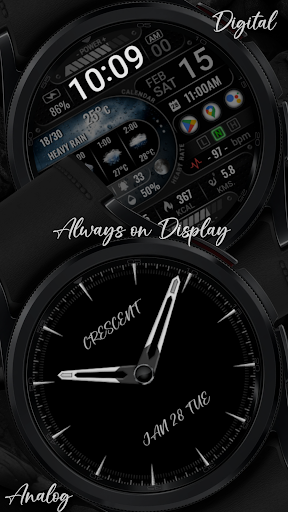
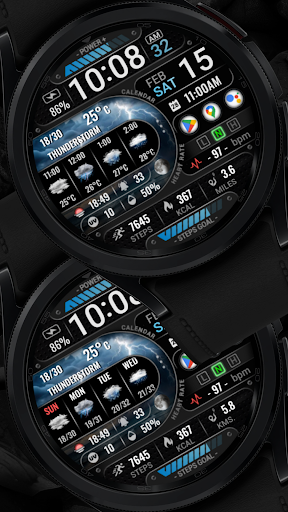
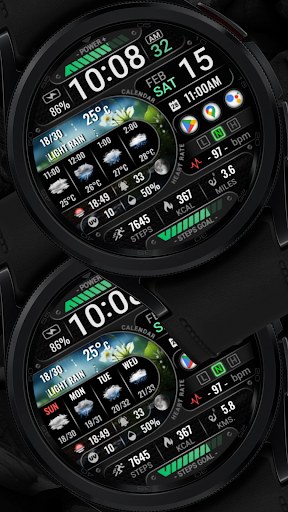
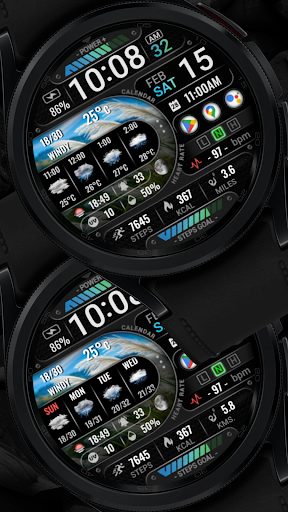
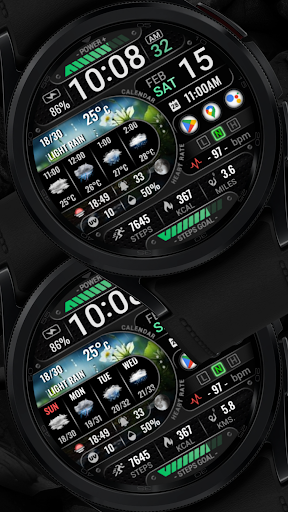
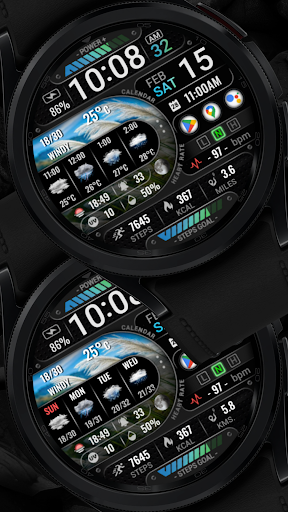
[KNA015] CRESCENT is a feature-rich watch face designed specifically for Wear OS devices running version 5 and above. This customizable watch face offers users the ability to tailor their smartwatch display with various complications, making it both functional and visually appealing.

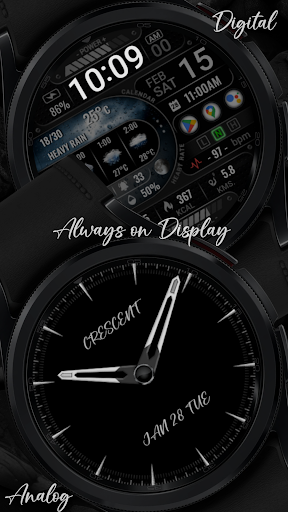
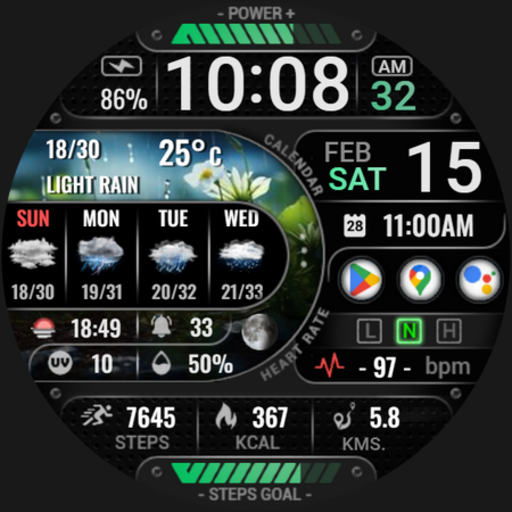
The app's core features include digital and analog styles with 12/24 hour time formats, date and weather information, health tracking widgets like heart rate and step count, and much more. These features are ideal for users seeking a personalized and data-driven wearable experience on compatible devices.

Features

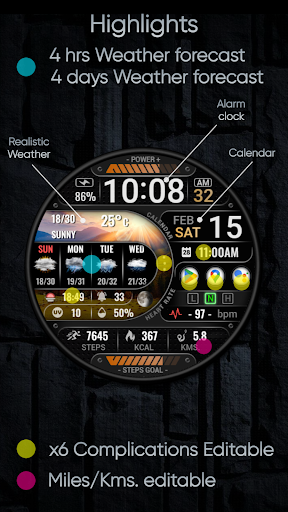
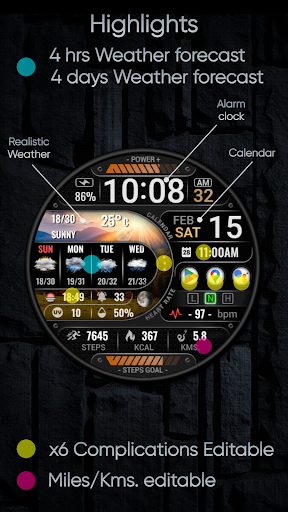
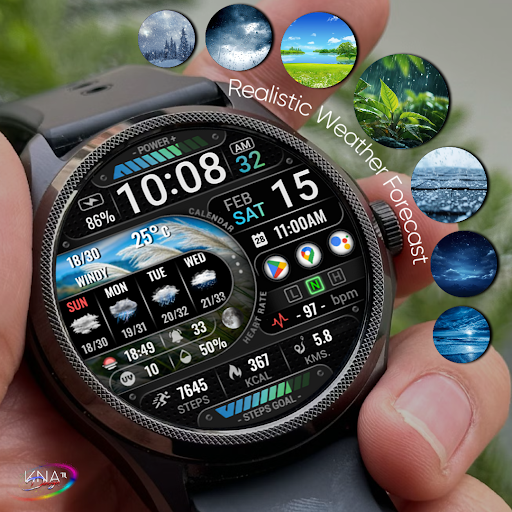
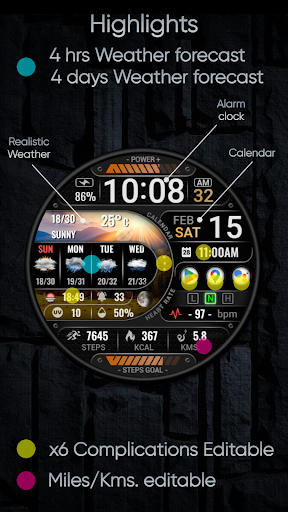
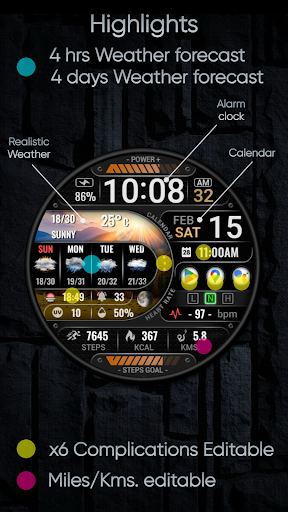
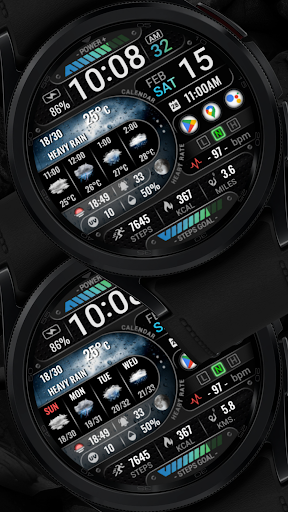
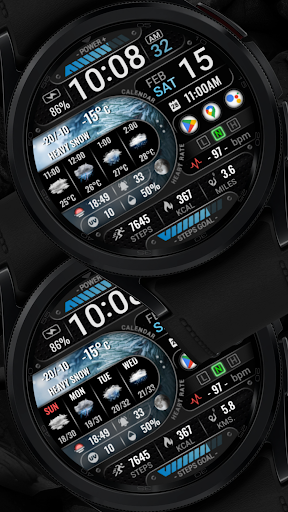
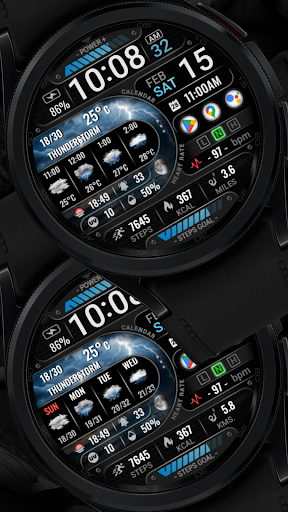
This Wear OS watch face stands out with its extensive customization options. Users can choose from a variety of widgets such as realistic weather forecasts, UV index, moon phases, and up to six editable complications that can display data like world clocks or barometer readings.

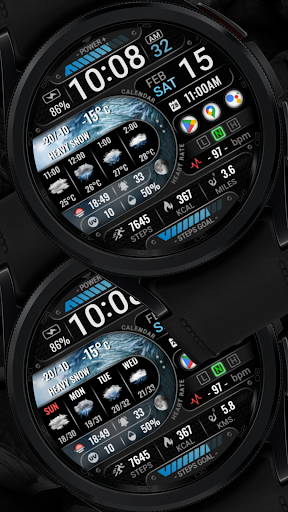
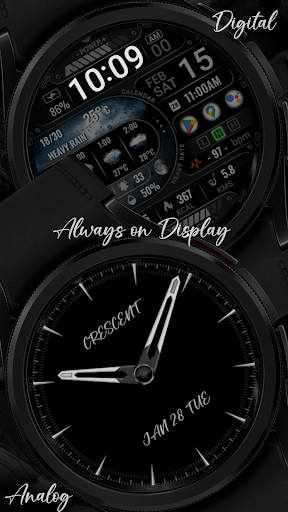
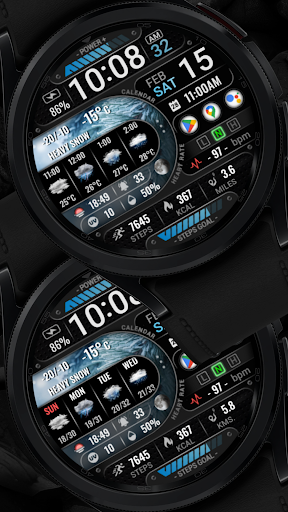
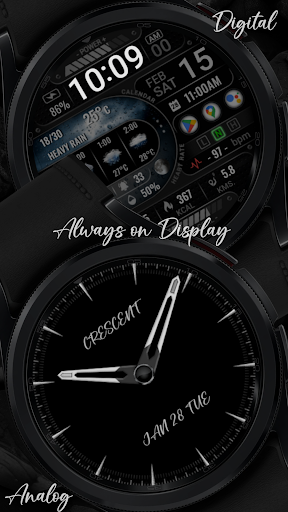
With support for Always-On Display (AOD) in two styles, distance calculation in either kilometers or miles, and additional widgets for steps, heart rate, battery level, and calories, [KNA015] CRESCENT provides a versatile and personalized user experience tailored to individual preferences and needs.

Creative tool completeness

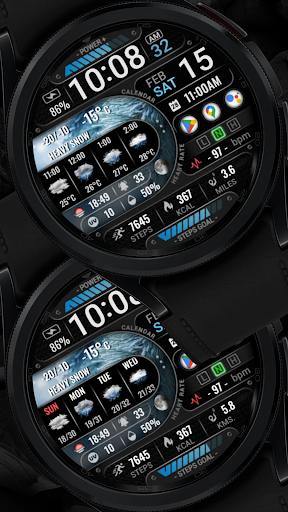
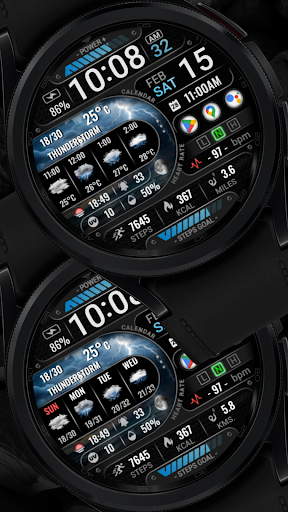
The [KNA015] CRESCENT watch face for Wear OS devices offers an extensive suite of creative tools that cater to a wide range of customization preferences. This application is not just about telling time; it's about expressing individuality through the multitude of widgets and complications available. Users can choose from digital or analog styles, with support for both 12 and 24-hour time formats. The date, day of the week, and month are displayed clearly, ensuring users stay informed at a glance. One of the standout features is the realistic weather display, which includes forecasts for the next four hours and four days, alongside details like chance of precipitation, UV index, and moon phase. These elements are crucial for users who need quick access to accurate weather information. Additionally, the watch face supports six fully editable complications, allowing users to tailor their experience by selecting data such as weather updates, world clocks, sunset and sunrise times, and even barometric pressure readings. For fitness enthusiasts, there are widgets for tracking steps, heart rate, calories burned, and unread messages. The inclusion of Always-On Display (AOD) in two stylesu2014Analog and Digitalu2014ensures that these features remain accessible without unnecessary battery drain. Distance calculations can be set to either kilometers or miles, catering to global audiences. The comprehensive nature of these tools ensures that users have everything they need to personalize their smartwatch experience exactly how they want it. By offering such a complete set of creative tools, [KNA015] CRESCENT empowers users to transform their wearable device into a personalized gadget that reflects their lifestyle and needs.

Canvas/format flexibility

When it comes to canvas and format flexibility, the [KNA015] CRESCENT watch face excels by providing users with unparalleled adaptability in customizing their Wear OS devices. The application allows users to modify nearly every aspect of the watch face, ensuring that it fits seamlessly into their daily routines. A key feature is the ability to switch between digital and analog styles, accommodating different aesthetic preferences and readability requirements. The time format can be toggled between 12 and 24 hours, making it suitable for international audiences. Beyond basic timekeeping, the watch face offers advanced functionalities like realistic weather displays, which include detailed forecasts for upcoming hours and days, along with environmental factors such as UV index and moon phases. This level of detail ensures that users are well-prepared for any conditions they might encounter. Another significant advantage is the availability of six customizable complications, which serve as mini-widgets on the watch face. These complications can be configured to show various types of information, ranging from standard time and date to more specialized data points like barometric pressure and world clocks. Fitness-focused users will appreciate dedicated widgets for tracking steps, monitoring heart rate, calculating calorie expenditure, and managing unread messages. Furthermore, the Always-On Display (AOD) feature comes in two distinct stylesu2014Analog and Digitalu2014providing continuous access to essential information while conserving battery life. Users can also adjust distance measurements to display either kilometers or miles, depending on their preference. This high degree of canvas and format flexibility means that whether someone prioritizes aesthetics, functionality, or both, [KNA015] CRESCENT has them covered. By enabling such extensive personalization options, this watch face stands out as a versatile solution that adapts to each user's unique demands and enhances their overall smartwatch experience.

Props

Highly customizable

Feature-rich widgets

Supports AOD

Realistic weather updates

Health tracking integration

Cons

Not compatible with all watches

Requires latest Android

Manual setup needed

Some features may be unavailable

Complicated UI for beginners

Features and Functions

What is this app and what can I use it for?

A customizable Wear OS watch face with complications for weather, health, and more.

How do I download and install this app on my device?

Search for [KNA015] CRESCENT on Google Play Store and install it on your Wear OS device.

How do I get started after opening the app for the first time?

Touch and hold the watch face then tap Customize to adjust settings.

What are the main features and capabilities of this app?

Customizable widgets, weather updates, health tracking, and AOD styles.

How can I customize my experience and adjust preferences?

Use the Customize option after touching and holding the display to adjust preferences.

How do I save or bookmark my favorite content for later access?

Widgets are customizable but not savable; reapply settings as needed.

How can I share content with friends or on social media?

Share the app link via Google Play Store or share screenshots directly.

How do I access detailed information and explore more content?

Access detailed info through widget settings and explore additional features in-app.

What permissions does this app need and how do I manage them?

Permissions include health data access; manage these in watch settings.

How do I check for updates and keep the app running smoothly?

Check Google Play Store for updates and ensure your watch settings are optimized.
Show more

User Reveiws

{{ comment.reviewer_name }}
{{ comment.review_date_formatted}}
{{ comment.review_content }}
{{ tab.name }}
{{ comment.reviewer_name }}
{{ comment.review_date_formatted}}
{{ comment.review_content }}
No reviews with this rating