
Videa

4.50

Information

Category:

Art & Design

Price:

Free

Rank:

48

Rating:

4.50

Overview

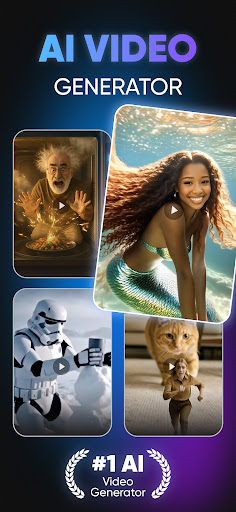
Videa is an innovative video creation tool that leverages advanced artificial intelligence to transform your ideas into professional-quality videos. With features like AI Hug, AI Kiss, and Super Heroes Transformation, the app allows users to create unique content effortlessly. Whether you're a social media enthusiast or a marketer, Videa provides versatile tools for all your creative needs.

The app stands out with its user-friendly interface and powerful AI capabilities, enabling anyone to produce stunning videos in minutes. From romantic scenes to action-packed superhero transformations, Videa offers a wide range of creative options. Its seamless integration with social media platforms makes it perfect for boosting engagement and sharing captivating content.

Features

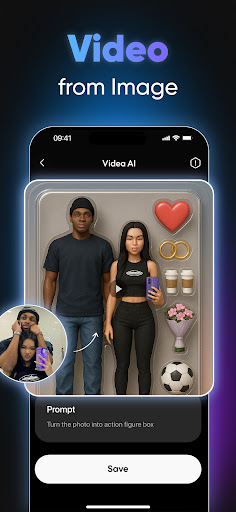
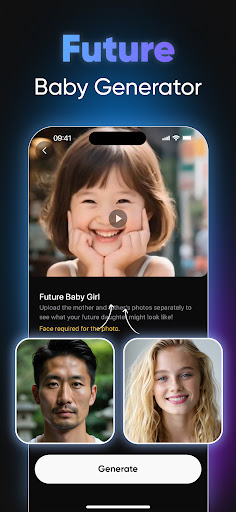
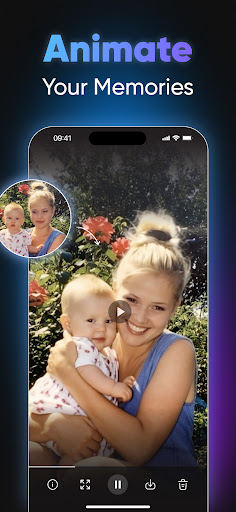
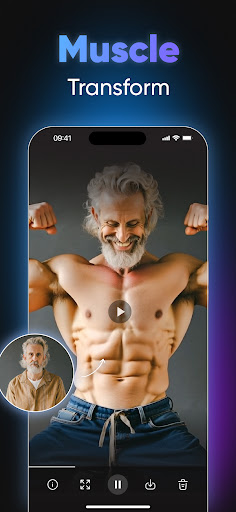
Videa boasts an impressive array of features designed to revolutionize content creation. The AI Hug and AI Kiss functionalities allow users to craft heartwarming and romantic scenes by blending photos. The Super Heroes Transformation feature turns ordinary images into dynamic superhero adventures, while Dancing Videos bring still photos to life with realistic animations.

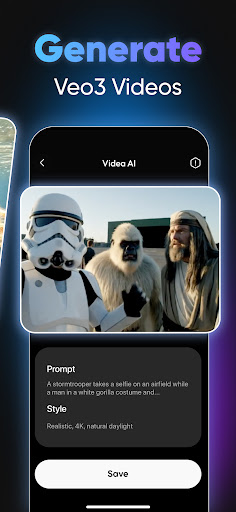
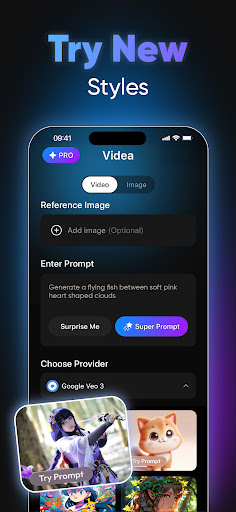
In addition to these creative tools, Videa offers Text to Video conversion, turning simple text prompts into engaging video stories. Users can further enhance their projects with Artistic Filters & Styles, giving videos a polished, cinematic look. These features collectively ensure that Videa remains a top choice for effortless and high-quality video generation.

Creative tool completeness

In the realm of digital art and design applications Videa stands out by offering a comprehensive suite of creative tools that cater to both amateur enthusiasts and professional designers The app leverages advanced artificial intelligence to provide users with an extensive array of features designed to transform simple ideas into visually stunning video content One of the key aspects of Videa is its dedication to ensuring that users have access to all the necessary instruments for creating high quality videos without the need for external software or complicated editing processes From AI powered transformations such as Super Heroes Transformation and AI Hug to dynamic text to video conversion capabilities Videa covers a broad spectrum of creative needs Each tool within the application is crafted to deliver precision and ease of use enabling creators to focus on their artistic vision rather than technical limitations Furthermore Videa includes a variety of artistic filters and styles which allow users to enhance their projects with cinematic effects This attention to detail in providing complete creative solutions ensures that whether you are crafting marketing materials designing social media content or working on personal creative projects you will find everything you need within Videa The value proposition here lies in the apps ability to consolidate numerous high end design functionalities into one accessible platform thereby streamlining the creative process and empowering users to produce professional grade content effortlessly

Canvas/format flexibility

Videa excels in offering remarkable canvas and format flexibility making it an ideal choice for artists and designers who require adaptability in their creative workflows Understanding that different projects demand different specifications Videa provides users with the ability to customize their canvas size and choose from a wide range of formats to suit various output requirements Whether you are creating content for Instagram TikTok YouTube or any other platform Videa ensures that your videos will meet the specific technical standards needed for optimal presentation The apps intuitive interface allows users to easily adjust settings related to resolution aspect ratio and file type ensuring compatibility across devices and platforms Moreover Videa supports the creation of both portrait and landscape oriented videos catering to the diverse needs of modern content creators This level of flexibility extends to its export options as well where users can select from multiple file formats based on their intended use case be it for web mobile or print media By prioritizing canvas and format flexibility Videa not only enhances the creative possibilities available to its users but also simplifies the process of adapting content for different mediums This feature is particularly valuable in todays fast paced digital environment where the ability to quickly produce and share content in the right format can significantly impact audience engagement and project success With Videa users can confidently tackle any design challenge knowing they have the tools to deliver their work in the most effective format possible

Props

User-friendly interface

Advanced AI technology

Versatile creative tools

Seamless social media integration

Professional-quality output

Cons

Limited free features

Subscription cost

Occasional bugs

Learning curve for beginners

High system requirements

Features and Functions

What is this app and what can I use it for?

Videa is an AI-powered app for creating professional videos effortlessly.

How do I download and install this app on my device?

Download Videa from Google Play Store and install it on your Android device.

How do I get started after opening the app for the first time?

Open Videa, follow the on-screen instructions, and start exploring its features.

What are the main features and capabilities of this app?

Videa offers AI Hug, AI Kiss, Super Heroes Transformation, and more creative tools.

How can I customize my experience and adjust preferences?

Customize your experience by adjusting settings and applying artistic filters in Videa.

How do I save or bookmark my favorite content for later access?

Save favorite content by exporting videos to your device's gallery in Videa.

How can I share content with friends or on social media?

Share your creations directly to social media platforms via Videa's interface.

How do I access detailed information and explore more content?

Access detailed guides and explore more features within Videa's help section.

What permissions does this app need and how do I manage them?

Videa requires camera and storage permissions; manage them in app settings.

How do I check for updates and keep the app running smoothly?

Check for updates in the Google Play Store to keep Videa running smoothly.
Show more

User Reveiws

{{ comment.reviewer_name }}
{{ comment.review_date_formatted}}
{{ comment.review_content }}
{{ tab.name }}
{{ comment.reviewer_name }}
{{ comment.review_date_formatted}}
{{ comment.review_content }}
No reviews with this rating















