
Messages For Android

3.80

Information

Category:

Communication

Price:

Free

Rank:

52

Rating:

3.80

Overview

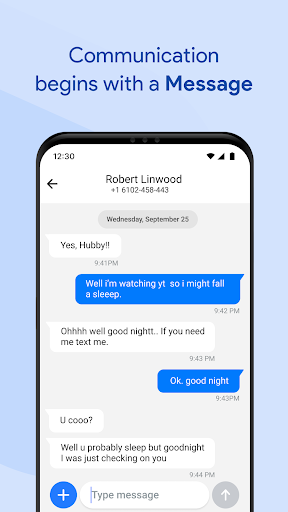
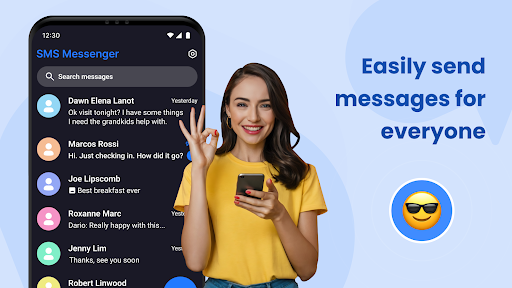
Messages for Android is a comprehensive messaging solution that combines simplicity with advanced features. As a leading communication app, it supports both SMS and MMS, allowing users to exchange texts, media, and files effortlessly. The app's standout feature is its ability to function as a default SMS/MMS client while offering modern enhancements like group chats, spam filtering, and secure messaging.

This messaging app is optimized for all Android devices, ensuring fast performance even in power-saving mode. It includes practical tools such as after-call reminders and text follow-ups, making it ideal for both personal and professional use. With smart search, quick replies, and an intuitive interface, Messages for Android streamlines communication while maintaining user privacy through robust security measures.

Features

Messages for Android distinguishes itself through a combination of essential and advanced features. Core functionalities include seamless SMS and MMS support, enabling users to send texts, images, videos, and documents. Group messaging capabilities allow for organized conversations among multiple participants, while the app's lightweight design ensures smooth performance across devices.

Advanced tools enhance the user experience further. Smart search helps locate specific messages or contacts quickly, while spam protection filters out unwanted texts. Users can customize their experience with personalized notification tones and chat backgrounds. Privacy-focused features like secure messaging, backup and restore options, and chat synchronization ensure data safety and accessibility, making this app a reliable choice for modern communication needs.

Real-time messaging speed & reliability

Real-time messaging speed and reliability are crucial factors that determine the effectiveness of any communication application. In today's fast-paced world, users expect their messages to be delivered instantly and without fail. Messages for Android excels in this area by providing a robust infrastructure that ensures messages are sent and received promptly even under varying network conditions. The app is optimized to work efficiently on all Android devices, from lightweight to premium models, ensuring that users experience minimal latency regardless of their device specifications. Furthermore, the app maintains its performance even in power-saving mode, which is essential for users who rely on their devices throughout the day without constant access to charging. This level of optimization not only enhances the user experience but also contributes to battery-friendly messaging, reducing the strain on device resources. Instant notifications are another key feature of Messages for Android, allowing users to stay updated with their conversations even when their phones are locked. This immediate alert system ensures that important messages are never missed, contributing to the overall reliability of the app. Whether sending a quick text message or engaging in lengthy group chats, users can trust that their communications will be delivered swiftly and reliably, making Messages for Android a dependable choice for both personal and professional messaging needs.

Media sharing support

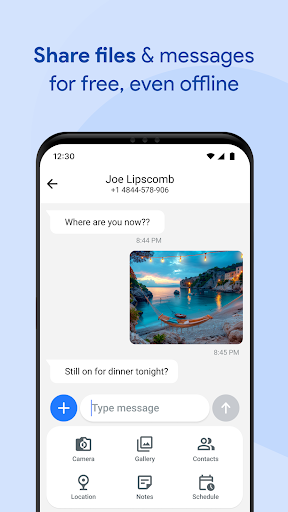
Media sharing support is an integral part of modern messaging applications, enabling users to exchange various forms of digital content beyond plain text. Messages for Android recognizes this need and offers comprehensive support for sharing different types of media, enhancing the way users communicate and interact. With the capability to send and receive images, videos, audio files, documents, and even location data, the app caters to a wide array of communication scenarios. This versatility allows users to share memorable moments through photos and videos, collaborate on projects by exchanging documents, or simply provide directions by sharing their current location. The inclusion of MMS support further enriches the media sharing experience, ensuring that multimedia messages are delivered seamlessly alongside traditional SMS texts. Moreover, the app's advanced features such as spam filtering and message organization contribute to a cleaner and more structured inbox, making it easier for users to manage their shared media content. By integrating these functionalities, Messages for Android not only meets but exceeds the expectations of users seeking a versatile and efficient platform for media sharing. The app's commitment to maintaining a balance between ease of use and feature-richness ensures that users can enjoy a smooth and intuitive media sharing process, ultimately fostering more engaging and meaningful conversations.

Props

User-friendly interface

Secure messaging options

Lightweight performance

Spam filtering tools

Customizable features

Cons

Limited cross-platform support

Requires permissions

No built-in calling

Premium features locked

Offline limitations

Features and Functions

What is this app and what can I use it for?

A versatile SMS and MMS app for Android devices.

How do I download and install this app on my device?

Visit Google Play Store, search for Messages, and tap Install.

How do I get started after opening the app for the first time?

Grant necessary permissions and set it as your default SMS app.

What are the main features and capabilities of this app?

Supports texts, media sharing, group chats, and spam filtering.

How can I customize my experience and adjust preferences?

Adjust notification settings and personalize chat backgrounds.

How do I save or bookmark my favorite content for later access?

Pin important conversations for easy access anytime.

How can I share content with friends or on social media?

Use integrated sharing options to send content via social media.

How do I access detailed information and explore more content?

Utilize smart search to find specific messages or contacts.

What permissions does this app need and how do I manage them?

Needs access to storage, contacts, and SMS for full functionality.

How do I check for updates and keep the app running smoothly?

Enable automatic updates in Google Play Store settings.
Show more

User Reveiws

{{ comment.reviewer_name }}
{{ comment.review_date_formatted}}
{{ comment.review_content }}
{{ tab.name }}
{{ comment.reviewer_name }}
{{ comment.review_date_formatted}}
{{ comment.review_content }}
No reviews with this rating