MScopesPro for USB Camera

3.80

Information

Category:

Video Players & Editors

Price:

$ 4.49

Rank:

30

Rating:

3.80

Overview

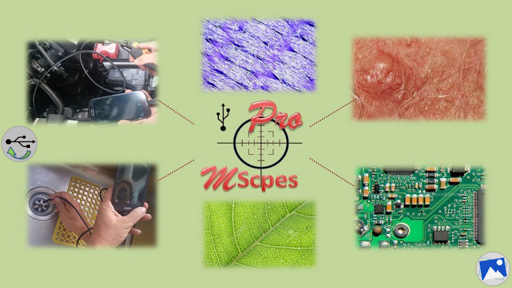
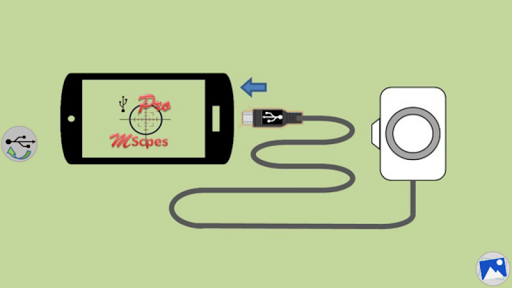
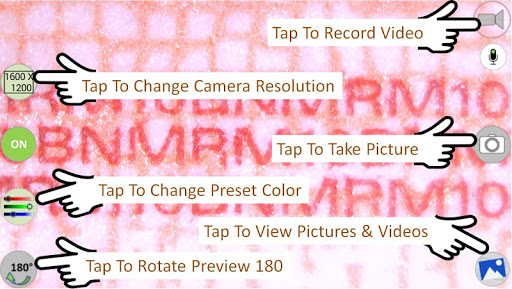
MScopesPro for USB Camera is a versatile application designed to enable users to connect and utilize USB video class cameras with their Android devices. This app facilitates the viewing, capturing of images, and recording of videos from digital microscopes, endoscopes, borescopes, camcorders, or webcams via USB connection. For devices with type-A connectors, an OTG adapter is necessary to bridge the connection to smartphones.

The Pro version enhances user experience by offering advanced features such as full-screen mode, zoom and pan capabilities, multiple image type support, customizable preview options, adjustable color parameters, and more. These functionalities make it ideal for professionals requiring portable solutions for microscopic observation or inspection of hard-to-reach areas.

Features

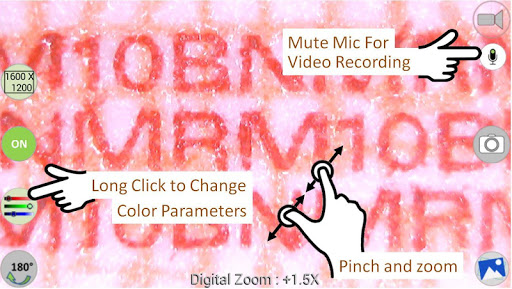
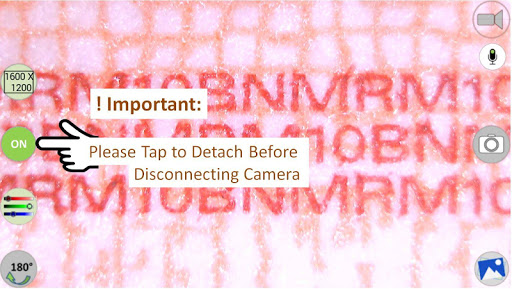
MScopesPro stands out with its comprehensive feature set tailored for microscopy and endoscopy enthusiasts. The app supports various image types including JPEG and PNG, and offers options to add date and time stamps, notes, and cross-hairs on previews. Users can enjoy a watermark-free experience with pinch and zoom functionality during previews.

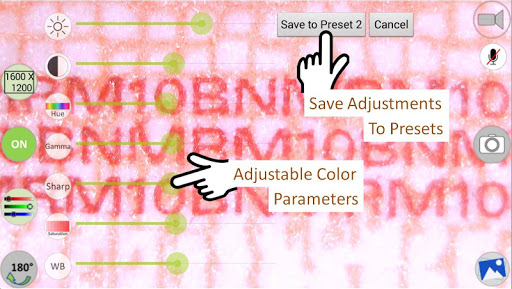
Additional features include camera resolution selection, multiple preview sizes, adjustable color parameters like brightness and contrast, saving settings to presets, microphone control for video recording, and convenient buttons for sharing, editing, and deleting media. The ability to swipe through images and select video files adds to the seamless user experience.

Video format compatibility

Video format compatibility is a crucial feature for any video player or editor application as it determines the range of video files that can be processed and played back by the software. For MScopesPro for USB Camera, this functionality ensures that users can view record and take pictures with various USB video class cameras including digital microscopes endoscopes borescopes camcorders or webcams connected via USB. The app supports multiple preview sizes such as 640x480 800x600 1280x720 and 1600x1200 which allows users to select the resolution that best suits their needs. Additionally the app offers adjustable color parameters like brightness contrast hue gamma sharpness saturation and white balance providing users with the ability to fine-tune the video output to their preference. This level of customization enhances the viewing experience making it possible to achieve optimal clarity and color accuracy. Furthermore MScopesPro enables users to save their adjusted color settings into three presets simplifying future use and ensuring consistent quality across different sessions. By supporting both jpeg and png image types the app caters to diverse user preferences in terms of image quality and file size. Overall the comprehensive video format compatibility of MScopesPro empowers users to work with a wide array of USB cameras and capture high-quality images and videos without worrying about format restrictions.

AI-powered editing features

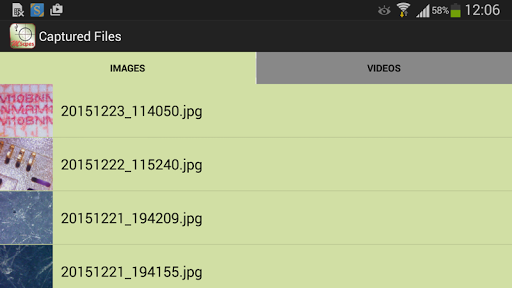
AI-powered editing features represent an innovative advancement in video players and editors allowing users to enhance their content through intelligent automation. In the case of MScopesPro for USB Camera these features significantly improve the user's ability to manipulate and optimize their captured media. One notable AI-powered feature is the option to add date and time stamps directly onto the preview and captured images which helps in maintaining accurate records especially useful in professional or research environments. Another valuable addition is the cross-hair on preview functionality which assists in precise positioning and focusing during microscopy or inspection tasks. Moreover the app provides three lines of customizable notes that can be added to images offering context or annotations without needing external software. The full-screen mode without buttons offers an uninterrupted 100% preview area ideal for detailed observation while pinch and zoom capabilities allow for closer examination of specific areas within the frame. Users also benefit from the ability to adjust camera resolutions and control microphone settings for video recording tailoring the audio-visual output to their exact requirements. Sharing and managing media is streamlined with dedicated buttons for sharing editing and deleting images and videos directly within the app interface. With the swipe functionality users can easily browse through saved images and select video files enhancing accessibility and organization of multimedia assets. These AI-driven enhancements collectively contribute to a more efficient and versatile editing process enabling users to produce polished and professional-grade content effortlessly.

Props

User-friendly interface

Advanced customization options

High-quality image and video capture

Comprehensive feature set

Portable and flexible usage

Cons

Limited device compatibility

No Android 5.1.1 support

Requires OTG adapter for some devices

Premium version cost

Complex setup for beginners

Features and Functions

What is this app and what can I use it for?

MScopesPro enables USB camera connections for viewing and recording.

How do I download and install this app on my device?

Download MScopesPro from Google Play Store on your Android device.

How do I get started after opening the app for the first time?

Connect your USB camera and follow in-app instructions to start using MScopesPro.

What are the main features and capabilities of this app?

Key features include full screen mode, zoom, adjustable color settings, and more.

How can I customize my experience and adjust preferences?

Customize experience via settings for color adjustments, presets, and preview options.

How do I save or bookmark my favorite content for later access?

Save favorite content using the dedicated button within the app interface.

How can I share content with friends or on social media?

Share content easily with built-in social media and messaging app integration.

How do I access detailed information and explore more content?

Access detailed information through the app's help section and online resources.

What permissions does this app need and how do I manage them?

The app requires camera and storage permissions managed in device settings.

How do I check for updates and keep the app running smoothly?

Check for updates in the Google Play Store to keep MScopesPro running smoothly.
Show more

User Reveiws

{{ comment.reviewer_name }}
{{ comment.review_date_formatted}}
{{ comment.review_content }}
{{ tab.name }}
{{ comment.reviewer_name }}
{{ comment.review_date_formatted}}
{{ comment.review_content }}
No reviews with this rating