TK Music Tag Editor -Complete-

4.20

Information

Category:

Video Players & Editors

Price:

$ 3.49

Rank:

37

Rating:

4.20

Overview

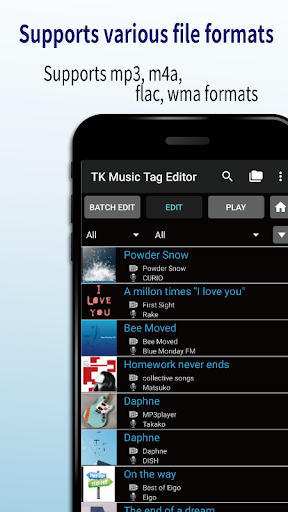
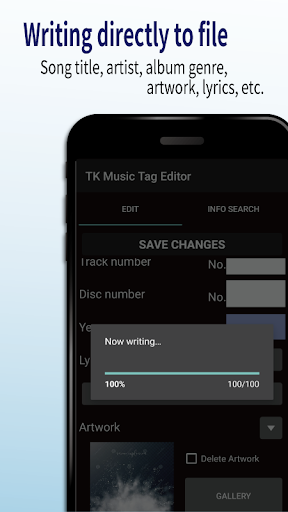
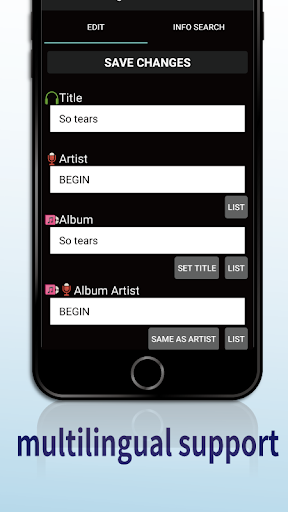
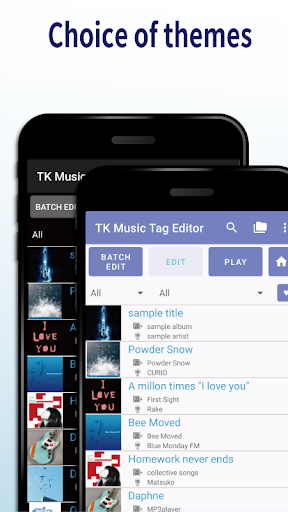
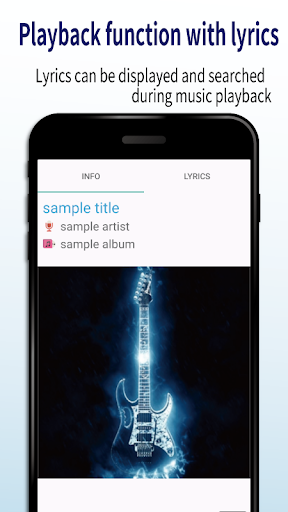
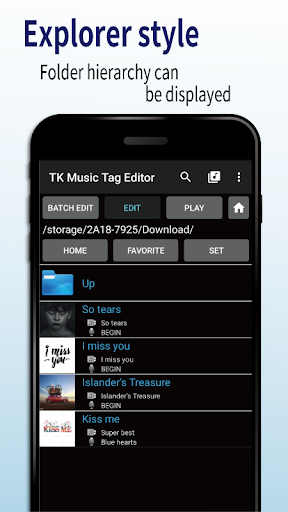
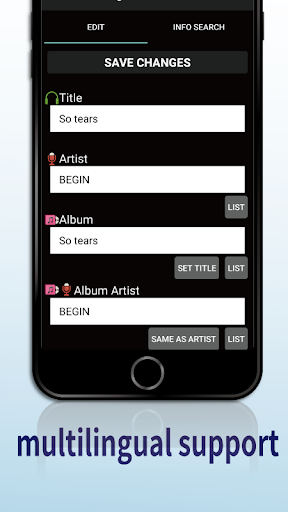
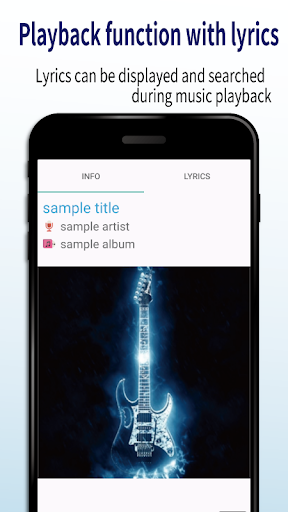
TK Music Tag Editor -Complete- is a comprehensive metadata editing tool designed for music enthusiasts who need precise control over their audio files. This app allows users to edit essential metadata fields such as artist, album, cover art, and lyrics directly within mp3, m4a, flac, and wma files. The changes are written directly into the music files, ensuring that the metadata remains intact across different devices, including PCs.

In addition to basic tag editing, TK Music Tag Editor offers advanced features like simultaneous filename editing, playlist creation, and support for multiple file formats. Whether you're organizing a large music library or preparing tracks for distribution, this app provides the tools needed to manage your audio files efficiently. Its ability to maintain consistent metadata across platforms makes it an invaluable asset for anyone serious about their music collection.

Features

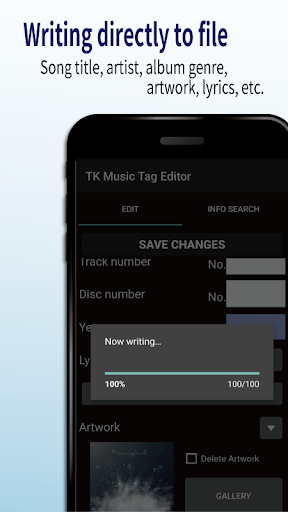
One of the standout features of TK Music Tag Editor is its ability to write tags directly into music files. This ensures that metadata such as title, artist, album, cover art, and lyrics remain consistent regardless of where the file is accessed. Users can also simultaneously edit filenames, allowing for streamlined organization of music libraries by customizing filenames with patterns like 'Song Title (Artist)'.

The app supports creating and editing playlists, giving users the power to curate personalized listening experiences. With compatibility for various file formats including mp3, m4a, flac, and wma, TK Music Tag Editor stands out in its category. It even detects mp3 files mislabeled with m4a extensions and corrects them, ensuring universal readability on any PC. These robust features make it an essential tool for managing extensive music collections with precision and ease.

Video format compatibility

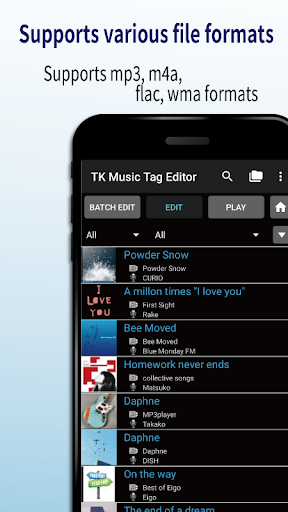
Video format compatibility refers to an application's ability to recognize, process, and support various video file formats. For TK Music Tag Editor -Complete-, this functionality extends into the realm of audio file formats, which is equally crucial for users managing extensive music libraries. The app supports a wide array of formats including mp3, m4a, flac, and wma files, ensuring that users can edit metadata across different file types without concern for format compatibility. This broad format support means that whether a useru2019s music collection comprises files in mp3 format from older devices or high-quality flac files from more recent acquisitions, the app handles them all seamlessly. The importance of this feature cannot be overstated as it allows users to maintain a consistent and organized music library regardless of the original file format. By embedding metadata directly into the music files, TK Music Tag Editor ensures that these details remain intact and accessible even when files are transferred between devices or platforms. This guarantees that users will not lose valuable information such as artist names, album art, or lyrics, thus preserving the integrity and personalization of their music collections. Furthermore, the app's capability to detect mp3 files mislabeled with m4a formats and correct their extensions enhances its utility by preventing potential playback issues and ensuring accurate metadata display on any PC or device.

AI-powered editing features

AI-powered editing features represent the integration of artificial intelligence technologies to enhance and simplify the editing process within an application. In TK Music Tag Editor -Complete-, AI functionalities streamline the management and organization of music libraries through intelligent automation and suggestions. One of the standout AI features is the simultaneous editing of music filenames alongside metadata modifications. When users adjust tags such as title, artist, or album, the app intelligently proposes corresponding filename changes formatted as Song Title (Artist), significantly reducing manual input and potential errors. Additionally, the app facilitates playlist creation with AI-driven ease, allowing users to compile and manage lists of preferred tracks effortlessly. These smart editing capabilities extend to handling multiple file formats like mp3, m4a, flac, and wma, where AI algorithms ensure accurate detection and conversion processes, maintaining metadata integrity across diverse audio files. The value proposition of incorporating AI into music tag editing lies in its ability to save time, minimize user intervention, and optimize organizational workflows. Users benefit from enhanced productivity as routine tasks become automated, freeing up time to focus on enjoying their music rather than managing it. Moreover, future updates promise expanded AI functionalities, potentially introducing more sophisticated metadata editing options and further solidifying TK Music Tag Editor -Complete- as a cutting-edge tool for comprehensive music library management. This forward-thinking approach underscores the app's commitment to leveraging technology for improved user experiences and positions it as an indispensable asset for audiophiles and casual listeners alike.

Props

User-friendly interface

Multi-format support

Direct tag writing

Playlist management

Cross-device consistency

Cons

No batch editing

Limited advanced options

Occasional bugs

Basic UI design

No cloud sync

Features and Functions

What is this app and what can I use it for?

A tool to edit music file metadata like artist and album info

How do I download and install this app on my device?

Download from Google Play Store and install via APK

How do I get started after opening the app for the first time?

Follow the setup wizard to configure initial settings

What are the main features and capabilities of this app?

Edit tags, create playlists, manage music files

How can I customize my experience and adjust preferences?

Adjust preferences in the settings menu

How do I save or bookmark my favorite content for later access?

Save favorites by adding songs to custom playlists

How can I share content with friends or on social media?

Share playlists via social media links

How do I access detailed information and explore more content?

Access details through the file info section

What permissions does this app need and how do I manage them?

Manage permissions in device settings

How do I check for updates and keep the app running smoothly?

Check Google Play Store for updates regularly
Show more

User Reveiws

{{ comment.reviewer_name }}
{{ comment.review_date_formatted}}
{{ comment.review_content }}
{{ tab.name }}
{{ comment.reviewer_name }}
{{ comment.review_date_formatted}}
{{ comment.review_content }}
No reviews with this rating