VLC Remote

4.60

Information

Category:

Video Players & Editors

Price:

$ 2.99

Rank:

38

Rating:

4.60

Overview

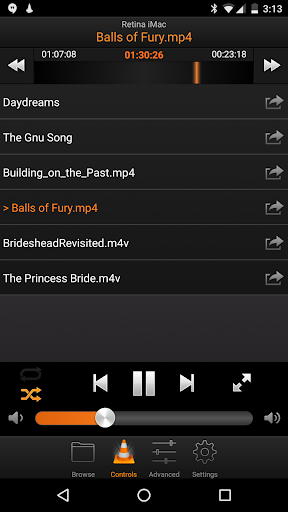
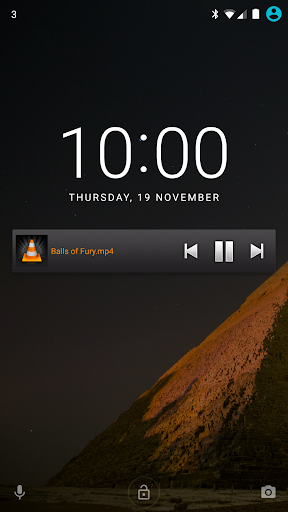
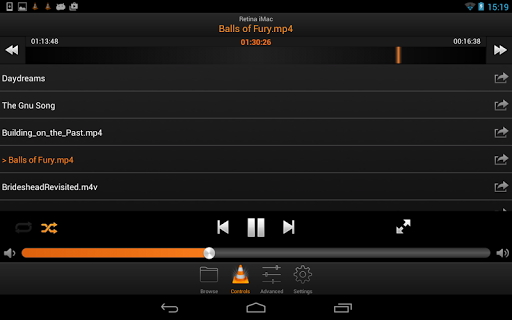
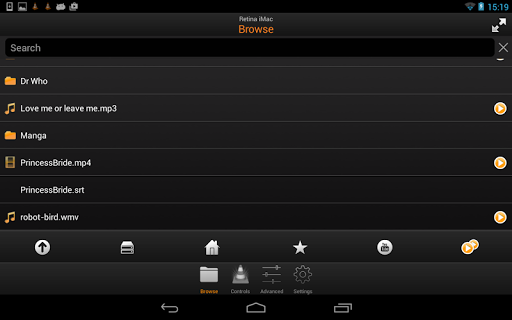
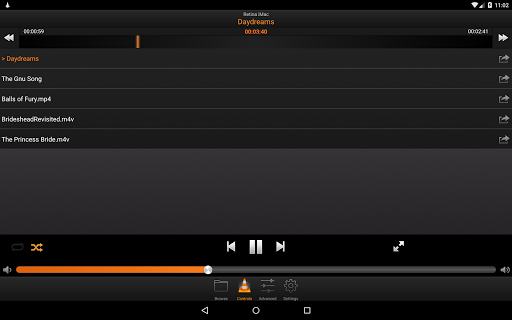
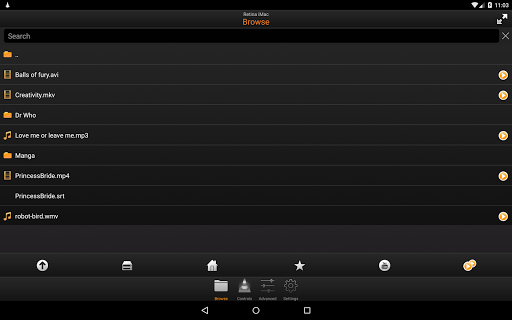
VLC Remote is a powerful and user-friendly application designed to control VLC media player on your computer from an Android device. It offers seamless integration with VLC, allowing users to browse and play files directly from their mobile devices.

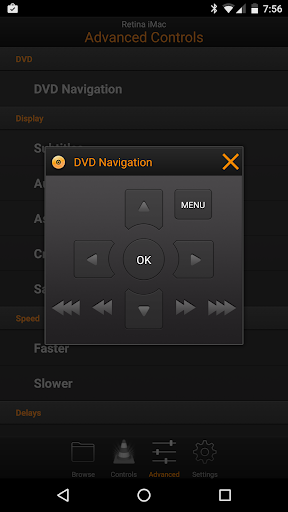
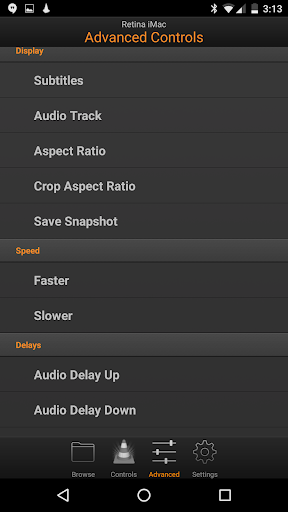
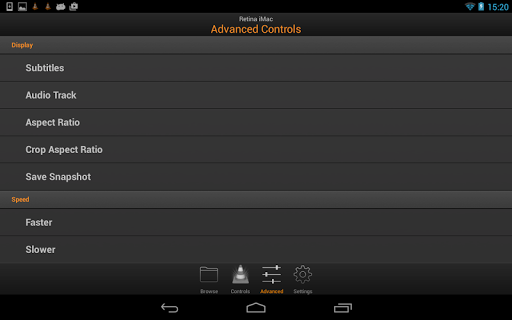
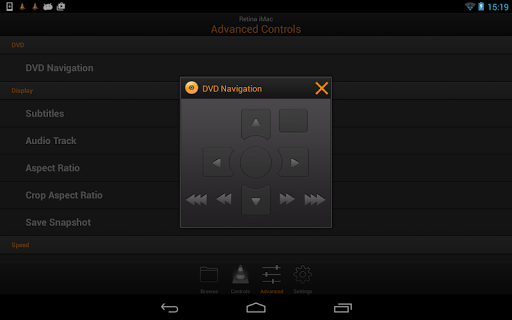
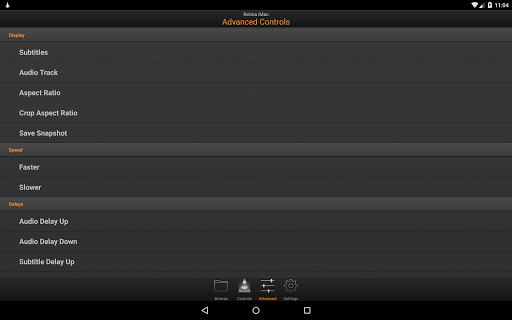
The app features automatic configuration through its free setup helper, making the connection process quick and easy. With full browsing control, users can access any file on their computer, manage DVD playback, adjust volume, position, and track settings, toggle fullscreen mode, and control subtitles, aspect ratio, audio tracks, and delays.

Whether you're relaxing on the couch or need to manage media playback from another room, VLC Remote provides a convenient solution for controlling your multimedia experience without being tied to your computer.

Features

VLC Remote stands out with its comprehensive feature set tailored for VLC users. The app's automatic setup helper simplifies the initial configuration by connecting your Android device to your computer with just a few button clicks.

Once connected, users enjoy full control over their media library. This includes the ability to browse and play any file stored on their computer, manage DVD playback with full controls, adjust volume and track positions, toggle fullscreen mode, and fine-tune subtitle settings, aspect ratios, audio tracks, and playback delays.

Additionally, the app supports access to external drives, expanding its utility for users with extensive media collections. These robust features make VLC Remote an indispensable tool for anyone looking to enhance their VLC media player experience with the convenience of mobile control.

Video format compatibility

Video format compatibility refers to the range of video file types and codecs that a video player or editor can recognize and play smoothly. For VLC Remote, this aspect is crucial as it allows users to control playback of various video formats directly from their Android devices. The application supports an extensive array of formats including but not limited to AVI, MP4, MKV, FLV, and WMV, ensuring that no matter what type of video file you have stored on your computer, you can easily browse and play it using VLC Remote. This broad compatibility eliminates the need for format conversion before playback, saving time and maintaining original video quality. Users benefit from seamless integration with VLC media player, which is renowned for its ability to handle virtually any video format without additional codec installations. With VLC Remote, you gain full browsing control over your media library, allowing you to select and play any file from your computer effortlessly. Whether you are watching movies, listening to music, or accessing files on external drives, the app ensures smooth and uninterrupted playback experience. Additionally, advanced controls such as DVD navigation, subtitle adjustments, aspect ratio changes, and audio track selections enhance the overall user experience, making VLC Remote a versatile tool for managing multimedia content remotely.

AI-powered editing features

AI-powered editing features represent the cutting-edge advancements in video editing technology where artificial intelligence assists in automating complex tasks, enhancing productivity, and improving output quality. Although VLC Remote primarily focuses on remote control functionalities rather than direct video editing capabilities, it leverages intelligent algorithms to streamline user interactions and optimize the viewing experience. For instance, the app's automatic setup helper simplifies the initial configuration process by intelligently detecting and connecting to the VLC media player on your computer within a few button clicks. This intuitive approach reduces technical barriers and enables even novice users to quickly start controlling their media playback. Moreover, while VLC Remote may not offer traditional AI-driven editing tools like scene detection or automated color correction, it excels in providing smart remote management features. These include precise volume adjustments, position tracking, and track selection, all designed to give users granular control over their viewing sessions. The inclusion of fullscreen toggling, subtitle synchronization, and audio delay settings further demonstrates how intelligent design enhances usability without overwhelming the user interface. By focusing on these practical yet sophisticated functionalities, VLC Remote delivers a streamlined and efficient way to manage multimedia content, ensuring that users can enjoy high-quality entertainment experiences tailored to their preferences. Overall, the emphasis on intelligent automation and user-centric design makes VLC Remote a valuable companion for anyone seeking enhanced control over their digital media environment.

Props

User-friendly interface

Automatic setup helper

Comprehensive media control

Supports external drives

Free to use

Cons

Requires VLC installation

Limited to VLC player

No iOS version available

Occasional connectivity issues

Some features may be complex for beginners

Features and Functions

What is this app and what can I use it for?

VLC Remote controls VLC media player on your computer via Android

How do I download and install this app on my device?

Download VLC Remote from Google Play Store on your Android device

How do I get started after opening the app for the first time?

Use the setup helper to connect your device to VLC automatically

What are the main features and capabilities of this app?

Browse files, control playback, adjust settings remotely

How can I customize my experience and adjust preferences?

Customize preferences within the app settings menu

How do I save or bookmark my favorite content for later access?

Save favorite content using the app's bookmarking feature

How can I share content with friends or on social media?

Share media links via social media or messaging apps

How do I access detailed information and explore more content?

Access detailed info through the app's media browser

What permissions does this app need and how do I manage them?

App needs network access to connect to VLC on your computer

How do I check for updates and keep the app running smoothly?

Check for updates in the app's settings or Google Play Store
Show more

User Reveiws

{{ comment.reviewer_name }}
{{ comment.review_date_formatted}}
{{ comment.review_content }}
{{ tab.name }}
{{ comment.reviewer_name }}
{{ comment.review_date_formatted}}
{{ comment.review_content }}
No reviews with this rating