
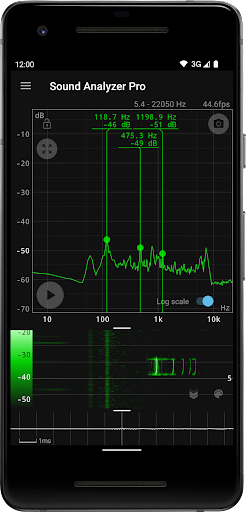
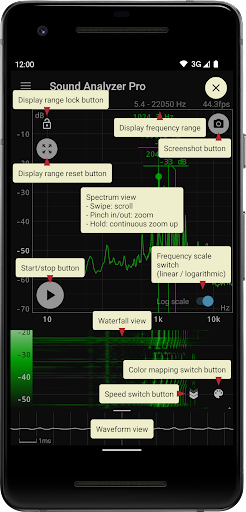
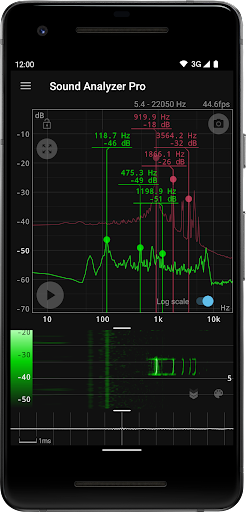
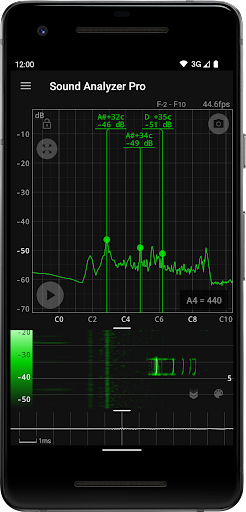
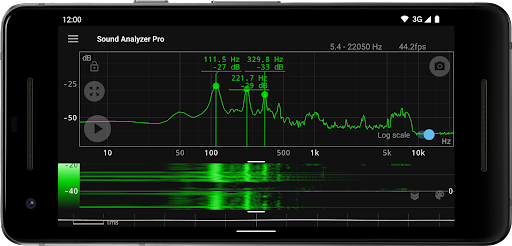
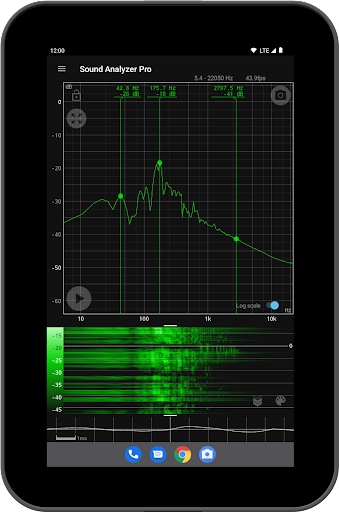
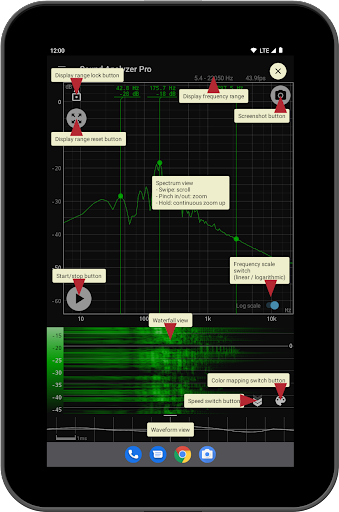
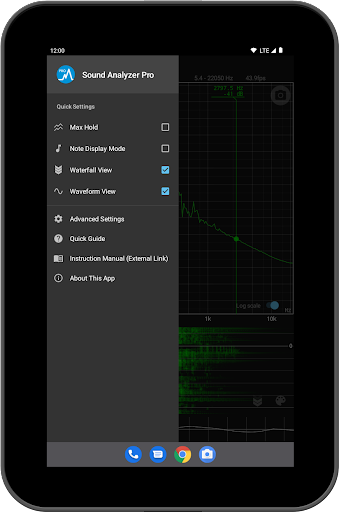
Sound Analyzer is a powerful audio analysis tool designed for both professionals and enthusiasts in the music and audio field. The app's core functionality lies in its ability to display real-time frequency (Hz) and amplitude (dB) spectra directly on your mobile device, eliminating the need for bulky external equipment. Its high measurement accuracy, with errors typically within 0.1 Hz in low-noise environments, ensures reliable data for critical audio analysis.
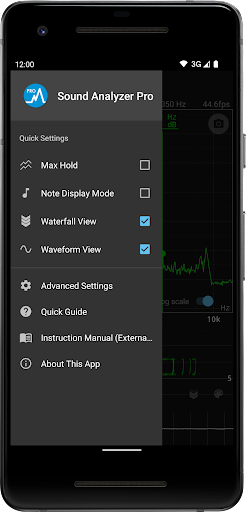
In addition to real-time spectral analysis, Sound Analyzer offers advanced features such as waterfall view for tracking spectral changes over time, waveform view for visualizing sound waveforms, and note display mode that translates frequencies into musical notes. These capabilities make it an ideal tool for tasks ranging from tuning musical instruments to conducting detailed acoustic research. Whether you're an audio engineer or simply passionate about sound, this app provides the tools necessary to gain deeper insights into audio signals.
Sound Analyzer stands out with its comprehensive suite of features tailored for in-depth audio signal analysis. One of its key strengths is the peak frequency display function, which identifies and displays prominent spectral components in real time, complete with their corresponding frequencies and amplitudes. This feature is complemented by the ability to adjust display ranges through intuitive touch operations, allowing users to focus on specific frequency bands of interest.
The app also supports both logarithmic and linear frequency axis scales, catering to different analytical needs. Additional functionalities include the max hold function for capturing peak values, a waterfall view that visualizes spectral changes over time, and a waveform view for examining sound waveforms. Furthermore, the note display mode translates technical frequency data into easily understandable musical notes, making it accessible even to non-technical users. With its robust feature set and user-friendly interface, Sound Analyzer delivers professional-grade audio analysis capabilities in a mobile format.
High measurement accuracy
No advertisements
Real-time spectrum analysis
Multiple display modes
User-friendly interface
Limited high-frequency support
Device compatibility issues
Complex for beginners
Requires quiet environment
Advanced features may overwhelm casual users

Walkout Song DJ is the most intuitive app to manage your sports music.
 4.70
4.70
The alternative folder based music player.
4.20
Learn to play the piano using falling notes!
3.80
Smart piano keyboard, Classical to Pop, Real-time multiplayer connection!
4.20
The official Sonos app
4.10
Slow music down without changing pitch.
3.70
Turn your Android phone into a professional audio analyser with up to 120 bands.
4.00
Reverse your voice & songs instantly! Fun singing challenge with cool effects.
4.60
Melody Beat: Great for travel, workouts, offline vibes, play your tunes anytime.
4.10
Listen to live FM radio stations, sports, music and news on global radios online
4.70
Simple & Intuitive Metronome
4.70
Record, Mix & Master with all n-Track effects, 64-bit audio and Stem Separation.
4.70
A synth that really lets you shape your sounds!
4.50
Enhance the sound quality of your devices, listen to what you want
4.50
Let your Android device with the sound effects you want
4.50
Full featured mp3 and audio player with Chromecast and Android Auto support.
4.40
Learn and play 2M+ music tabs & chords on guitar, ukulele, bass, and more
4.30
PowerAudio is a powerful offline music player.
4.20
Background pads for your band
3.80


User Reveiws