


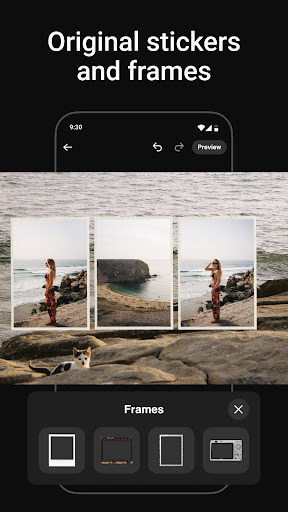
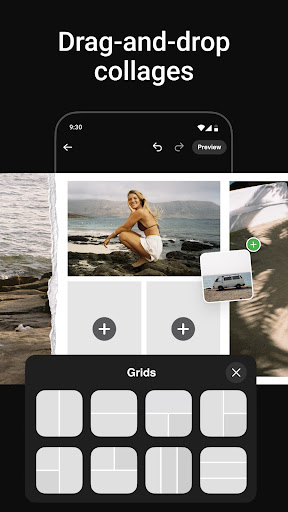
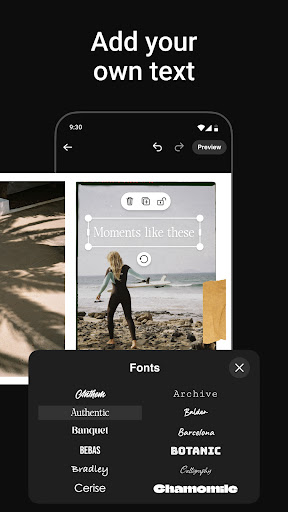
Photo Collage Maker by SCRL is the leading app for creating stunning photo collages and seamless Instagram carousel posts. Designed for influencers, artists, and photography enthusiasts, this app offers a complete suite of tools to make your social media posts stand out. With hundreds of hand-picked templates, a freeform canvas, and advanced design features, users can create personalized collages that reflect their unique style.
The app's standout feature is its ability to break traditional posting limitations by allowing more than 10 photos in a single post. Whether you're designing for personal memories or professional projects, Photo Collage Maker provides all the resources needed to craft visually captivating content. Trusted by Grammy Award-winning artists and industry leaders, this app ensures professional-grade quality for every user.
Photo Collage Maker boasts an impressive range of features designed to enhance creativity and streamline design workflows. The app includes hundreds of professionally designed collage templates catering to various styles and occasions, ensuring there's something for everyone. Its freeform canvas allows users to zoom in and out, adjust layouts, and combine multiple elements like stickers, overlays, and text with precision.
Another key feature is the ability to create swipe-through Instagram carousel posts. These carousels enable smooth transitions between images, keeping audiences engaged. Additionally, the app offers an extensive library of stickers and overlays to add finishing touches to your designs. For those seeking advanced capabilities, SCRL Premium unlocks exclusive templates, gradient backgrounds, and video integration, empowering users to take their creations to the next level.
User-friendly interface
Extensive template library
Freeform canvas flexibility
Instant Instagram posting
Premium upgrade options
Limited free features
Premium subscription cost
Instagram-focused only
Advanced tools require learning
Occasional bugs reported

Effortlessly organize, view and share your photos & videos with Gallery app!
 4.40
4.40
Long exposure camera with computational photography
2.60
Easily stitch panoramas from multiple photos or video.
4.40
Viewfinder, Light meter, Reciprocity failure time, DOF & Bellows Extension
4.60
Create AI Photos, Improve and restore quality of blurry, old or damaged pics.
4.20
Photo Exif Editor allows to view, add and modify EXIF data of multiple photos
4.50
Professional photography on your mobile phone
4.20
AI photo enhancer with Sora 2! Enhance, descratch, and colorize your old photos.
4.50
Your personal guide to the sun and moon. Plan ahead, visualize and predict!
4.70
Pro version: AR sun/moon tracker for any date. Tool for photographers & planners
4.90
Photo editor: AI filters, photo enhancer, pic collage maker, AI art generator.
4.80
Cartoon and artistic effects for your photos and videos
4.70
The original Rarevision VHS look seen everywhere!
4.70
Easily create custom gifts, cards, photo books & more on the Shutterfly app!
4.60
HD Camera Pro with HD Video shooting, Panorama, Photo editor , Beauty Camera.
4.50
Photo editor & gallery. Crop pictures & edit photos offline, no wifi!
4.50
How old age camera Gender Swap App Face Shape Hairstyle App Hair Styler App fun!
4.00
Perfect photos with body shaping, BG changer and object remover.
3.70
Remote control the phone camera shutter from your smartwatch and take a picture
1.60


User Reveiws